Promo codes
A promo code takes a percentage or a fixed amount off the order. Buyers type it at checkout and Zufest works out the discount when it quotes the price.
See your codes
-
In the sidebar, select Tickets and packages.
-
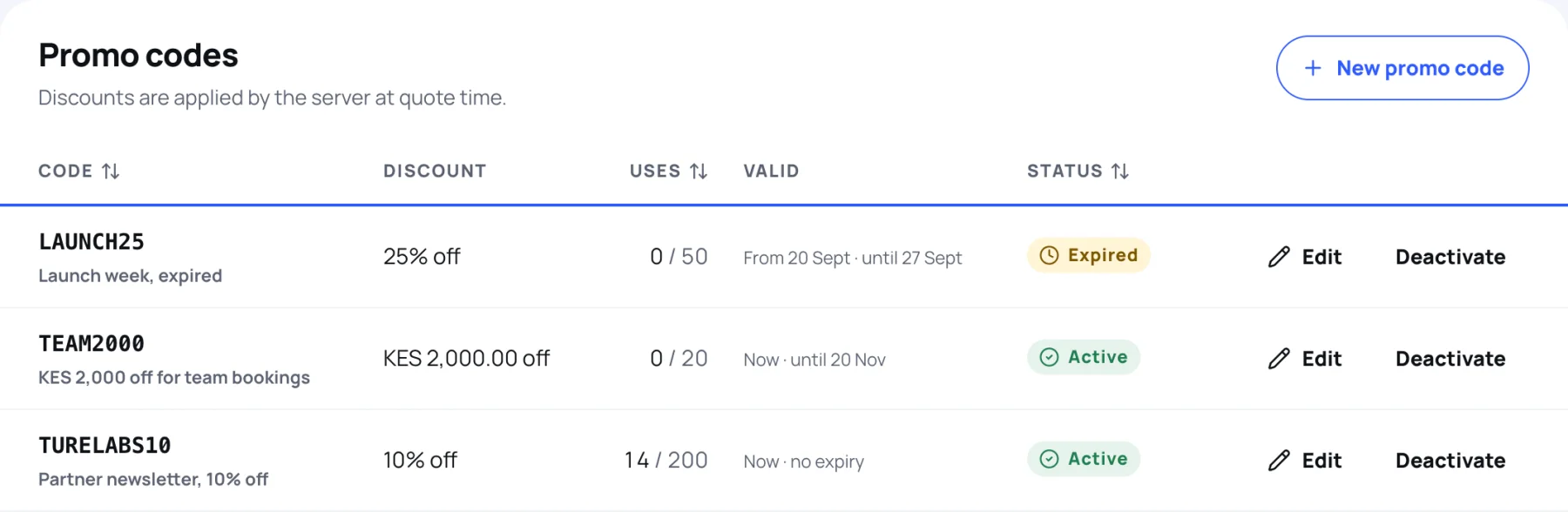
Scroll to Promo codes. Each row shows the Discount, how many times it has been used out of its limit (Uses), when it is Valid, and its status: Active, Inactive (switched off), Not started, Expired or Fully used. A code is Active only when a buyer could use it today.
Create a promo code
-
Under Promo codes, select New promo code.
-
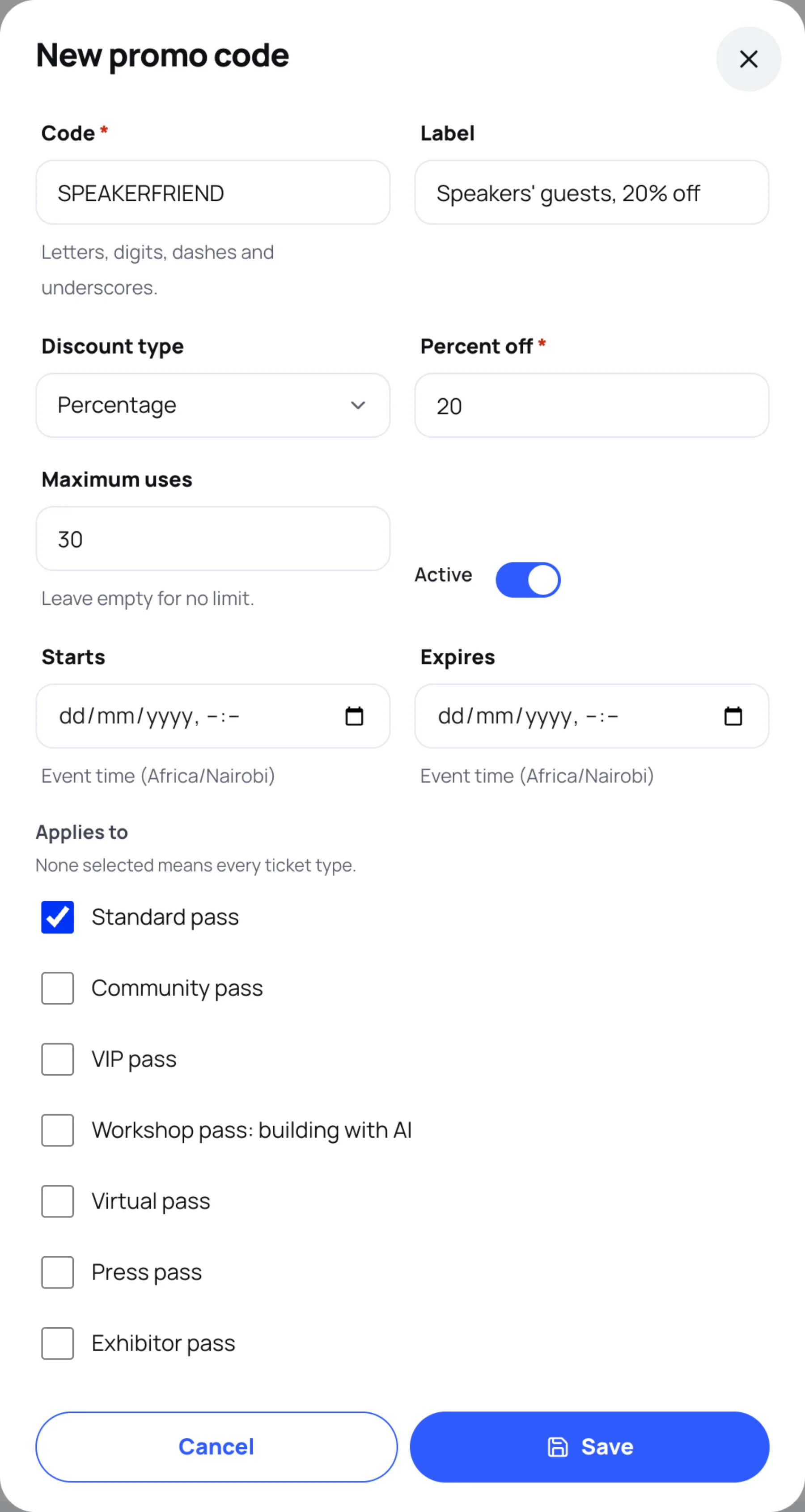
In Code, type what buyers will enter, for example
SPEAKERFRIEND. Use letters, digits, dashes and underscores. -
Optional: in Label, type a note for your team, such as who the code is for.
-
In Discount type, choose Percentage or Fixed amount, then type the Percent off or the Amount off in the event's currency.
-
Optional: in Maximum uses, type how many orders can use it. Leave it empty for no limit.
-
Optional: set Starts and Expires, in the event's time zone.
-
Under Applies to, tick the passes the code works on. Leave them all unticked for every ticket type.
-
Leave Active switched on and select Save.
Switch a code off
-
On the code's row, select Deactivate.
-
Confirm. Nobody can apply it any more. Orders that already used it are not changed.
To change a code's discount, dates or passes, select Edit on its row.
Last updated