Build an audience
An audience is a saved group of attendees that a campaign goes to, such as everyone not yet checked in or everyone on a VIP pass. Audiences are counted when a campaign is sent, so they always match who is registered at that moment.
Built-in audiences
-
In the sidebar, under Engage, select Campaigns and announcements.
-
Select the Audiences tab. People shows how many people match each audience now.
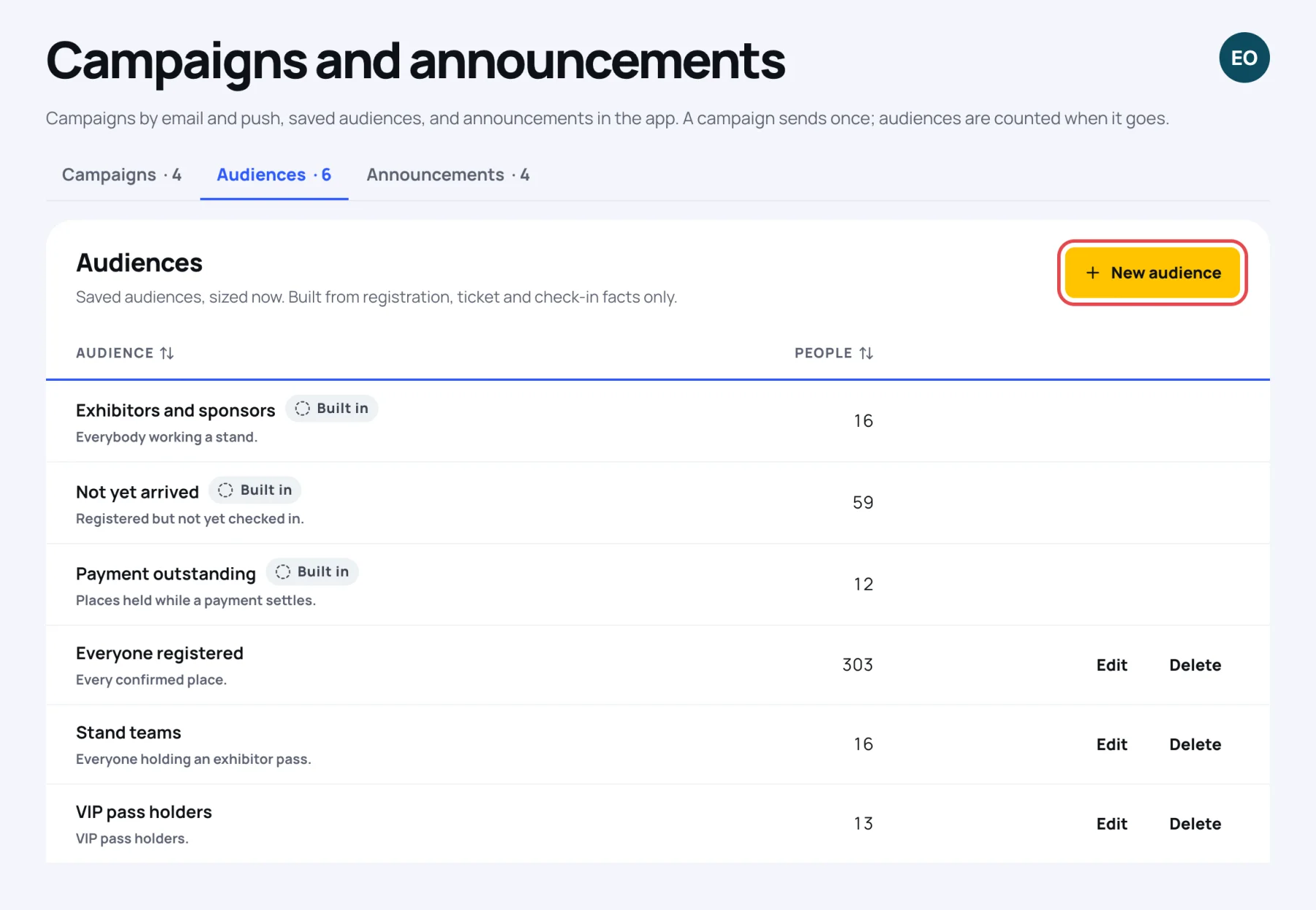
Every event has these built-in audiences, marked Built in. You cannot edit or delete them.
| Audience | Who is in it |
|---|---|
| Everyone registered | Every delegate, speaker, exhibitor and guest holding a place |
| Not yet arrived | Registered but not yet checked in |
| Payment outstanding | Places held while a payment settles |
| Exhibitors and sponsors | Everybody working a stand |
Build your own
-
On the Audiences tab, select New audience.
-
Give it a Name and, if you like, a Description for your team.
-
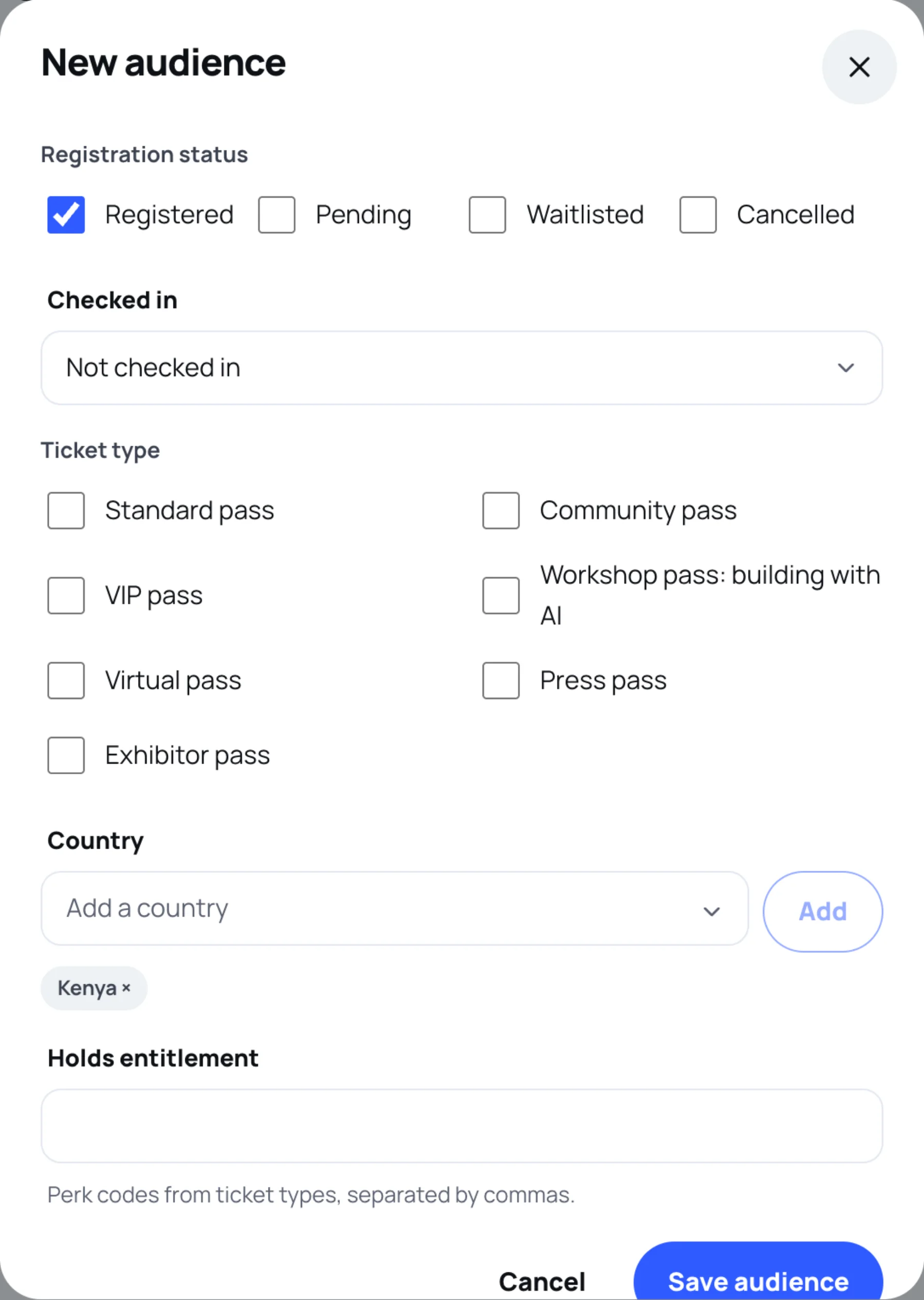
Choose at least one condition. A condition you leave empty is ignored.
- Attendee type: Delegate, Speaker, Exhibitor, Sponsor, Press.
- Registration status: Registered, Pending, Waitlisted or Cancelled. People who cancelled are in an audience only when you tick Cancelled, for example to tell them about the next event. Their email and push settings still apply.
- Checked in: Either, Checked in or Not checked in.
- Ticket type: one or more of your tickets.
- Country: choose a country, select Add, and repeat for more. Select a country's × to take it off.
- Holds entitlement: perk codes from your ticket types, separated by commas.
-
Select Save audience.
Conditions combine: a person must match every condition you set. Within one condition, any ticked value counts, so ticking Delegate and Speaker includes both.
Edit an audience a campaign is waiting for
If a scheduled campaign is going to an audience, editing it shows a note naming that campaign. Your changes apply to it, because the audience is counted when the campaign goes out.
Deleting an audience does not change campaigns already sent: they keep their record of who received them.
Last updated