Connect a stream
A stage needs a video stream before attendees can watch it. There are two ways to connect one: stream through Zufest, which gives you an address and key for your encoder, or paste the playback link from a streaming provider you already use.
Stream through Zufest
Where Zufest streaming is available for your event, a saved stage offers it in its edit form.
- On Stages and recordings, select the pencil on the stage.
- Under Stream through Zufest., select Create stream.
- The form now shows Streaming through Zufest (Cloudflare) with an ingest URL and a stream key. Select Copy beside each and paste them into your encoder.
- Start streaming from the encoder, then set the stage's Status to Live.
Afterwards the key is shown masked. When you need it again, for example on another computer, open the stage and select Show key.
With this option, nothing is pasted into the stage. Each attendee gets their own signed playback link, which stops working when it expires, so a copied link cannot be passed around. If Record this stage is on, the recording appears under Recordings as a draft when the broadcast ends.
Use your own streaming provider
If you stream through another service, paste its details into the stage.
-
On Stages and recordings, select the pencil on the stage.
-
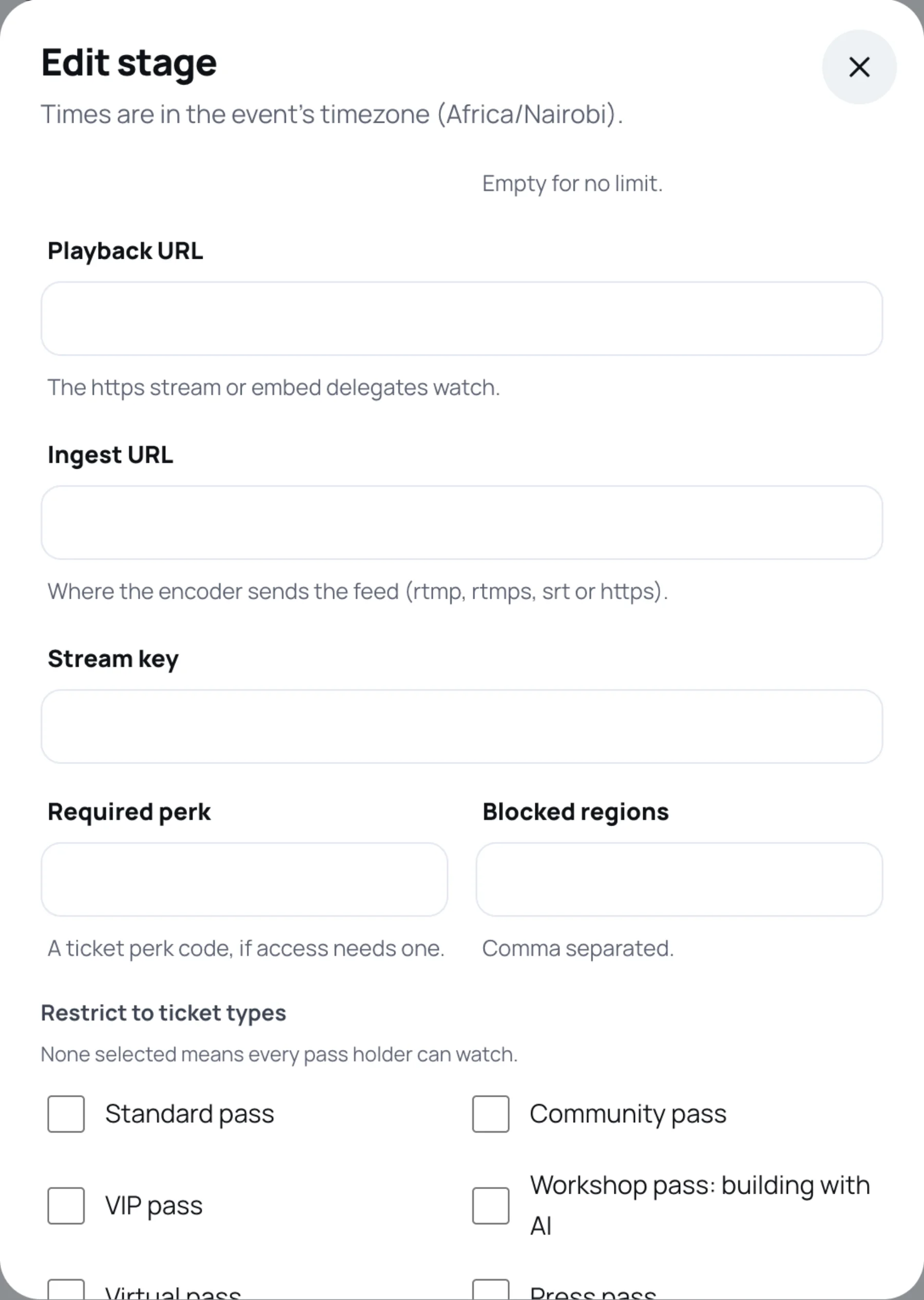
Scroll to the stream fields.
-
Paste the Playback URL: the https stream or player page attendees watch. Choose the matching Playback above it: HLS stream or Embedded player.
-
If you want the stage to hold your encoder details for the team, add the Ingest URL (where the encoder sends the feed: rtmp, rtmps, srt or https) and the Stream key.
-
Select Save stage.
After saving, only the last four characters of the stream key are shown. Leave the masked value as it is to keep the current key, or type a new one to replace it.
Check it works
Before the session, copy the attendee link with the link icon on the stage's row and open it, or open the stage from the programme. The access rules apply to you too, so if your own place does not include the stage, ask a colleague whose place does.
Last updated