Your profile
Your profile is how organisers and other delegates know you: your name, job title, organisation and country. You manage it from Me.
Open Me
- On a computer, select your initials at the top right, then My profile.
- On a phone, tap Me in the tab bar.
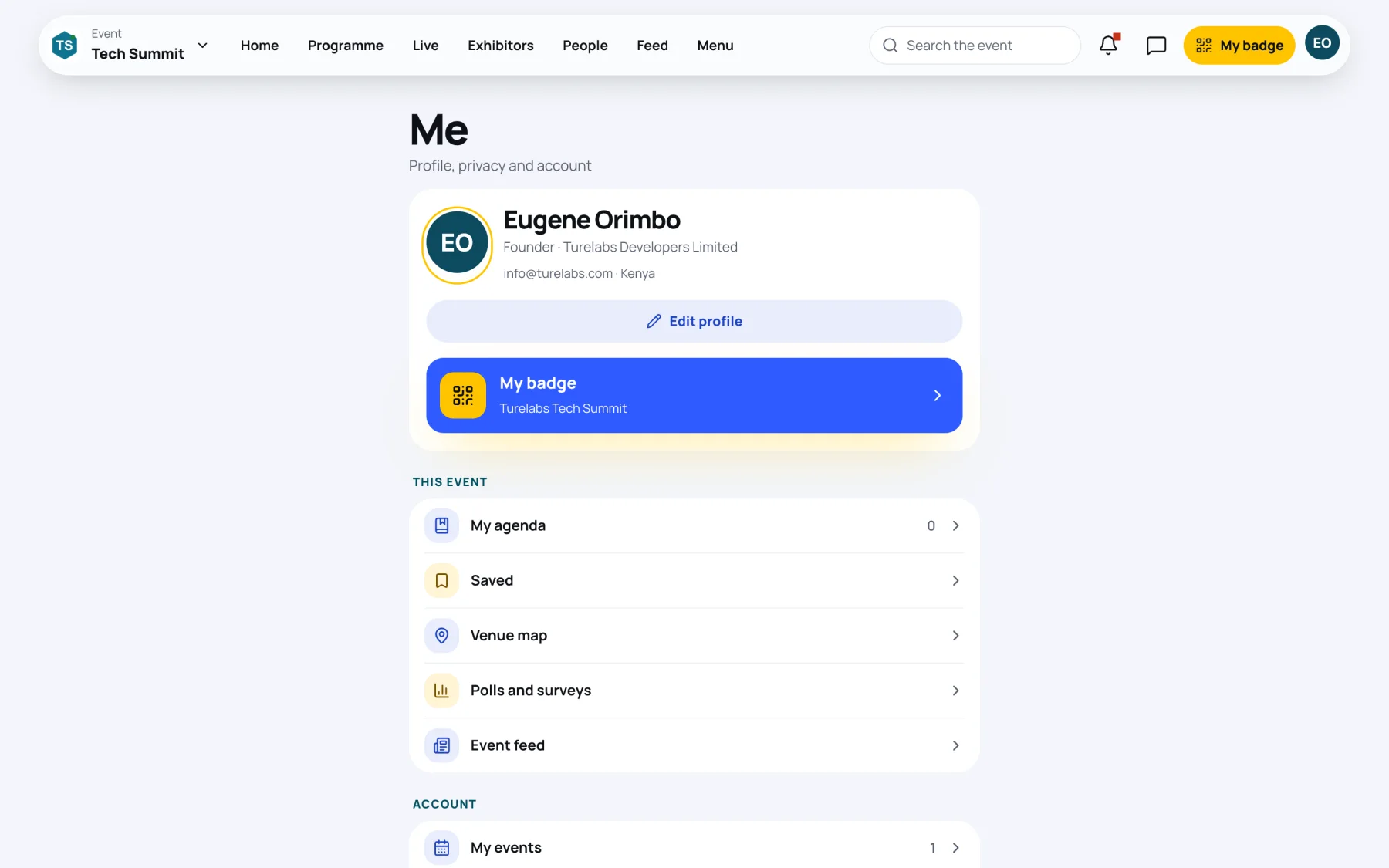
| Part | What it holds |
|---|---|
| Profile card | Your name, job title, organisation, email address and country |
| My badge | The badge for the event you are in |
| This event | My agenda, Saved, Venue map, Polls and surveys and Event feed |
| Account | My events, Orders and receipts, Notifications, Privacy, notifications and your data, and Organiser tools if you help run events |
| Sign out | Signs you out of this device |
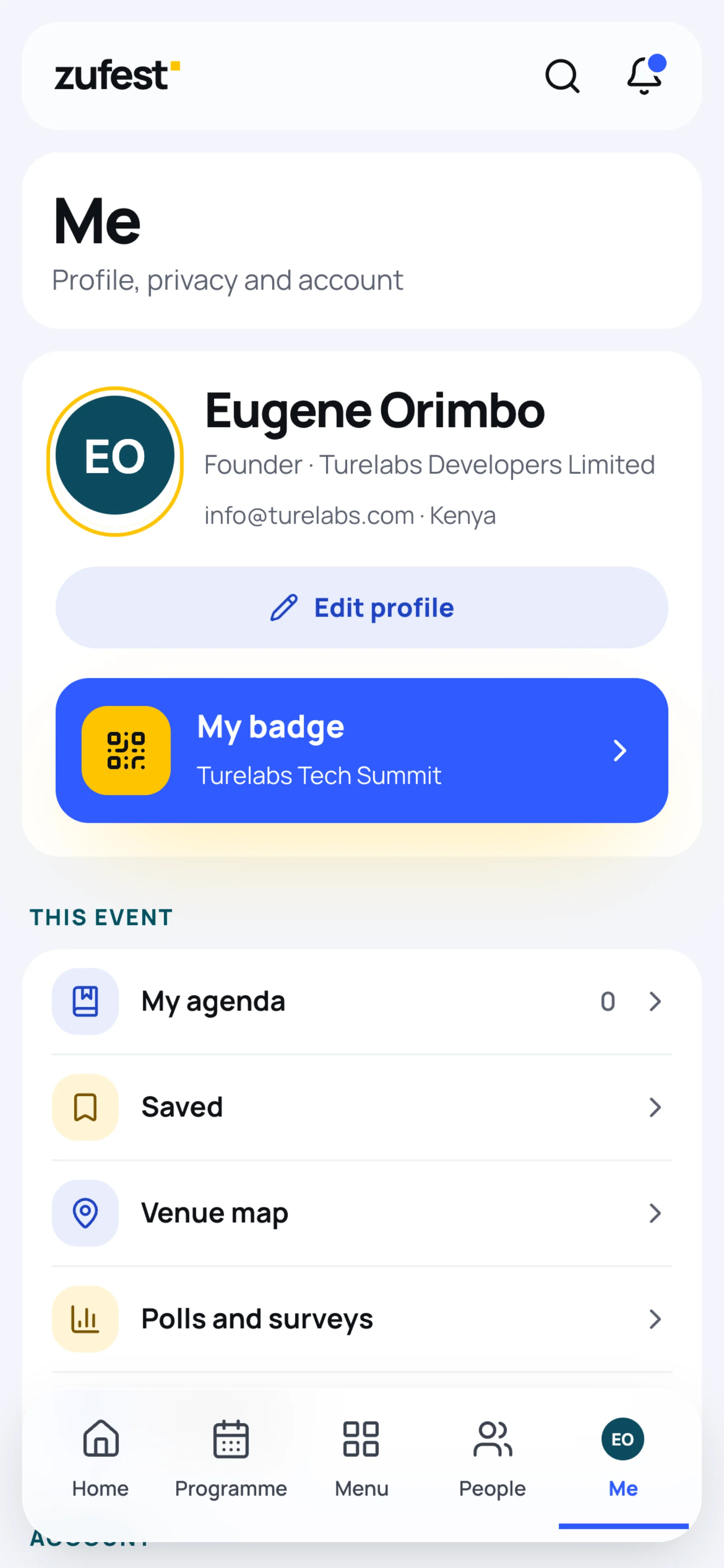
On a phone, Me is one tap away from every screen.
Edit your profile
-
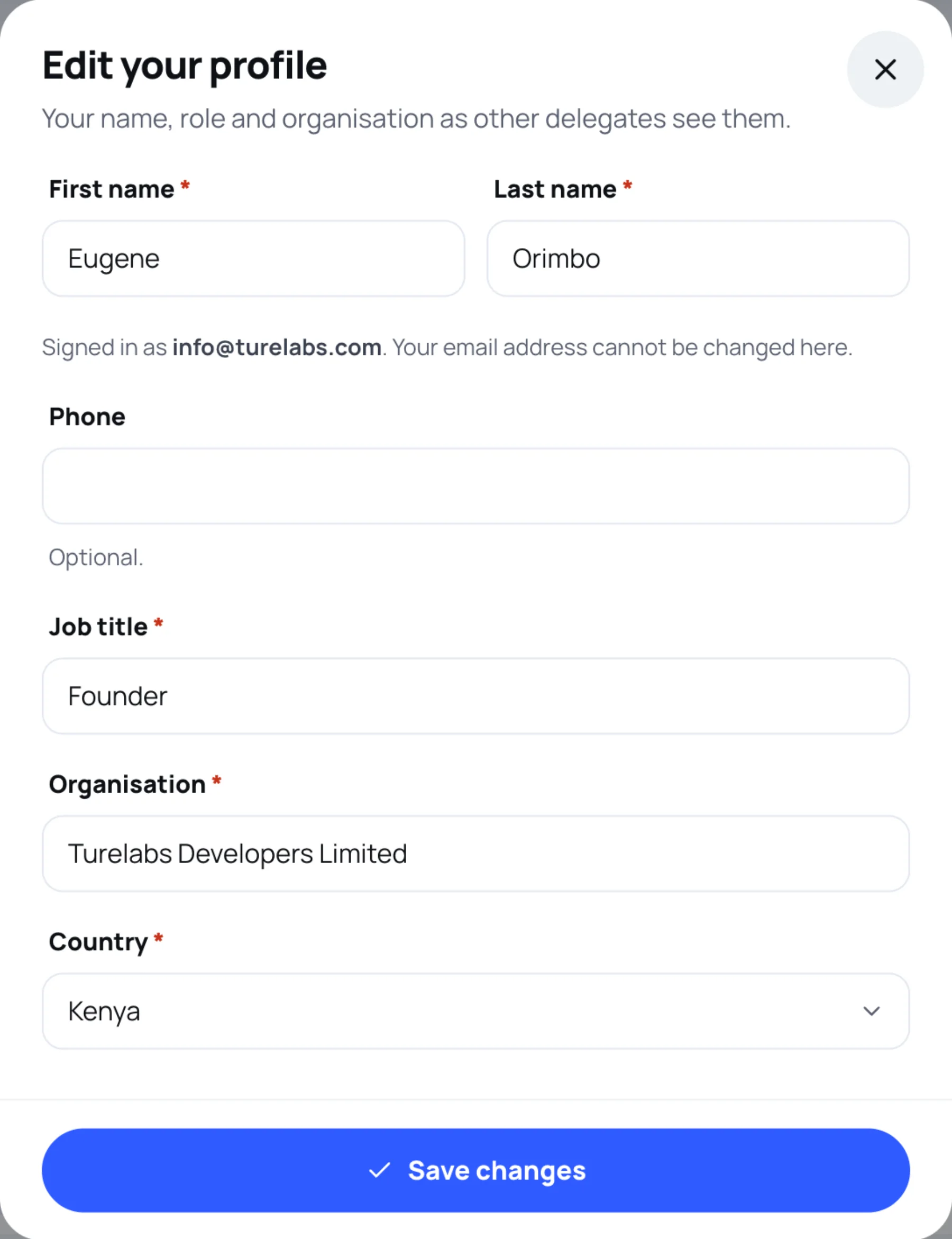
On Me, select Edit profile.
-
Change what you need:
Field Notes First name and Last name Required. Printed on your badge Phone Optional. Used for text and WhatsApp messages from organisers, if they send them and you allow it Job title Required. Shown under your name to other delegates and on your badge Organisation Required. Shown under your name Country Required -
Select Save changes.
What other delegates see
Other attendees see your name, job title and organisation, and your networking profile if you fill one in. They never see your email address or phone number on your profile. Contact details travel only on a business card you choose to share.
To control who can find you, message you or request a meeting, see Privacy and who can contact you.
Still stuck?
Tell us what you were trying to do and we will help.
Contact us
Last updated