Manage your session Q&A
Delegates ask questions on your session's page and upvote the ones they want answered. As the speaker, you see them ranked by votes and mark each one answered, so everyone watching knows what you have already covered.
What delegates see
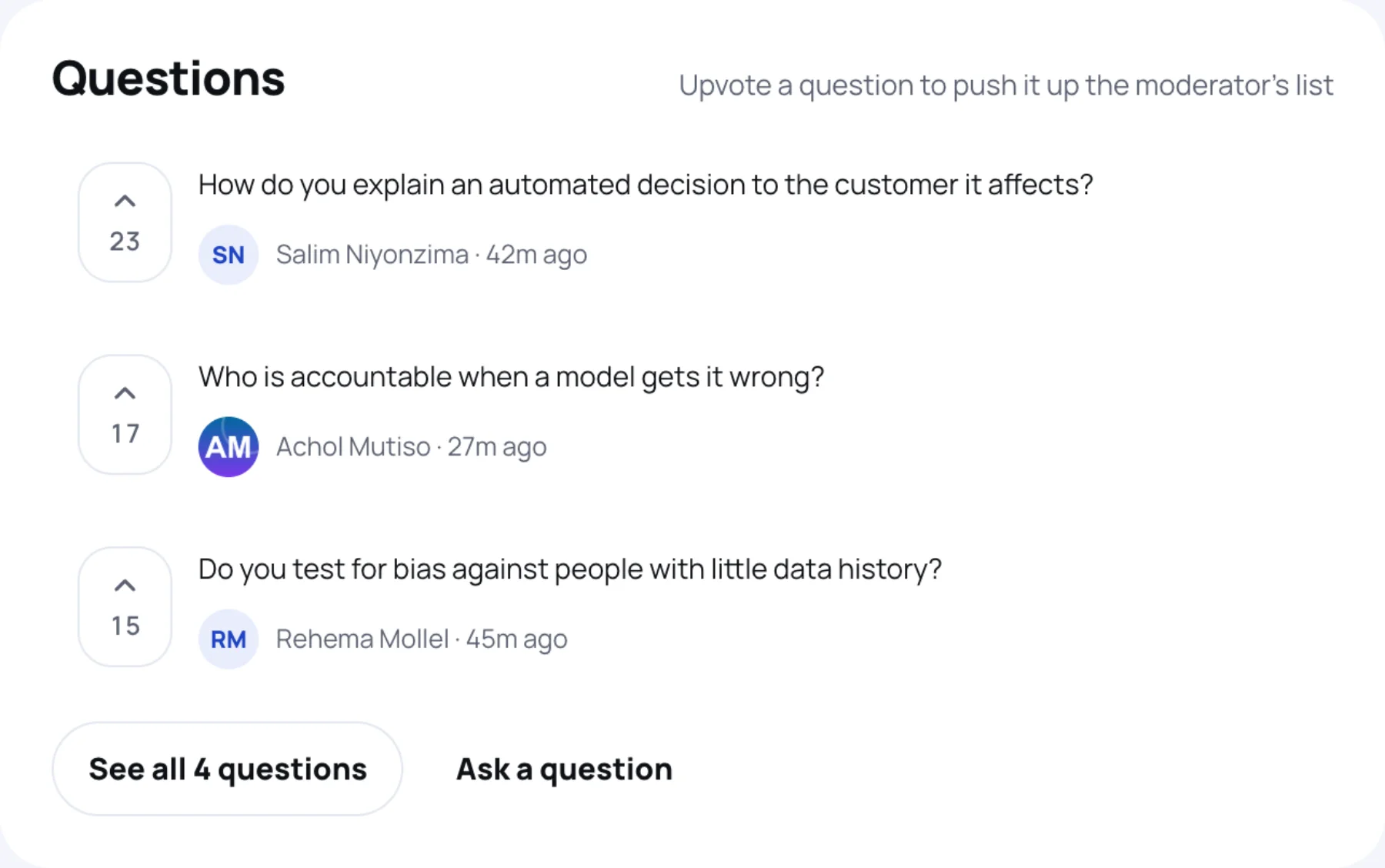
On the session page, Q&A lists what has been asked during the session, with the vote count beside each one and who asked it. Delegates add their own question (optionally anonymously) and use the arrow to upvote someone else's.
The session page is also where delegates find your published materials, the session's polls and the rating form.
Work the questions
-
Open your session and select Manage session in the You are speaking here bar.
-
Select the Questions tab. The count beside it says how many have been asked. Questions are listed highest-voted first, each with its votes, the name of the person who asked (or Anonymous) and when.

-
When you have answered one, select Mark answered. It fades and is labelled Answered for everyone.
If nobody has asked anything yet, the tab says "Questions asked from the floor arrive here as they come in."
After the session
Questions stay on the session page after it ends, with the ones you answered marked. The Feedback tab on Manage session shows how delegates rated it. See share your session materials.
Last updated