Find attendees and orders
Attendees and orders lists every person on every order for your event: confirmed, awaiting payment or review, waitlisted and cancelled. Open a person to see their order and act on it.
Open the list
-
In the sidebar, under People, select Attendees and orders.
Each row is one person. You see their name and order reference, their Ticket, the order's Registration status, its Payment and their Arrival at the gate.
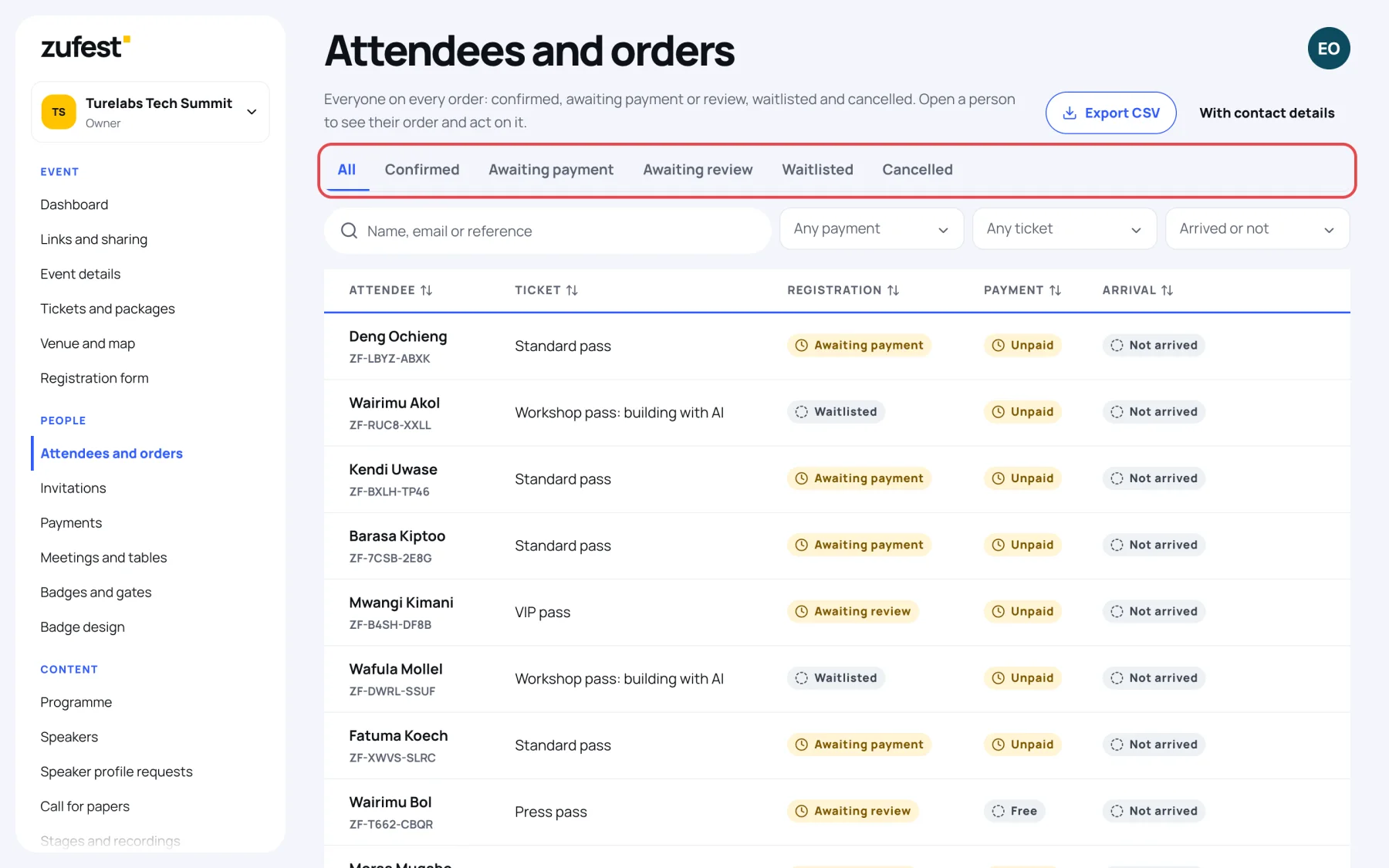
A guest on someone else's order has "guest" after their reference. Everyone on an order shares its status and payment.
What the statuses mean
| Registration | What it means |
|---|---|
| Confirmed | Paid or free. The person has a place and a badge. |
| Awaiting payment | The place is held while the buyer pays, or while you confirm a direct payment. |
| Awaiting review | The pass needs your approval. Nobody has been charged. |
| Waitlisted | The pass was sold out. The person is in the queue for a place. |
| Cancelled | Released: cancelled, rejected, expired or refunded. The order is kept for your records. |
Payment shows Paid, Free, Unpaid, Refund in progress, Partly refunded or Refunded.
Filter and search
-
Select a tab to show one status, for example Confirmed.
-
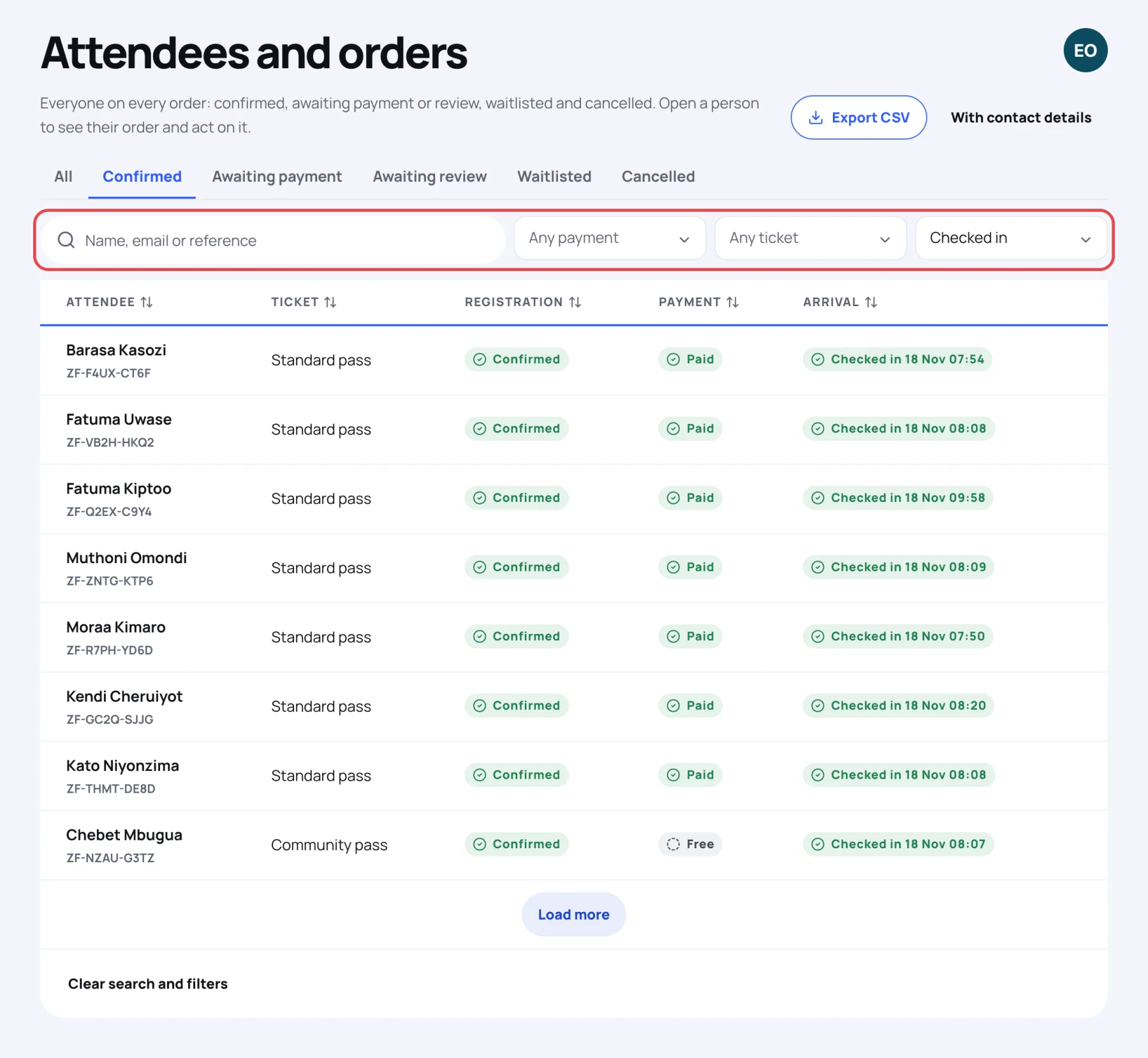
Use the filters next to the search box:
- Any payment: one payment state, such as Unpaid.
- Any ticket: one ticket type.
- Arrived or not: only people who have Checked in, or only those who have not.
-
Type in Name, email or reference to find someone. A reference looks like ZF-TMDU-8QJY.
-
Select Clear search and filters at the bottom of the list to start again.
The list loads in pages. Select Load more to see the next people.
Open a person
Select a person's name. Their details and their order open on top of the list. See an order in detail.
Last updated