Publish your event
A new event is a draft: nobody outside your team can see it and nothing is on sale. Publishing opens it to delegates.
Publish
-
In the sidebar, under Event, select Event details and scroll to Publishing.
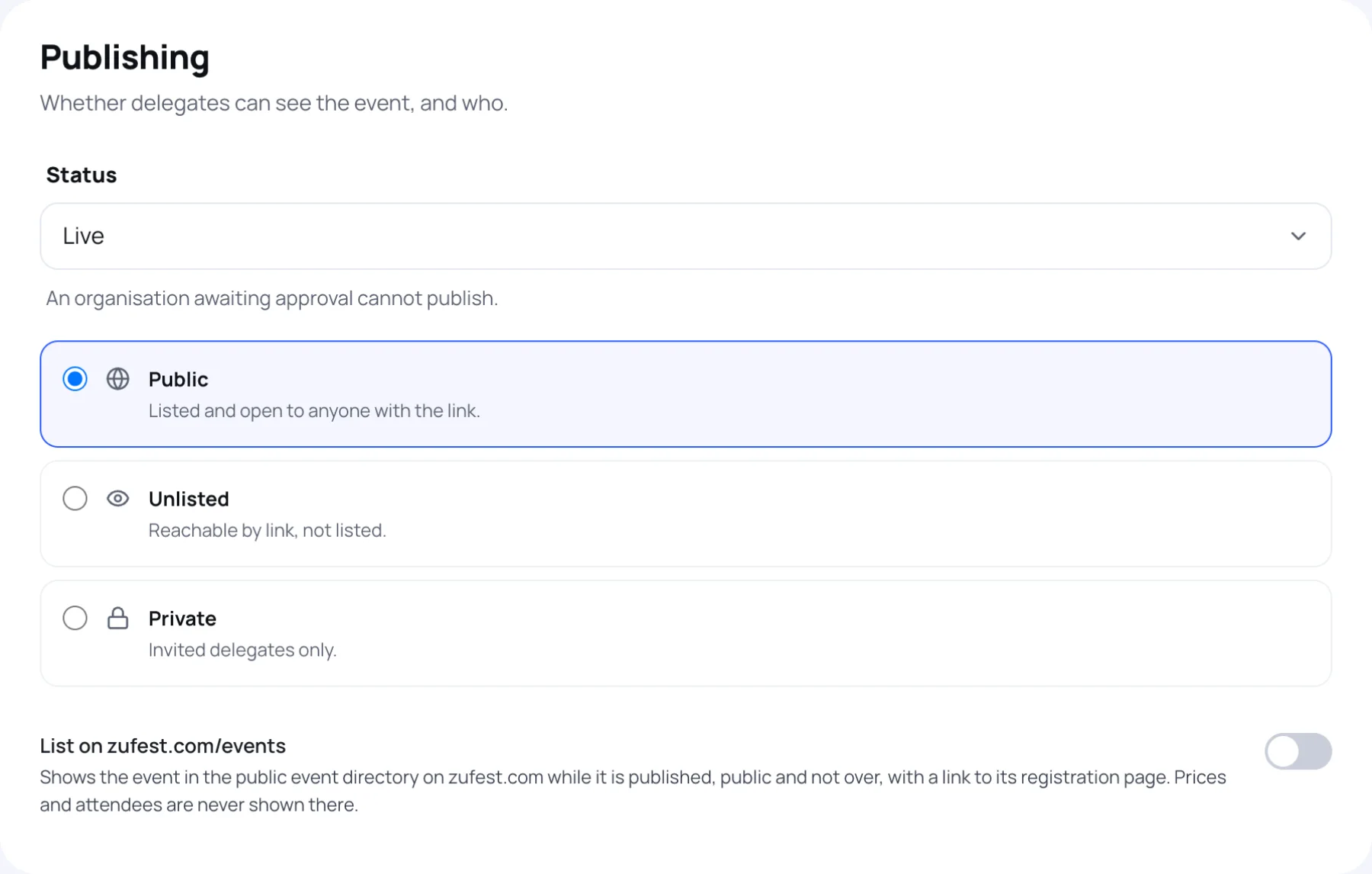
-
Change Status from Draft (hidden from delegates) to Published (upcoming).
-
Choose who can see the event under visibility:
Choice Who can see it Public Listed and open to anyone with the link Unlisted Anyone with the link, but it is not listed Private Invited delegates only -
Optionally switch on List on zufest.com/events. While the event is published, public and not over, it appears in the public event directory on zufest.com with a link to its registration page. Prices and attendees are never shown there.
-
Select Save changes in the bar at the bottom.
While the event is still a draft, the panel reminds you: "This event is a draft. Visibility takes effect once it is published."
Statuses
| Status | What it means |
|---|---|
| Draft (hidden from delegates) | Only your team sees it. It can be deleted |
| Published (upcoming) | Delegates can see it and register |
| Live | The event is running |
| Ended | The event is over |
If your organisation is awaiting approval
The status hint reads "An organisation awaiting approval cannot publish." If you try, Zufest refuses with "Your organisation must be approved before its events can be published." Keep building the draft; you can publish as soon as Zufest approves the organisation. Its status is shown on organisation settings.
If an event is suspended
Zufest can suspend an event or a whole organisation. While suspended:
- the event is hidden from attendees;
- the event is read-only for your team, and Event details shows "This event is suspended by the platform. It is hidden from attendees and read-only until the suspension is lifted.";
- on Organiser, the event card carries a Suspended label.
Contact Zufest to have a suspension lifted.
After publishing
Share your links: see links and sharing.
Last updated