Your stand team
Everyone who works your stand gets their own seat, as a Manager or a Rep. Seats are per stand: a seat on one stand gives nothing on another.
| Seat | What it can do |
|---|---|
| Manager | Edits the booth, the team and the sponsorship, and works the leads |
| Rep | Works the leads and sees the numbers |
Both seats open the stand tools from the bar on the booth page. Each person sees only the parts their seat covers.
Accept a seat
When someone invites you, Zufest emails you: "Join the … stand at …".
-
Select View invitation in the email. It opens the event's Exhibitors page. If you do not have a place at the event yet, it takes you to registration first.
-
Sign in with the address the invitation was sent to. That address must be confirmed.
-
A banner shows the invitation: "Join …'s stand", saying whether you were invited as a manager or a representative. Select Accept.
Zufest says "You joined …" and "Your stand tools are on its booth." Open your booth page to find them. See manage your stand.
See who has access
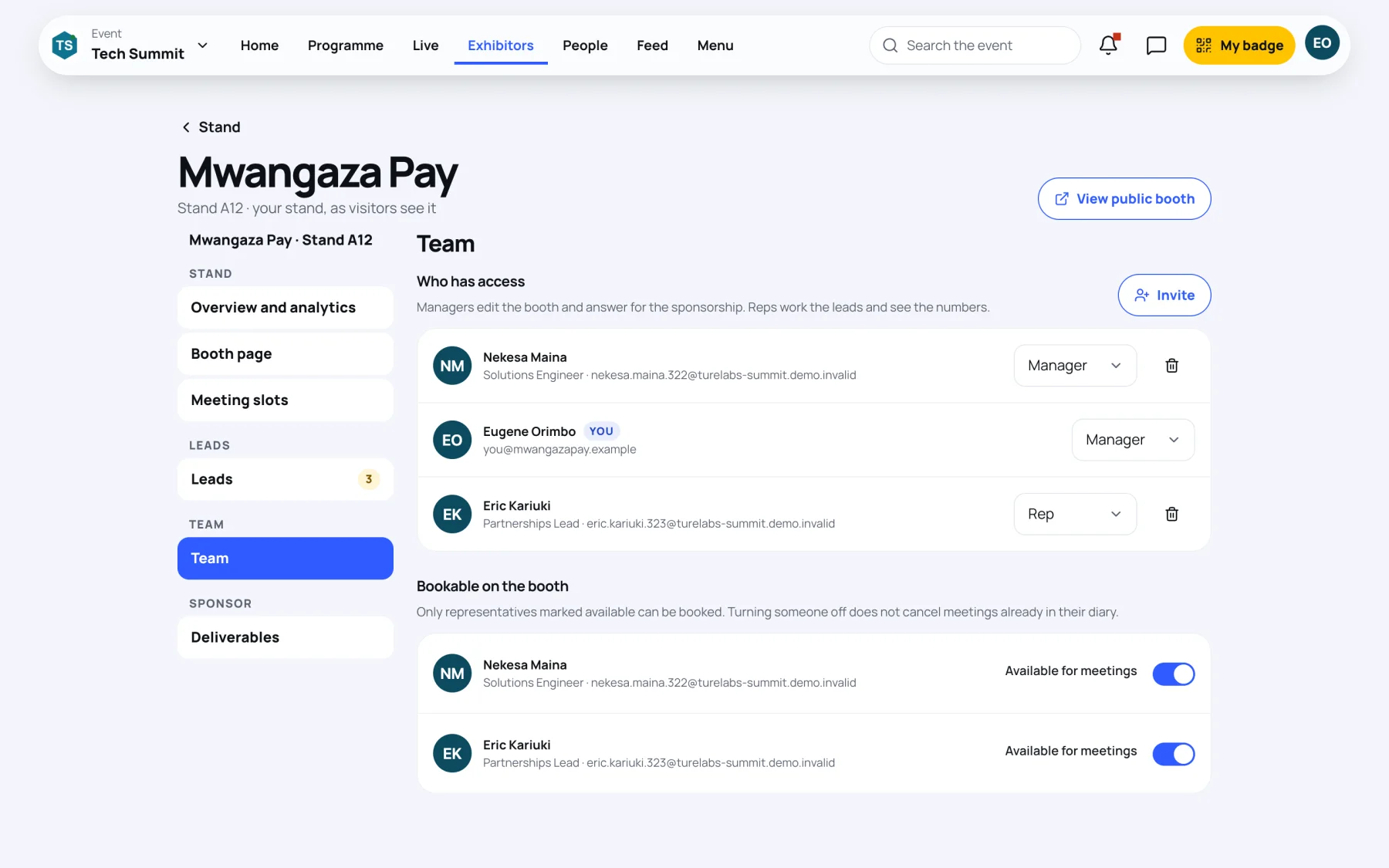
In your stand tools, select Team. Who has access lists each person with their job title, work email and seat. Your own row is marked You; someone who has not accepted yet is marked Invitation pending.
Invite a colleague
Managers only.
-
In Team, select Invite.
-
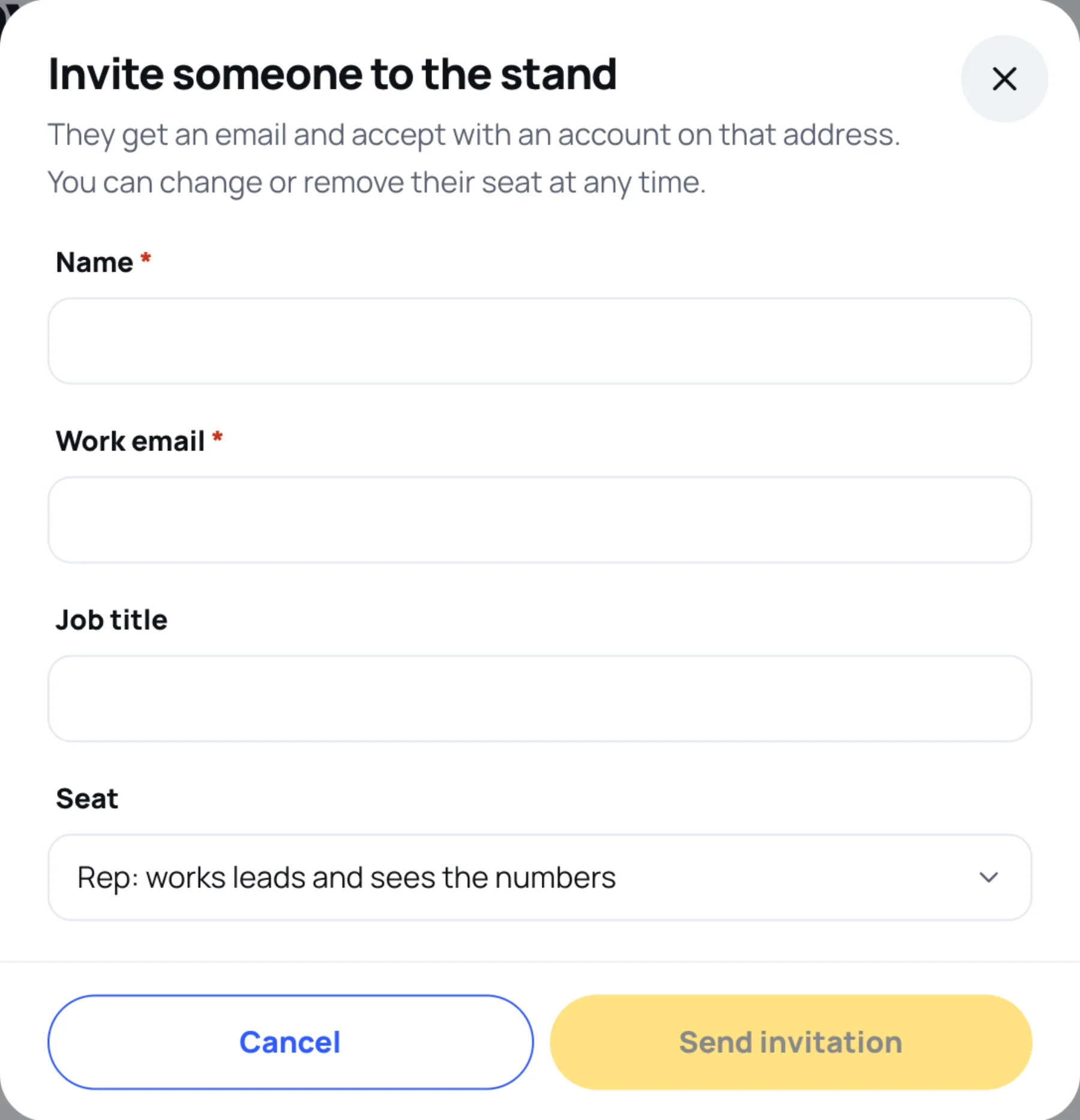
Fill in their Name, Work email and Job title.
-
Choose the Seat: "Rep: works leads and sees the numbers" or "Manager: edits the booth, team and sponsorship".
-
Select Send invitation. Zufest says "… invited" and "They will get an email to accept."
Change or remove a seat
- Change someone's seat in the list on their row (Manager or Rep). Zufest confirms, for example "Nekesa Maina is now a manager".
- Remove someone with the bin button on their row and confirm. You cannot remove yourself. A pending invitation stops working; a member loses the stand tools straight away.
A stand always keeps at least one manager. Zufest refuses a change that would leave none.
Choose who visitors can book
Under Bookable on the booth, switch on Available for meetings for each representative visitors may book. Only people marked available can be booked. Turning someone off does not cancel meetings already in their diary. See meeting slots.
Last updated