Recordings
The recordings library lets attendees catch up on sessions they missed. Each recording belongs to a session. You add recordings by hand, or they arrive as drafts from stages that record through Zufest.
Where recordings come from
- From a stage that streams through Zufest: if Record this stage is on, the recording arrives under Recordings as a draft once the broadcast is ready. The stage needs a session, because a recording belongs to one.
- From anywhere else: add the recording by hand with its link.
Add a recording
-
Go to Stages and recordings and select the Recordings tab.
-
Select Add recording.
-
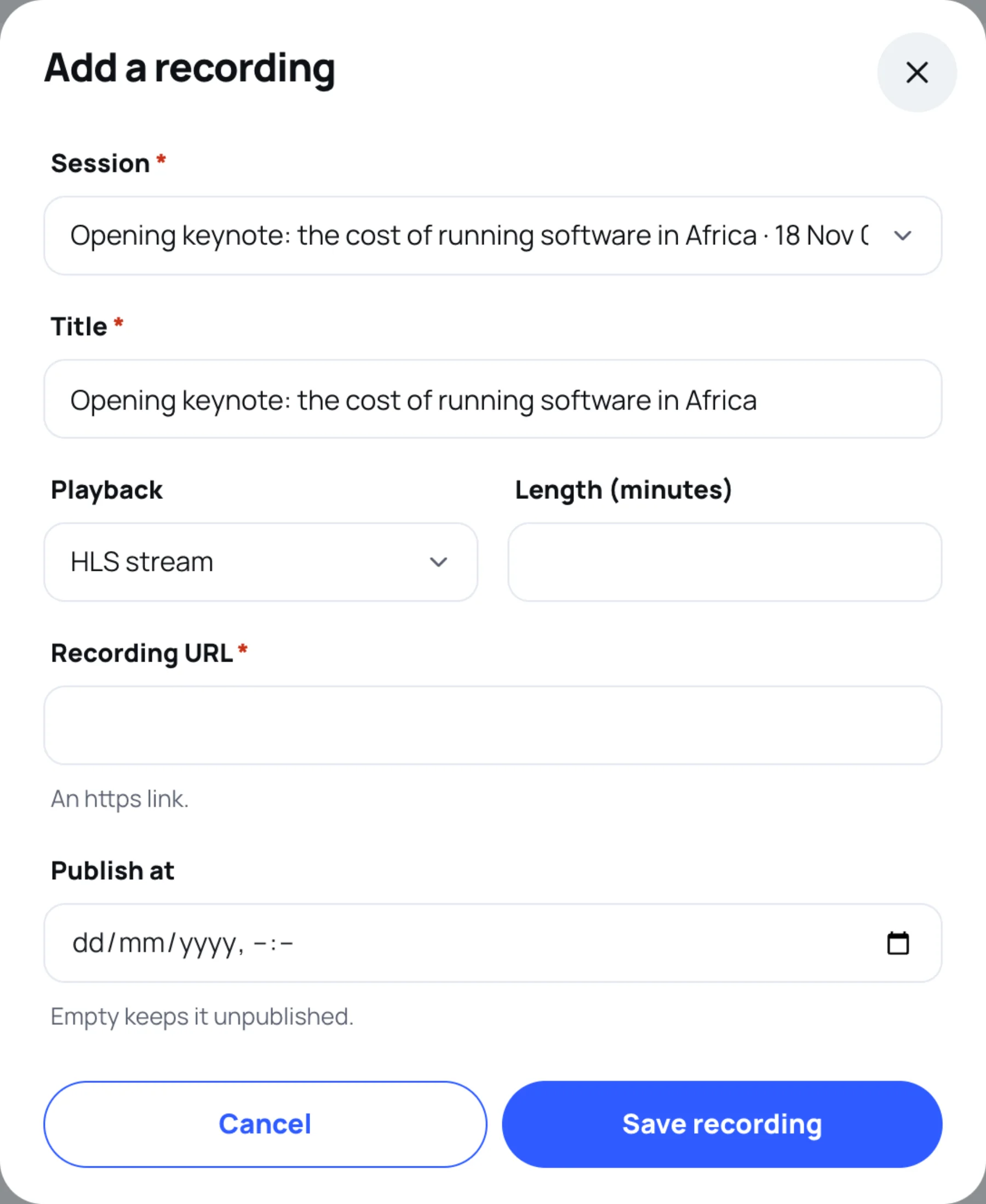
Choose the Session the recording is of, and give it a Title.
-
Choose the Playback: HLS stream or Embedded player.
-
Add the Length (minutes).
-
Paste the Recording URL: an https link to the video.
-
Set Publish at to publish it now or later. Leave it empty to keep it unpublished.
-
Select Save recording.
Publish a draft
Drafts and unpublished recordings show Unpublished in the list, and attendees cannot see them. To publish one, select the pencil, set Publish at and select Save recording. A published recording shows when it was published.
Who can watch
Published recordings are in the library for attendees with a registered place. As with stages, attendees never see the link you paste: each person gets a short-lived playback link of their own. To remove a recording, select the bin and confirm: it disappears from the attendee library.
For what attendees see, see Recordings.
Last updated