Create a poll
Polls let you ask the room a question and see the answers come in. This page shows you how to create one, tie it to a session, and move it from draft to open to closed.
Open polls, quizzes and surveys
In the organiser sidebar, under Content, select Polls, quizzes and surveys. The page lists everything your event has, with three figures at the top:
- Total responses: answers across every poll, quiz and survey.
- Open now: how many attendees can answer at this moment.
- Configured: how many exist, in any state.
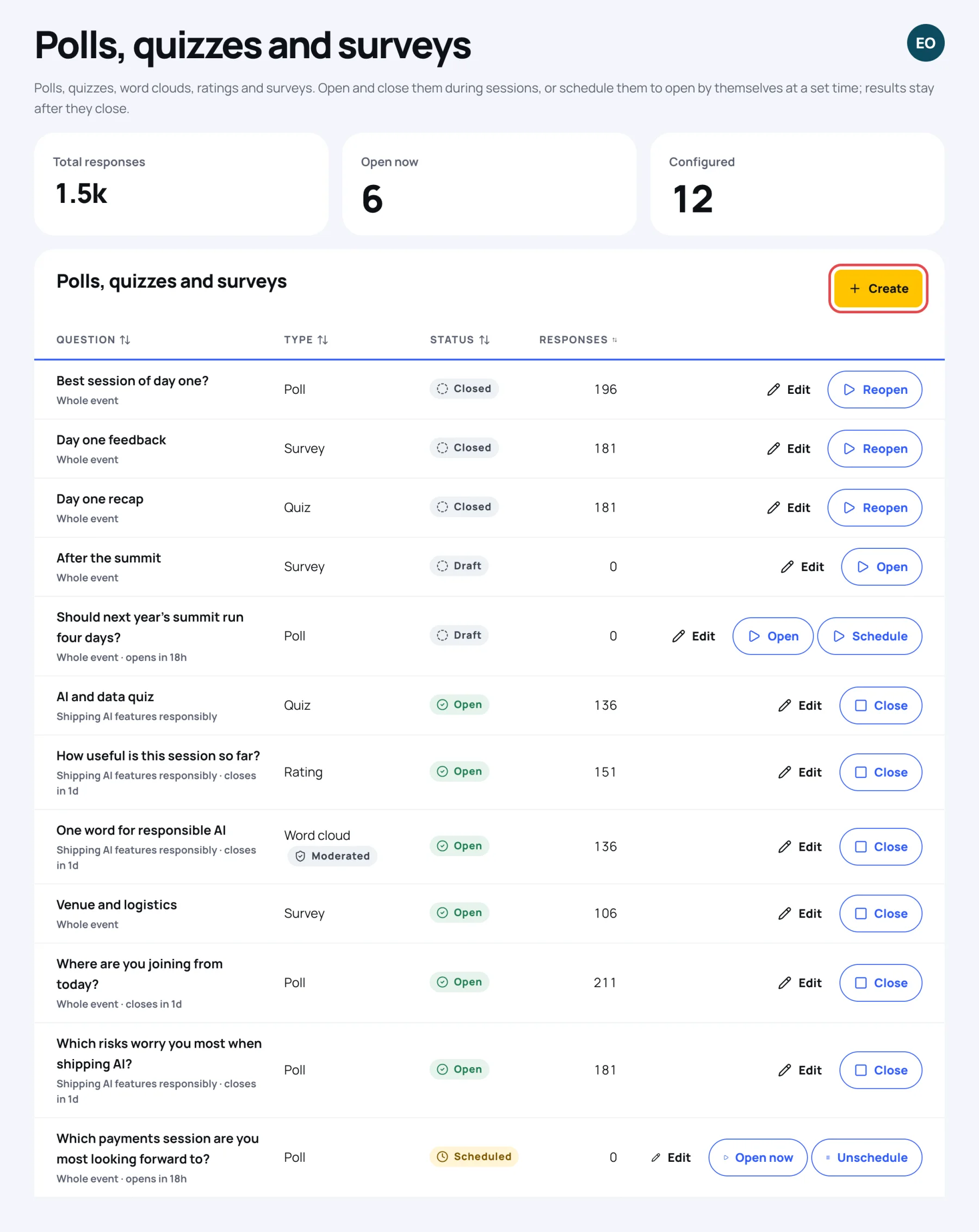
Each row shows the question, the session it belongs to (or Whole event), its Type, its Status and the number of Responses. Under the question you also see when an open poll closes, or when a draft or scheduled one opens.
Choose the kind of poll
A poll has one of four kinds:
| Kind | What attendees do |
|---|---|
| Single choice | Pick one option |
| Multiple choice | Pick as many options as they like |
| Rating | Give a score, up to the Highest rating you set |
| Word cloud | Type a short word or phrase; the most common ones show largest |
Create the poll
-
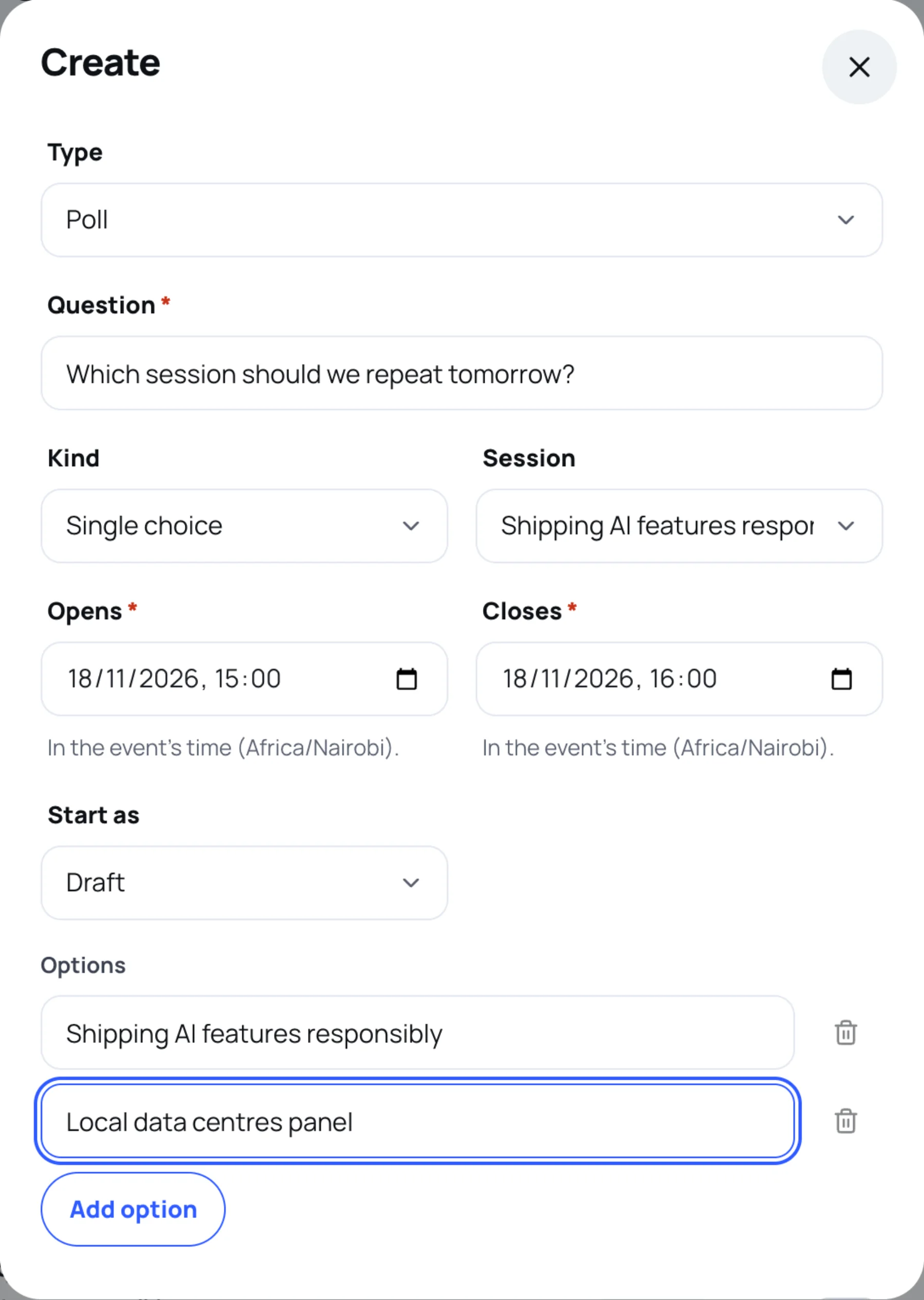
Select Create. A sheet opens with Type set to Poll.
-
In Question, type what you want to ask, for example "Which session should we repeat tomorrow?".
-
In Kind, choose Single choice, Multiple choice, Rating or Word cloud.
-
In Session, choose the session the poll belongs to, or leave it on Whole event. A poll tied to a session appears on that session's page.
-
Set Opens and Closes. Both are required and are in the event's own time zone, which the hint under each field names.
-
For a rating, set Highest rating, for example 5.
-
For single or multiple choice, type at least two Options. Select Add option for more, up to ten. The bin icon removes an option.
-
In Start as, choose Draft, Scheduled or Open.
-
Select Create.
Open, schedule and close a poll
The buttons on each row are the moves the poll can make from where it is now:
| Status | What attendees see | Buttons |
|---|---|---|
| Draft | Nothing | Open, and Schedule once it has an opening time |
| Scheduled | Nothing until the opening time, then it opens by itself | Open now, Unschedule (back to draft) |
| Open | The poll, ready to answer | Close |
| Closed | No more answers are taken | Reopen |
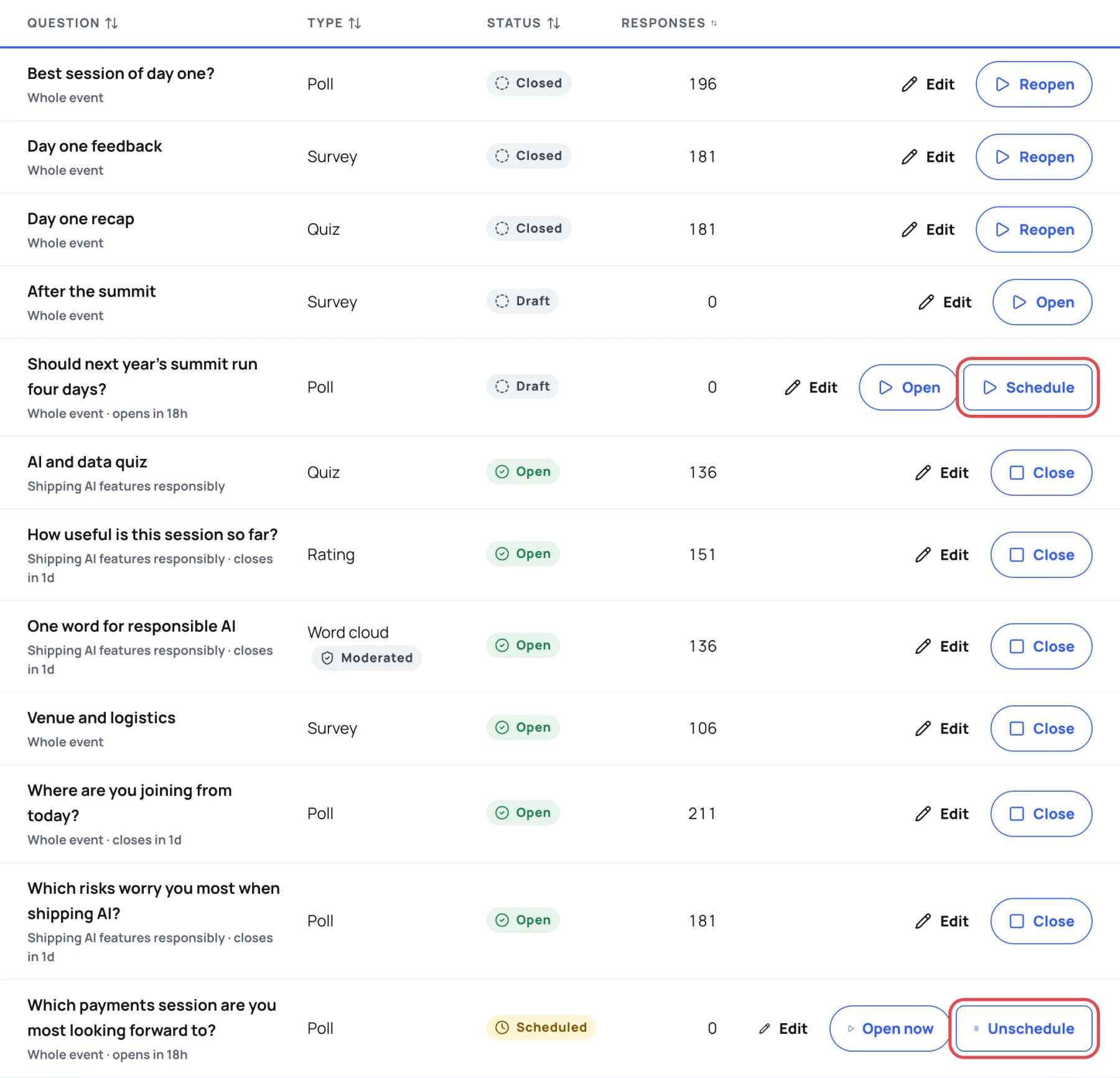
Results stay after a poll closes, so you can reopen it or refer back to it later.
Change a poll after people have answered
Select Edit on the row. Once anyone has answered, the options that have votes, the kind and the highest rating are locked, so nobody's answer changes meaning. You can still reword the question, change the times and the status, and add options.
Last updated