Take a quiz
A quiz tests what you have picked up at the event. You get your score and the correct answers as soon as you finish.
Find a quiz
-
Open the event, select Menu, then Polls.
-
On Open now, scroll to QUIZZES. Each quiz shows its title, how many questions it has and a short description.
Answer a quiz marked at the end
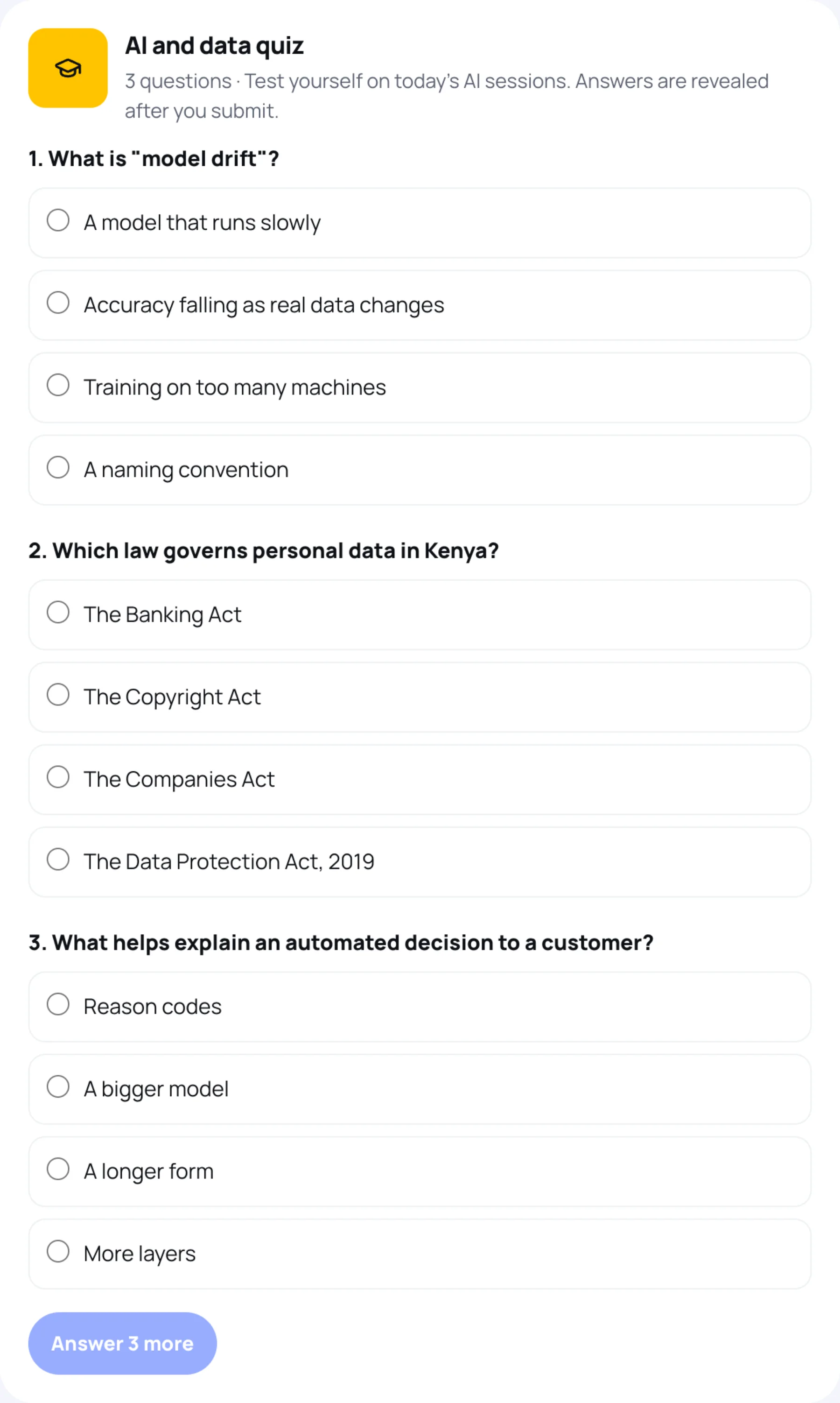
Most quizzes show every question at once and mark them when you submit.
-
Choose one answer for each question.
-
The button counts the questions you still have to answer, for example Answer 3 more. When every question has an answer, it changes to Submit answers.
-
Select Submit answers.
The quiz then shows your score, for example 2 of 3 correct, marks each answer right or wrong, and explains the correct answer where the organisers added an explanation. It can also say how you did compared with the other delegates who took it.
Answer a quiz marked question by question
Some quizzes show one question at a time and mark each answer straight away. They show Question 1 of 3 and a running score.
-
Choose an answer.
-
Select Check answer. The quiz says Correct or Not quite and shows the right answer.
-
Select Next question.
-
After the last question, select See all your answers for the full quiz with your score.
Your answer is marked straight away and cannot be changed.
Last updated