Announcements
Announcements are updates from the organising team: room changes, opening times, lunch, anything everyone needs to know. They are all kept in one place, newest first.
Read the announcements
-
Open the event, select Menu, then Announcements. A count on the tile shows how many you have not read.
-
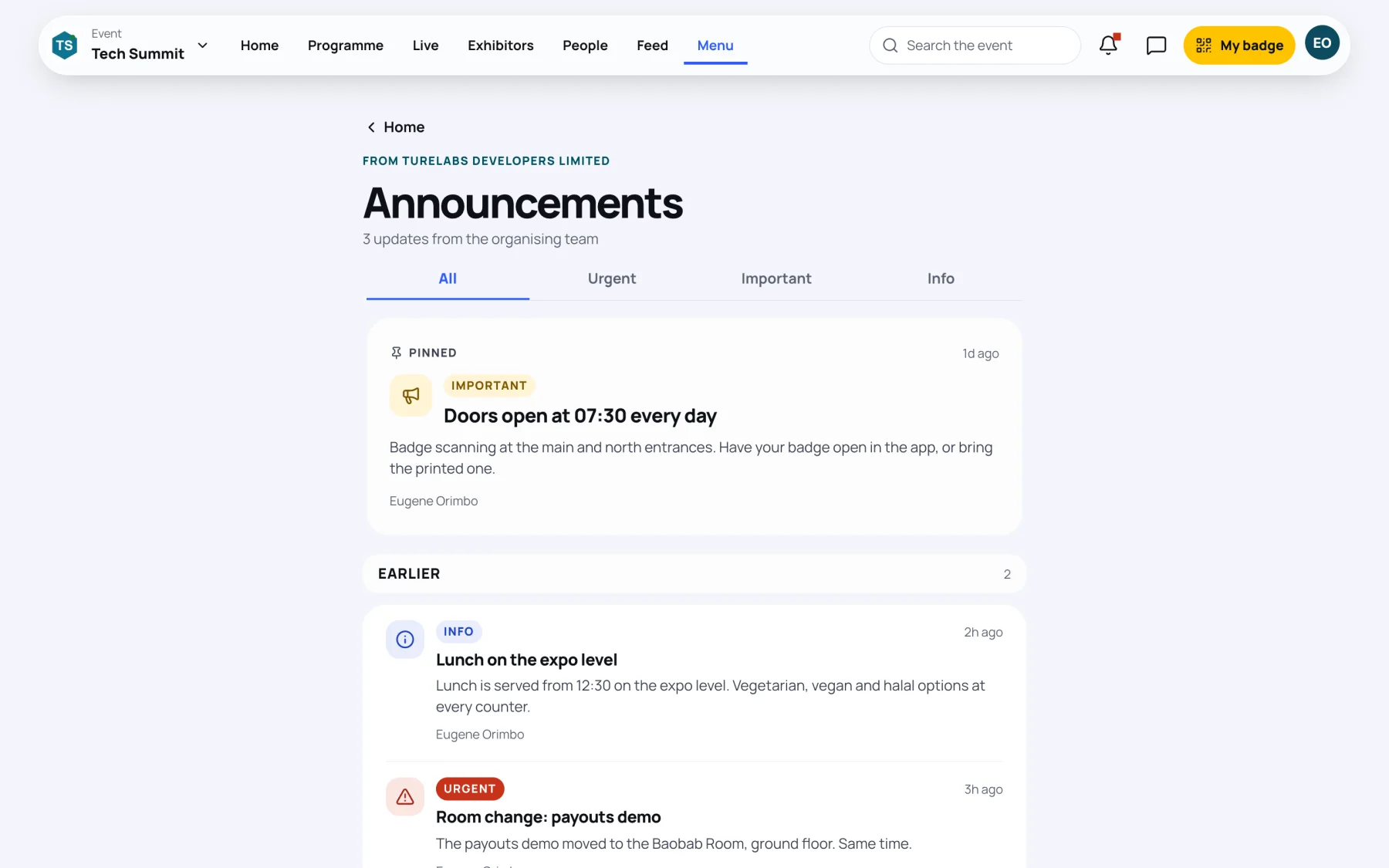
A Pinned announcement stays at the top. The rest are under Earlier, newest first.
-
To see one level only, select Urgent, Important or Info. Select All to see them all again.
Each announcement shows its level, its title, the message, who sent it and when. Some have a button that takes you straight to what they are about, for example View the session, Open the map or Vote now.
Opening the page marks every announcement as read.
Get urgent announcements as notifications
Urgent announcements also arrive as a notification on your phone while push notifications are on. To choose how you are told, go to Settings from the link at the bottom of the Announcements page.
Last updated