Report a post or person
If a post breaks the event's rules, report it. A moderator from the organising team reviews every report, and the author is not told who reported it.
Report a post
-
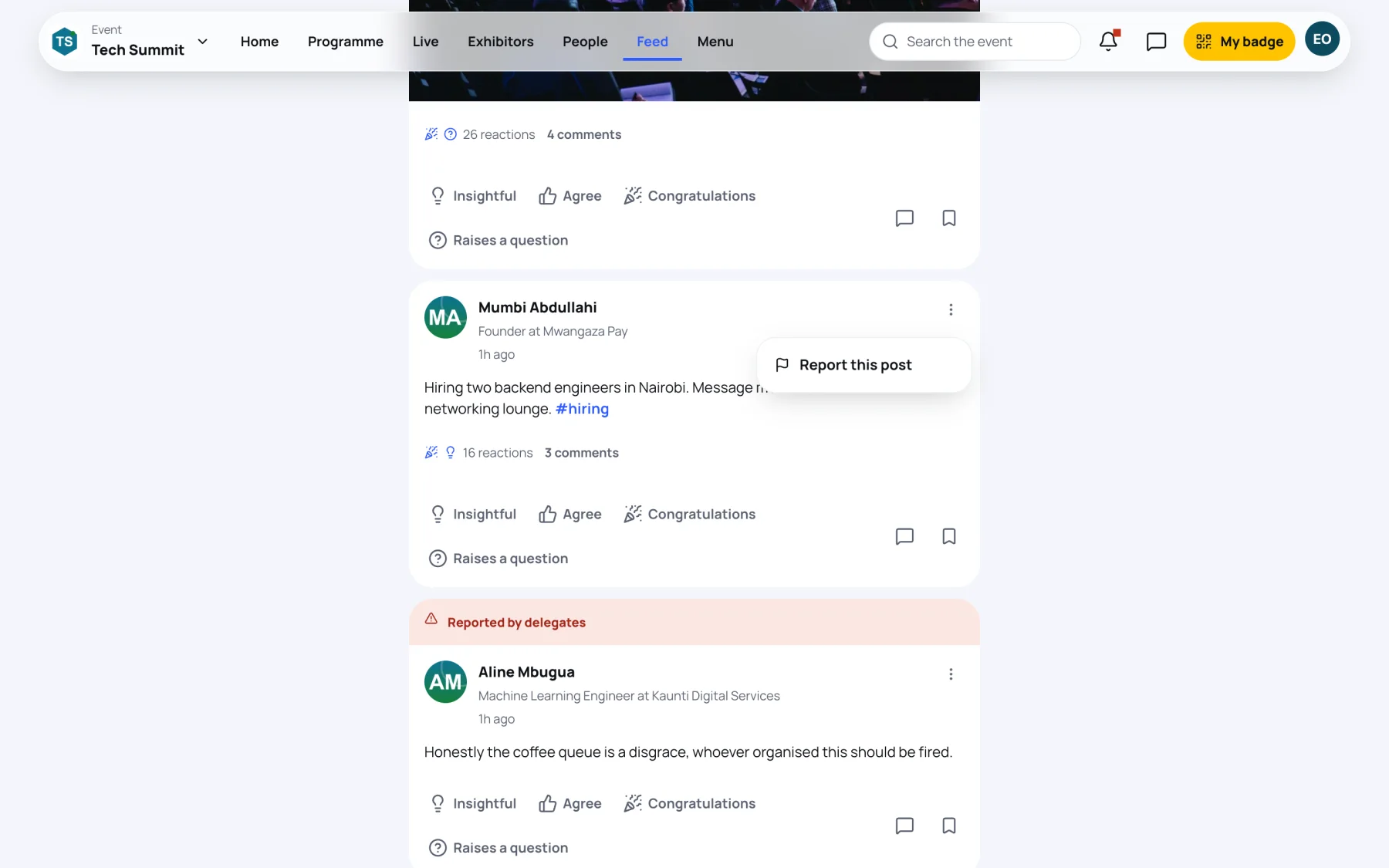
Select the three dots at the top right of the post.
-
Select Report this post.
-
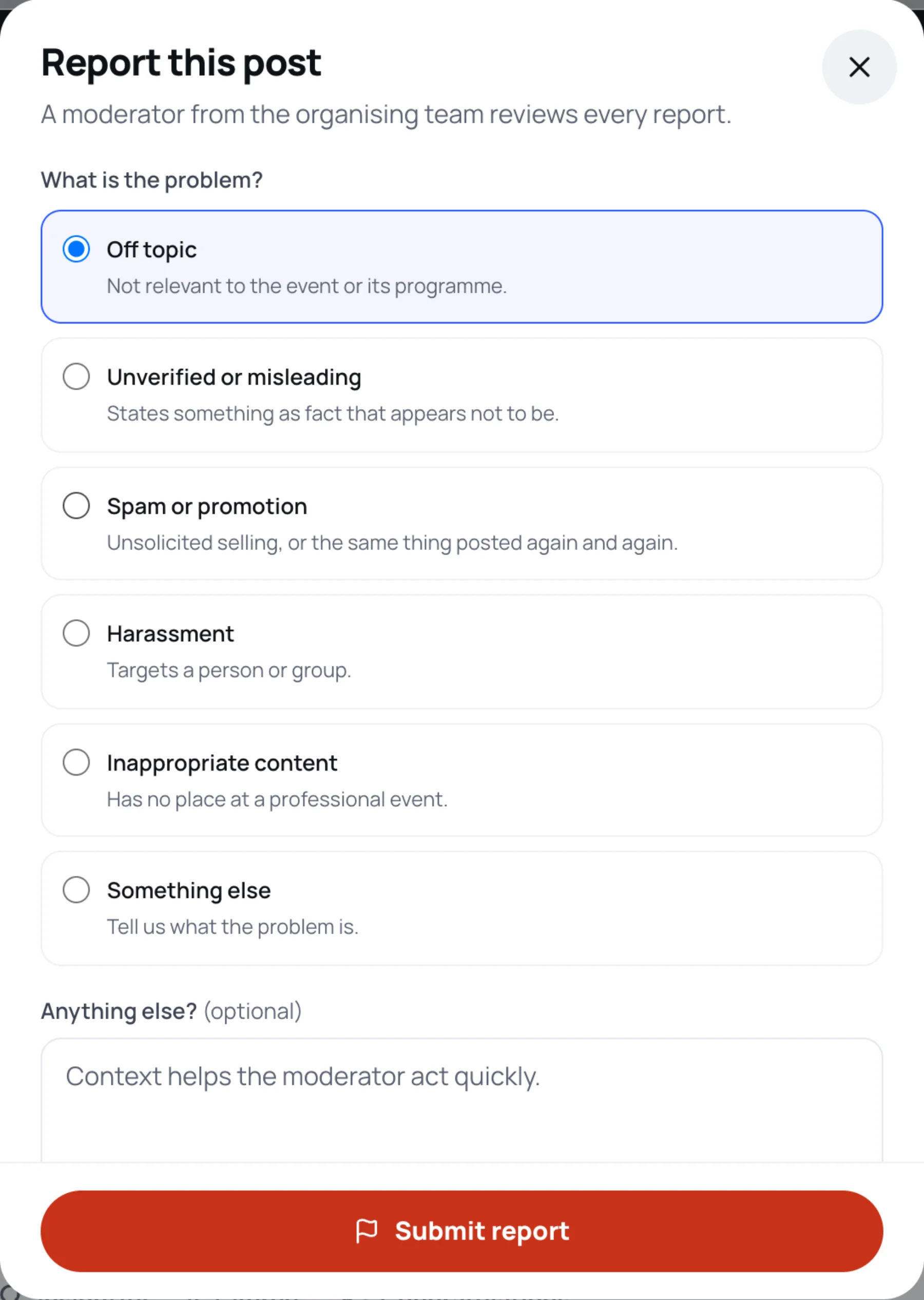
Under What is the problem?, choose a reason:
- Off topic: not relevant to the event or its programme.
- Unverified or misleading: states something as fact that appears not to be.
- Spam or promotion: unsolicited selling, or the same thing posted again and again.
- Harassment: targets a person or group.
- Inappropriate content: has no place at a professional event.
- Something else: tell the moderator what the problem is.
-
Optional: under Anything else?, add context. It helps the moderator act quickly.
-
Select Submit report.
You see "Thank you". The post stays in the feed until a moderator decides. If the moderators remove it, it disappears for everyone.
Report or block the person
If the problem is a person rather than one post, open their profile by selecting their picture on the post, then use Block or Report under More. Blocking also hides their posts from your feed. See Control who can contact you.
Still stuck?
Tell us what you were trying to do and we will help.
Contact us
Last updated