Confirm a direct payment
When a buyer pays your own account (Pay the organiser directly), Zufest holds their place and waits for your team to confirm the money arrived. The same applies to an order paid by bank transfer.
Find orders waiting for you
-
In the sidebar, select Attendees and orders.
-
Select the Awaiting payment tab.
-
Select a person's name.
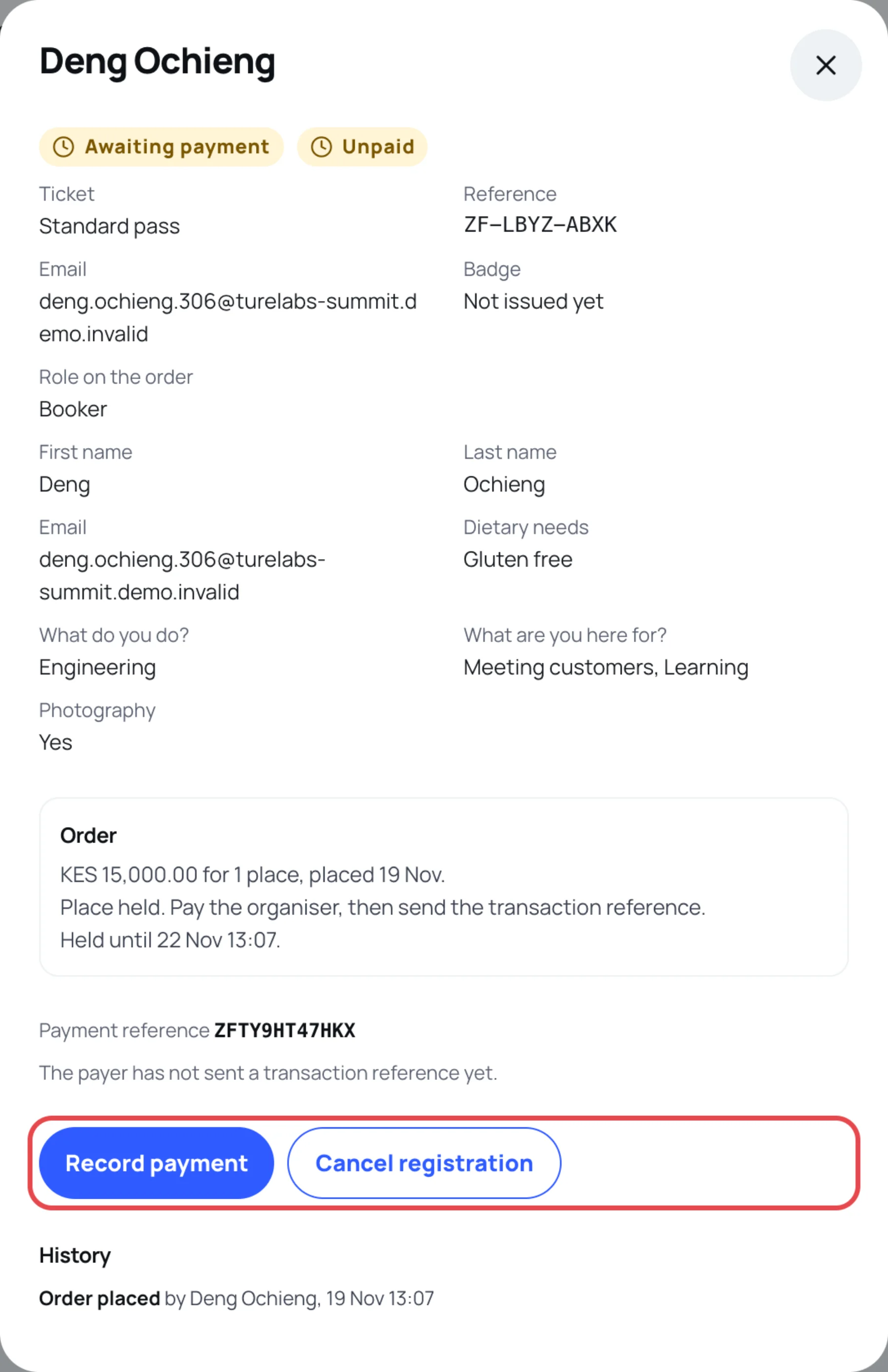
The order shows its Payment reference (starting with ZFT), which the payer quotes when they pay you. When the payer has sent their transaction reference, it is listed with the date they paid and To check.
Check the money first
Look in your own account statement for a payment that matches:
- the order's total,
- the ZFT payment reference, or the transaction reference the payer sent.
Record the payment
-
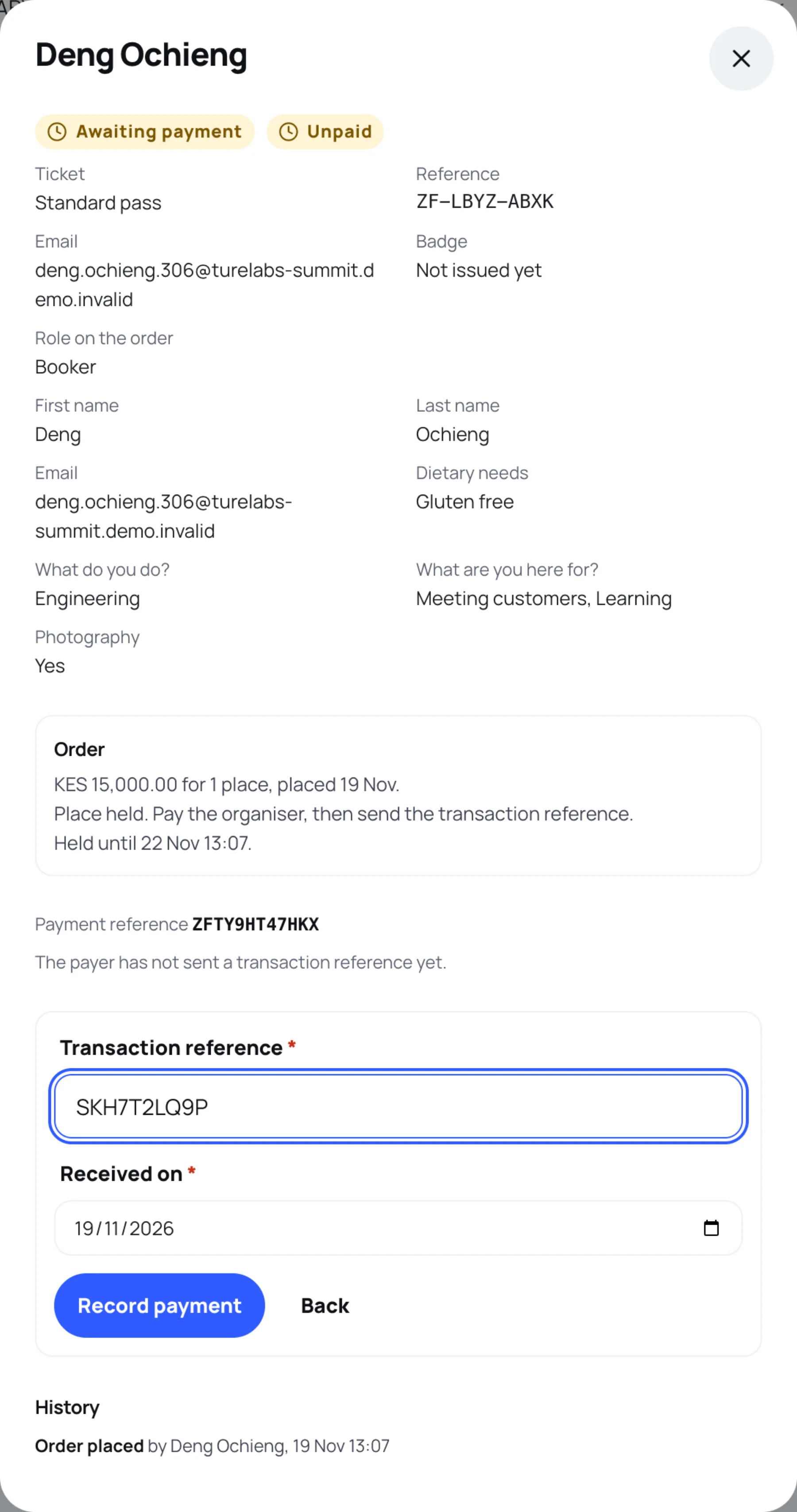
Select Confirm payment received. If the payer has not sent a reference yet but you can see the money, select Record payment. For a bank transfer, select Record bank transfer.
-
Type the Transaction reference (or Bank reference) from your statement.
-
Set Received on, the date the money arrived. It cannot be in the future.
-
Select Record payment.
The order is confirmed and everyone on it gets a badge. The buyer is emailed a link to their badge with the receipt attached, and each guest with an email address gets their own badge. The payment appears on the Payments screen. To send a badge again, see Resend a badge.
Reject a reference you cannot find
-
Select Reject reference.
-
In Why it could not be matched (shown to the payer), explain, for example "No payment with this reference reached our account on that date."
-
Select Reject reference.
The payer is told your reason and can send another reference. The place stays held until its hold ends.
Last updated