Find your way around an event
Every event in Zufest has the same layout: a home screen built for the day you are on, a bar of tabs to move between parts of the event, and a Menu that lists every tool.
The event home
Select Enter event on My events to open the event's home. It changes through the event.
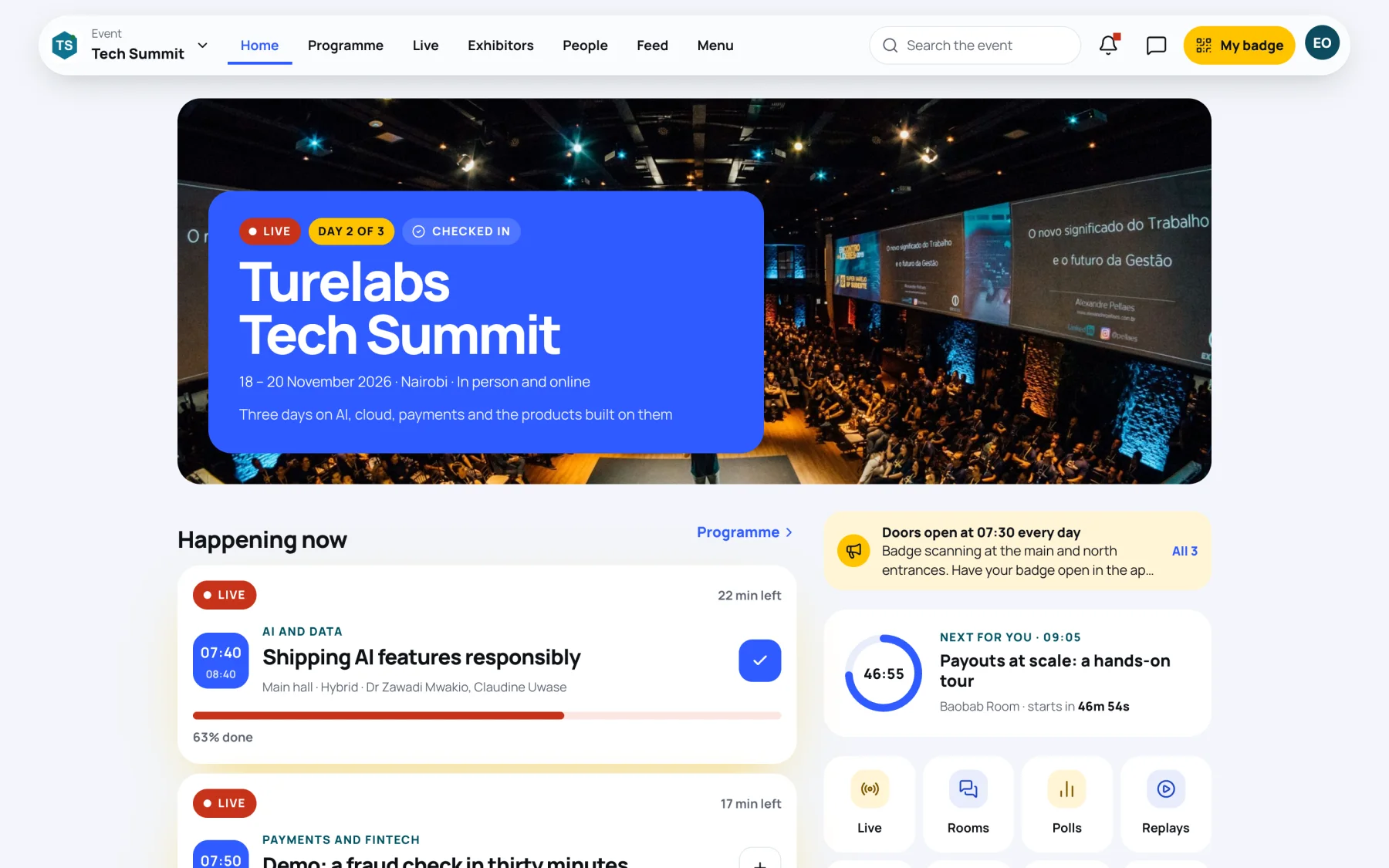
| Part | What it shows |
|---|---|
| Banner | The event name and dates. While the event is on it shows Live, which day it is (for example Day 2 of 3) and Checked in once your badge has been scanned |
| Announcements | Updates from the organising team. Select All to read every one |
| Happening now | Sessions on right now, with the time left |
| Next for you | The next session in your agenda, counting down |
| Shortcuts | One-tap links to Live, Rooms, Polls, Replays, Inbox, Feed, Map and Menu |
| Up next and My agenda | What starts soon, and the sessions you saved for today |
| Have your say | Polls open now. You can answer them on the home screen |
| People to meet | Delegates you may want to connect with |
| On the floor | Featured exhibitors |
| Need help? | How to contact the organising team |
The top bar
On a computer, the top bar stays at the top of every screen in the event.

From left to right:
| Control | What it does |
|---|---|
| Event name | Switch to another of your events |
| Home | The event home |
| Programme | Every session, with times, rooms and speakers |
| Live | Live stages you can watch |
| Exhibitors | Stands and sponsors |
| People | The attendee directory, your connections and messages |
| Feed | Posts and photos from the event |
| Menu | Every tool at the event |
| Search the event | Find sessions, people, stands and posts. See Search the event |
| Bell | Your notifications. A red dot means some are unread |
| Speech bubble | Your messages at this event |
| My badge | Opens your badge and QR code |
| Your initials | Your account menu |
The Menu
Select Menu to see everything the event offers, grouped by what you want to do.
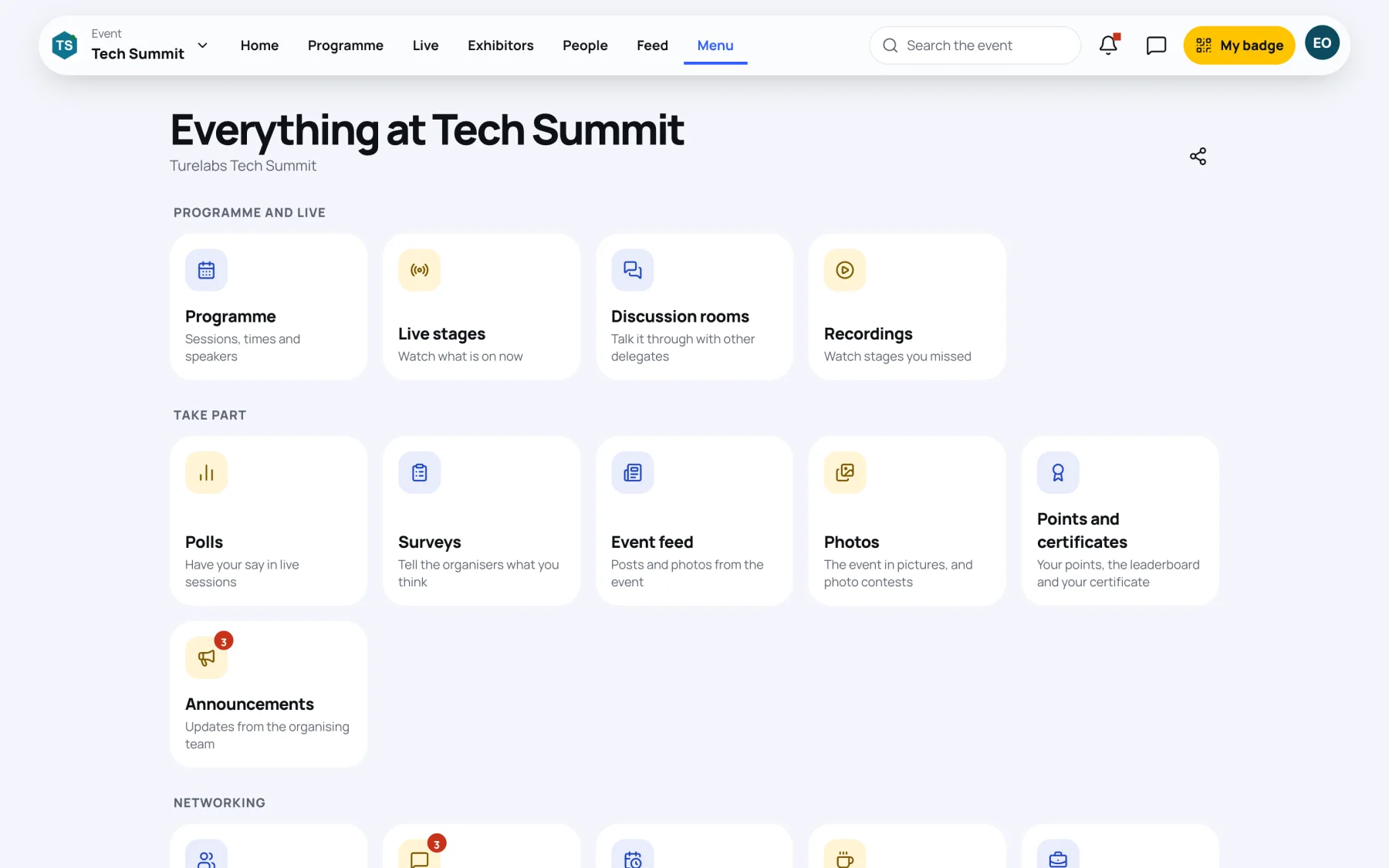
| Group | Tools |
|---|---|
| Programme and live | Programme, Live stages, Discussion rooms, Recordings |
| Take part | Polls, Surveys, Event feed, Photos, Points and certificates, Announcements |
| Networking | People, Messages, Meetings, Meet-ups, Jobs, Connection requests, Saved contacts |
| Expo | Exhibitors, Sponsors, Stands you visited |
| Your place | My badge, My registration, My tickets, Saved, Venue map |
Select the share icon at the top of the Menu to copy a link to the event.
The account menu
Select your initials at the top right to open your account menu.
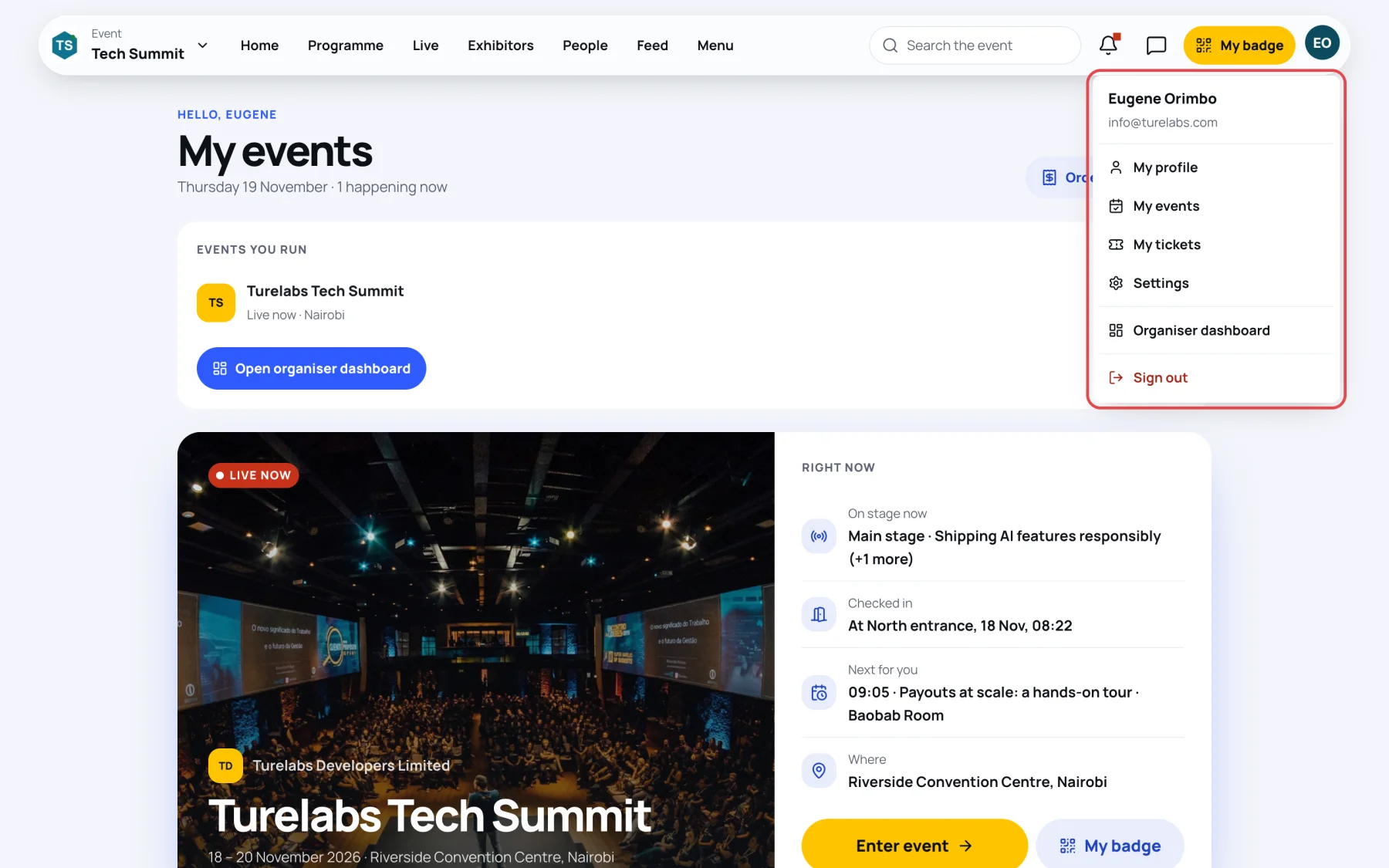
- My profile opens your Me page.
- My events lists your events.
- My tickets lists your orders and receipts.
- Settings holds notifications, privacy, language and your data.
- Organiser dashboard opens the organiser area. It lists only events your account helps run.
- Sign out signs you out of this device.
Taking part needs a registered place
You can look around an event before your place is confirmed, but polls, questions, your agenda, networking and the feed open once your place is Confirmed. If your order is still being reviewed or paid, the home screen says so. See Waitlists and reviewed tickets.
Last updated