Revenue and refunds
Revenue in Zufest is what attendees actually paid and you kept. This page explains where the money figures come from, so you can read them with confidence and match them to your statements.
Open the Revenue report
-
In the sidebar, under Insight, select Reports.
-
Select the Revenue tab, and choose a period if you need one.
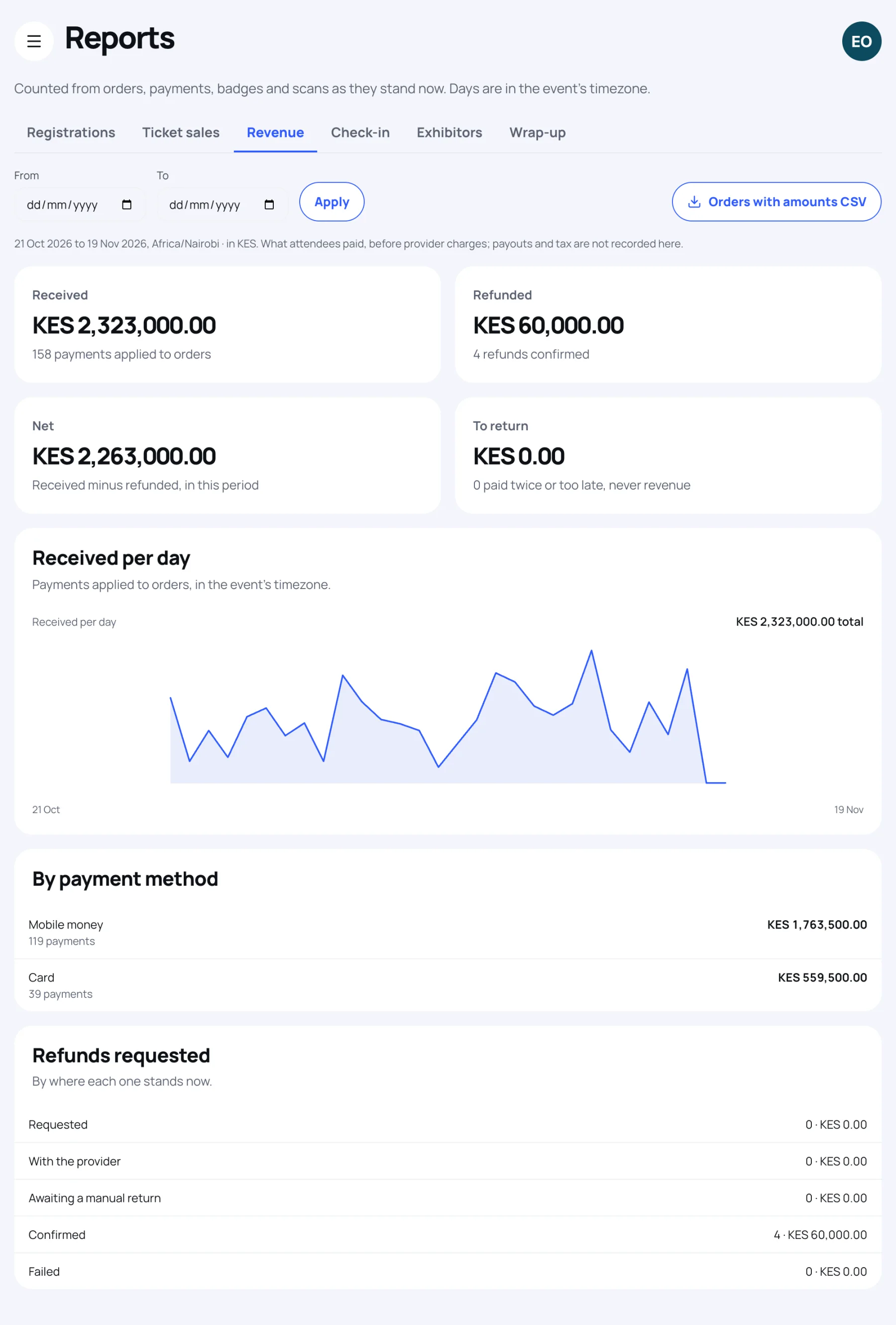
Opening the Revenue report is recorded in the event's audit log.
What counts as revenue
| Figure | What it is |
|---|---|
| Received | Payments applied to an order: card, mobile money and bank transfers you recorded |
| Refunded | Refunds that have been confirmed, at their own amounts |
| Net | Received minus refunded |
| To return | Payments made twice, or after the place was gone. These are never revenue |
Received per day shows payments applied on each day, in the event's time zone. By payment method splits what was received.
How refunds are shown
Refunds requested lists refunds by where each one stands now:
| State | Meaning |
|---|---|
| Requested | Asked for, not yet with the provider |
| With the provider | Sent to the payment provider, waiting for confirmation |
| Awaiting a manual return | You need to return the money yourself and record it |
| Confirmed | The money has gone back. Only these lower net revenue |
| Failed | The refund did not go through |
A refund still in progress stays in net revenue until it is confirmed. On the dashboard, the Money panel shows it as Refunds in progress.
Why two periods can disagree
The Revenue report counts money when it moves. A payment counts on the day it was applied, and a refund on the day it was confirmed. So a refund confirmed this month for a payment made last month lowers this month's net. Over the whole event, the report agrees with the dashboard.
What is not included
Revenue is what attendees paid, including any booking fee in the order total. It does not include provider charges, payouts to you or tax, because Zufest does not hold those records.
Last updated