Answer a survey
Surveys are the organisers' way of asking what you think, about a day, the venue or the event as a whole. Most take a few minutes.
Open a survey
-
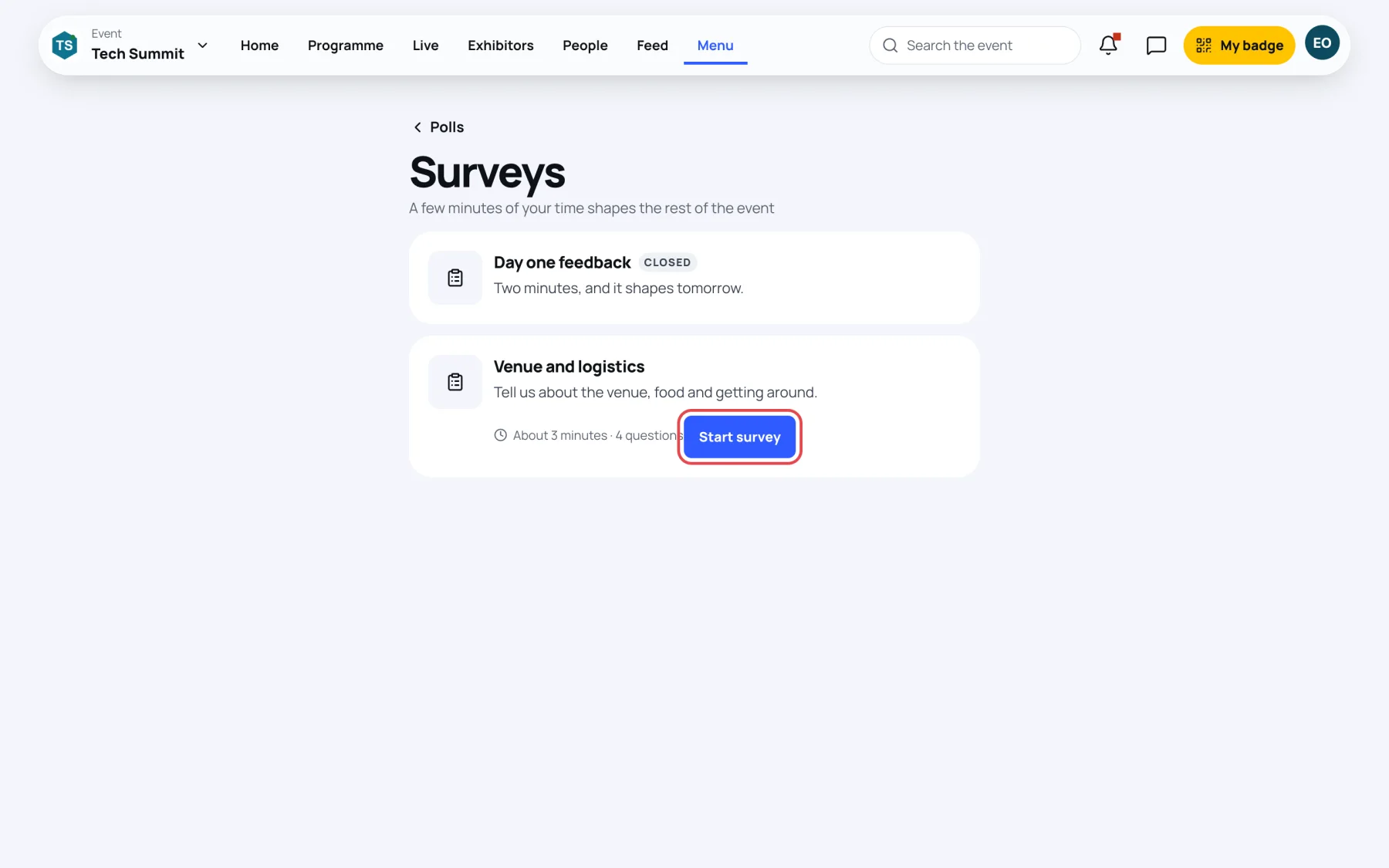
Open the event, select Menu, then Surveys. You can also reach it from the Surveys link at the bottom of Polls and quizzes.
-
Each open survey shows roughly how long it takes and how many questions it has.
-
Select Start survey. The survey opens over the page.
Answer the questions
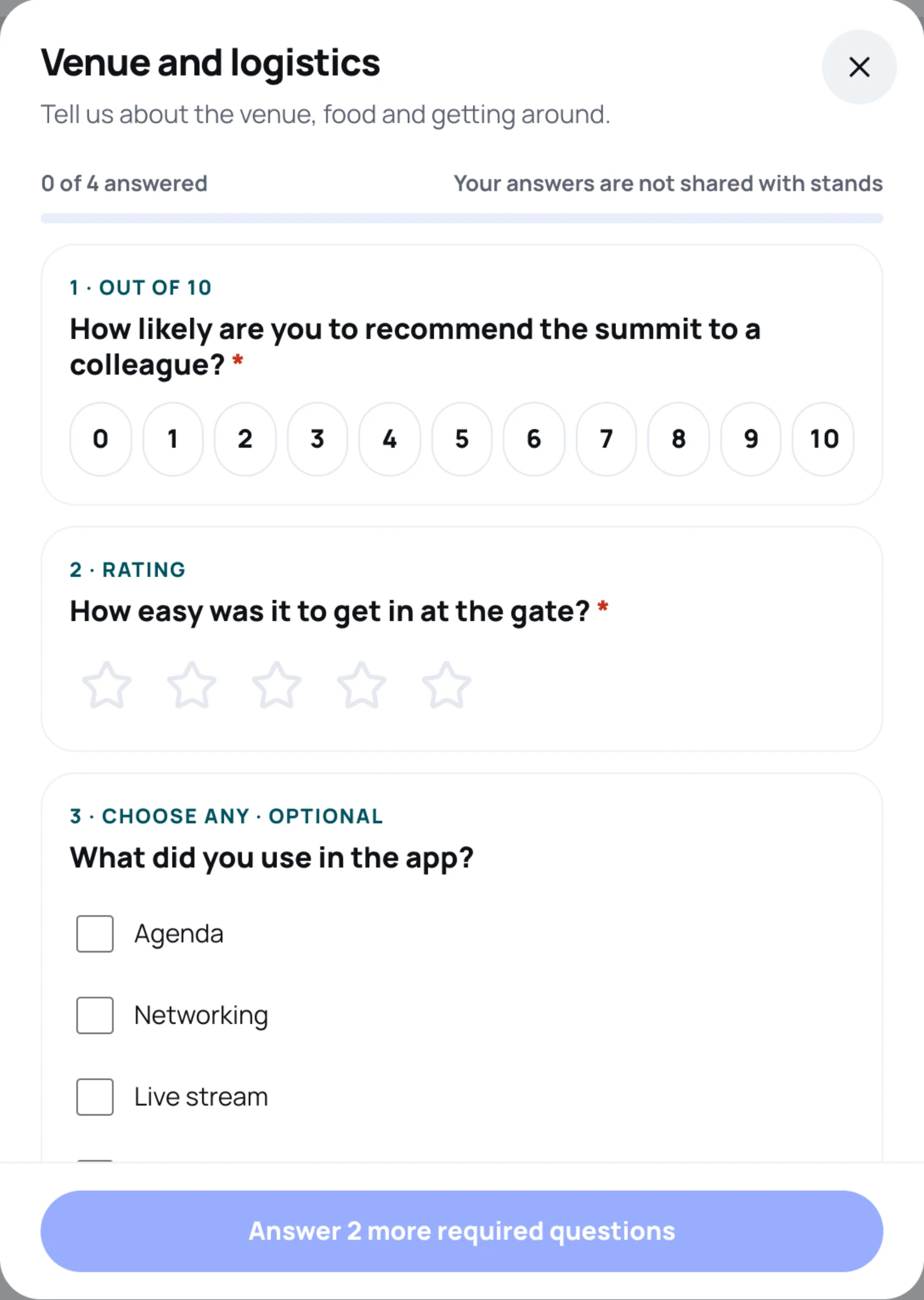
The top of the survey counts how many questions you have answered. Questions marked with a red star are required; the others say optional.
| The question says | How you answer |
|---|---|
| Out of 10 | Tap a number from 0 to 10 |
| Rating | Tap from one to five stars |
| Choose one | Tap one answer |
| Choose any | Tick every answer that applies |
| Your words | Type your answer |
When you are done, select Submit survey. Until every required question has an answer, the button says how many are left, for example Answer 2 more required questions.
After you submit, the survey is marked Completed.
A survey marked Closed no longer takes answers.
Last updated