Who receives what
Attendees control which messages from organisers reach them. This page shows, for each kind of message, who gets it and which of the attendee's settings can turn it off.
By kind of message
| Message | Who it goes to | Turned off by the attendee's setting |
|---|---|---|
| Announcement (any severity) | Everyone with a place, inside the event | Cannot be turned off; it is part of the event |
| Urgent announcement push | Every registered attendee | Push notifications |
| Email campaign | The campaign's audience | Emails from organisers |
| Push campaign | The campaign's audience | Push notifications (the inbox copy still arrives) |
| In-app campaign | The campaign's audience, in their app inbox | Cannot be turned off |
| SMS campaign | The campaign's audience | Text messages from organisers |
| WhatsApp campaign | The campaign's audience | WhatsApp messages from organisers |
Emails about a person's own account, such as password resets, are always sent.
What attendees see in their settings
Attendees find these switches in their profile under Settings, then Notifications. They are on until the attendee turns them off.
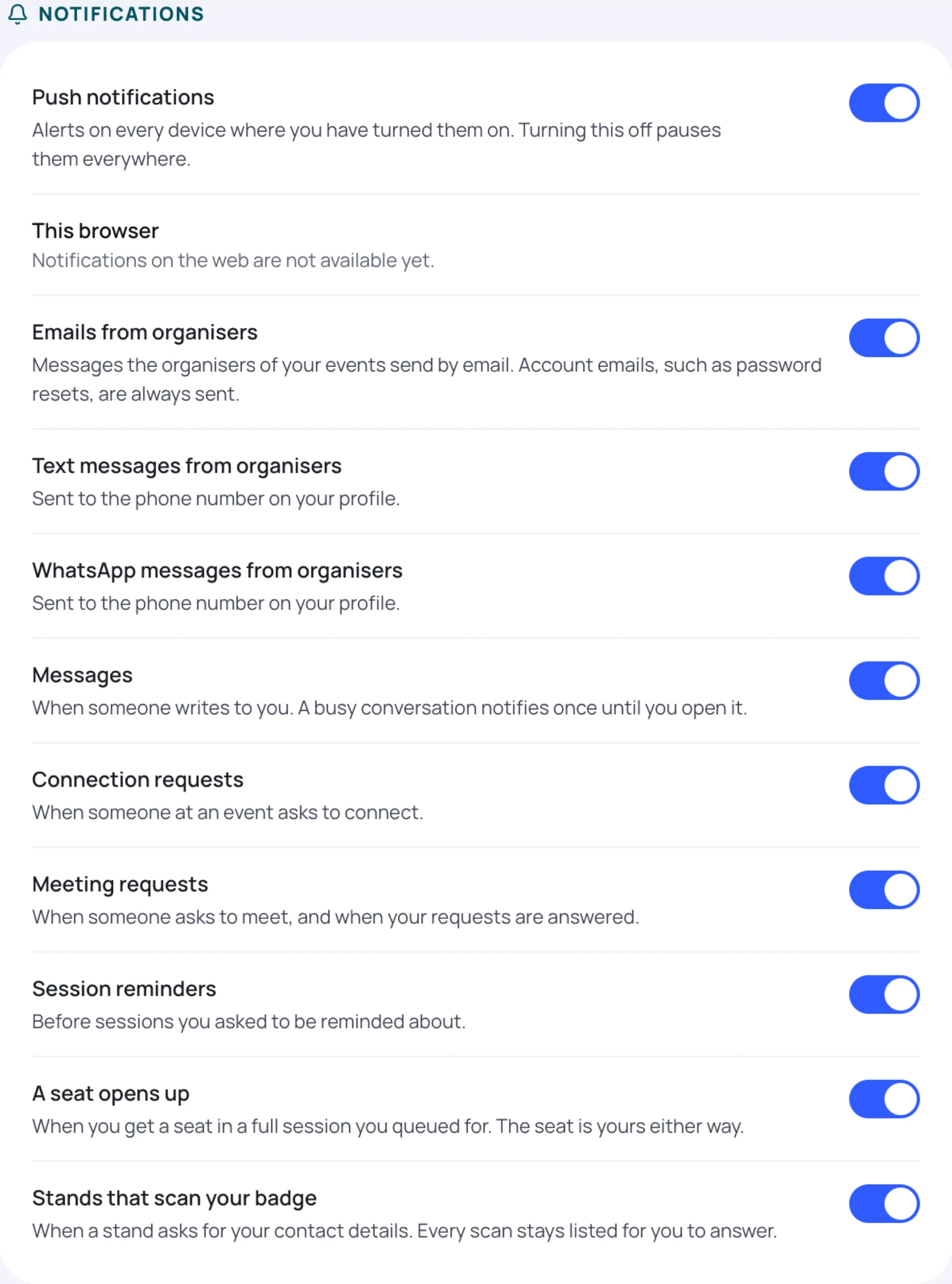
Push notifications also needs to be turned on for each phone or browser; turning the account setting off pauses them everywhere.
Counts on a sent campaign
On the Campaigns tab, a sent campaign shows how many people were in its audience and how many it was delivered to. The difference is people skipped by their own settings, or who could not be reached, for example with no phone number for an SMS.
Last updated