Payment methods and direct payments
You choose how buyers can pay for your event: mobile money, card, bank transfer and the other methods Zufest supports, and optionally a payment made straight to your own account.
Choose the methods you offer
-
In the sidebar, under People, select Payments.
-
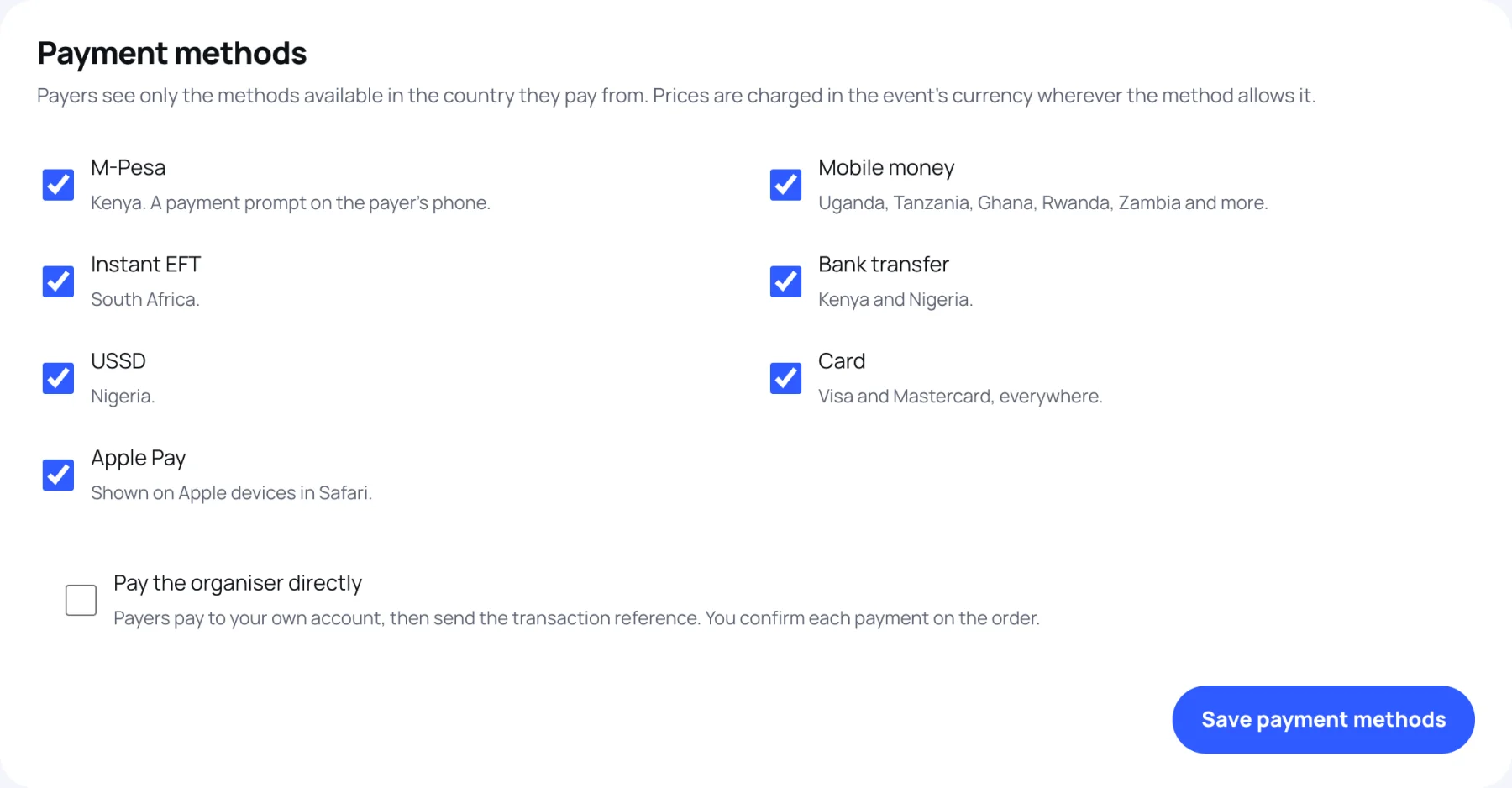
Under Payment methods, tick each method you want to offer and untick the rest. Each line says where it works:
- M-Pesa: Kenya. A payment prompt on the payer's phone.
- Mobile money: Uganda, Tanzania, Ghana, Rwanda, Zambia and more.
- Instant EFT: South Africa.
- Bank transfer: Kenya and Nigeria.
- USSD: Nigeria.
- Card: Visa and Mastercard, everywhere.
- Apple Pay: shown on Apple devices in Safari.
-
Select Save payment methods.
At checkout the buyer chooses their country first. They see only the methods you offer that work there. Prices are charged in the event's currency wherever the method allows it.
Let buyers pay you directly
Use this when people pay into your own account, for example a till number or a bank account.
-
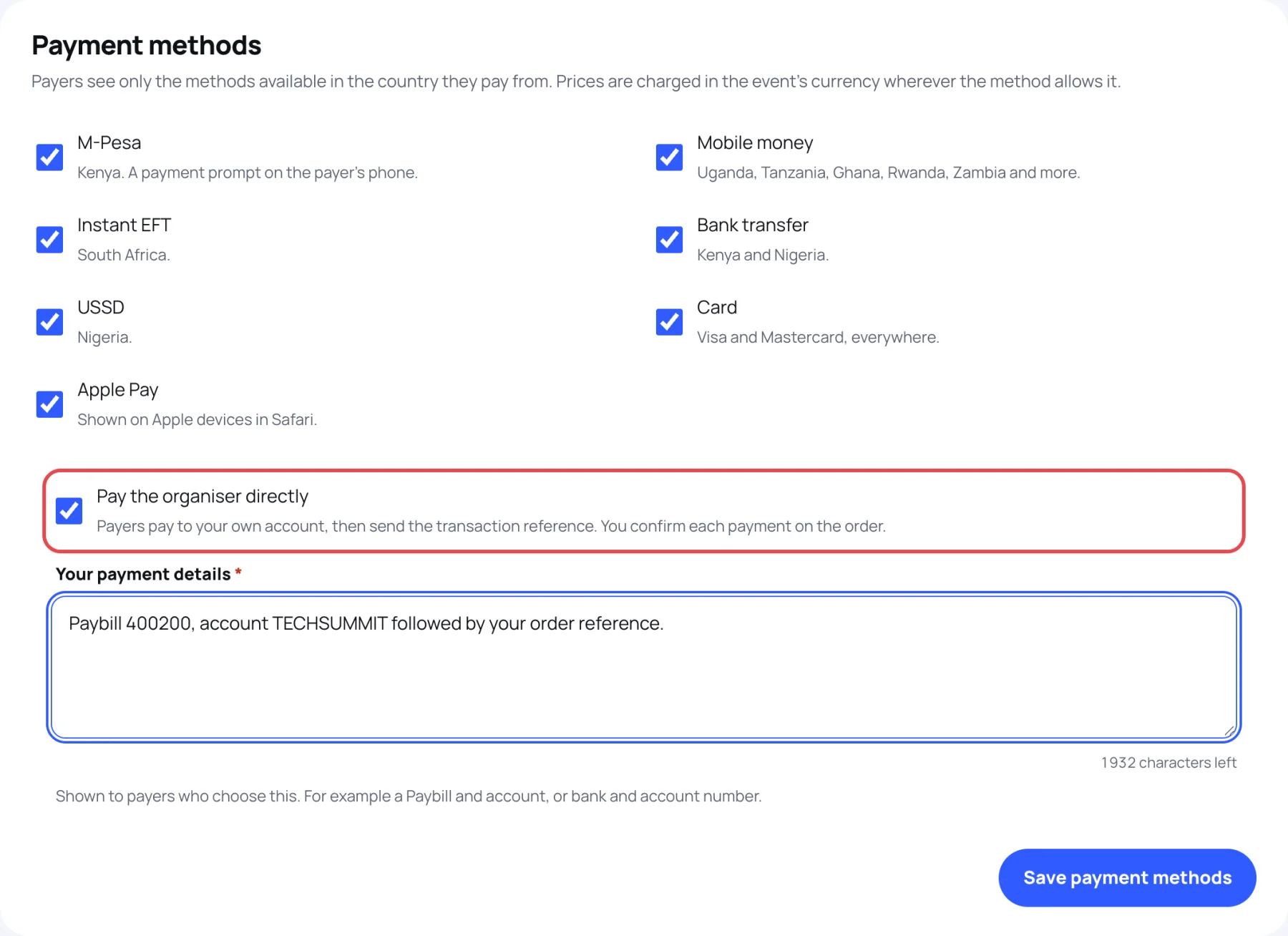
Tick Pay the organiser directly.
-
In Your payment details, type exactly what payers need, for example a paybill and account number, or a bank and account number. Payers who choose this method see it.
-
Select Save payment methods.
What happens next
- The buyer chooses Pay the organiser directly. Their place is held for a limited time, and they get a payment reference starting with ZFT to quote.
- They pay your account, then send you the transaction reference and the date they paid.
- Your team checks the money arrived in your own statement, then confirms the payment on the order. That confirms the place and issues the badge.
See confirm a direct payment for the last step.
The payments list
Under the methods, Payments lists every payment and refund on this event's orders. The tiles show what was Received, what was Refunded, and what Needs attention. See refund an order.
Last updated