Find your events
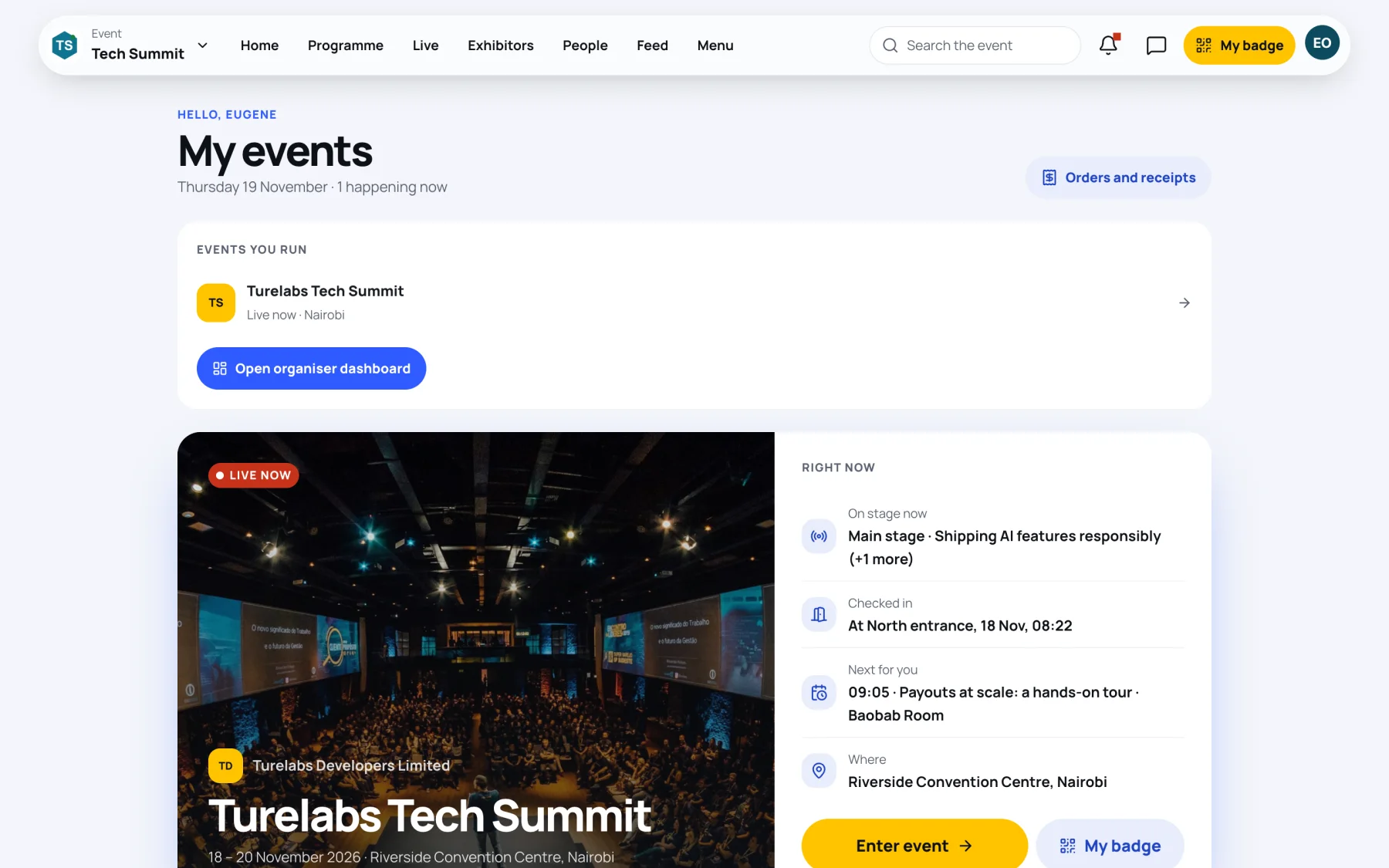
My events lists every event you hold a place at: what is happening now, what is coming up and what has ended. It is the first screen you see after signing in.
Open My events
-
Sign in. Zufest opens My events.
-
Read the event card. While an event is on, Right now shows what is on stage, when you checked in, the next session in your agenda and where the event is.
-
Select Enter event to open the event, or My badge to show your badge straight away.
Events are grouped by time:
| Group | What it holds |
|---|---|
| Now | Events that are on today |
| Coming up | Events you hold a place at that have not started |
| Past events | Events that have ended, with their recordings if the organisers published any |
Select Orders and receipts at the top right to see every order you have placed. See Orders and receipts.
Switch between events
When you hold places at more than one event, you can move between them without going back to My events.
-
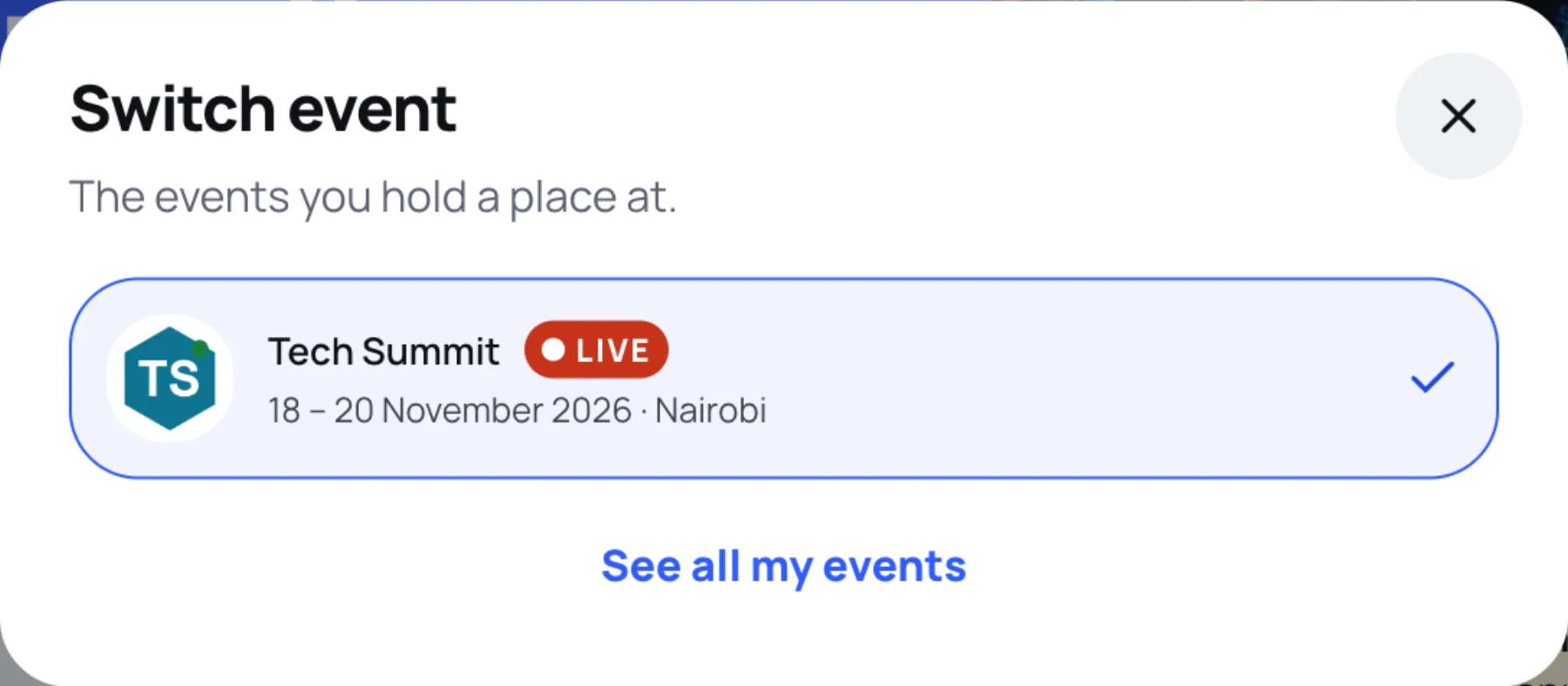
Inside an event, select the event name at the top left. On a phone, select the event name at the top of the Home screen.
-
Choose the event you want. The tick shows the one you are in.
-
Select See all my events to go back to the full list.
Can't find your event?
If someone else booked your place, for example a colleague or your company, the order may be under a different email address.
-
At the bottom of My events, under Can't find your event?, select Look under another address.
-
Enter the Email address the order was placed under.
-
Select Send the link.

If there are events under that address, Zufest emails it a link. Sign in with that address to see them.
Last updated