SMS and WhatsApp campaigns
Campaigns can also go by SMS or WhatsApp, to the phone number on each attendee's profile. Every message costs money, so both channels are off until Zufest switches them on for your organisation.
Check whether they are on
-
In the sidebar, under Engage, select Campaigns and announcements.
-
Select New campaign and look under Channel.
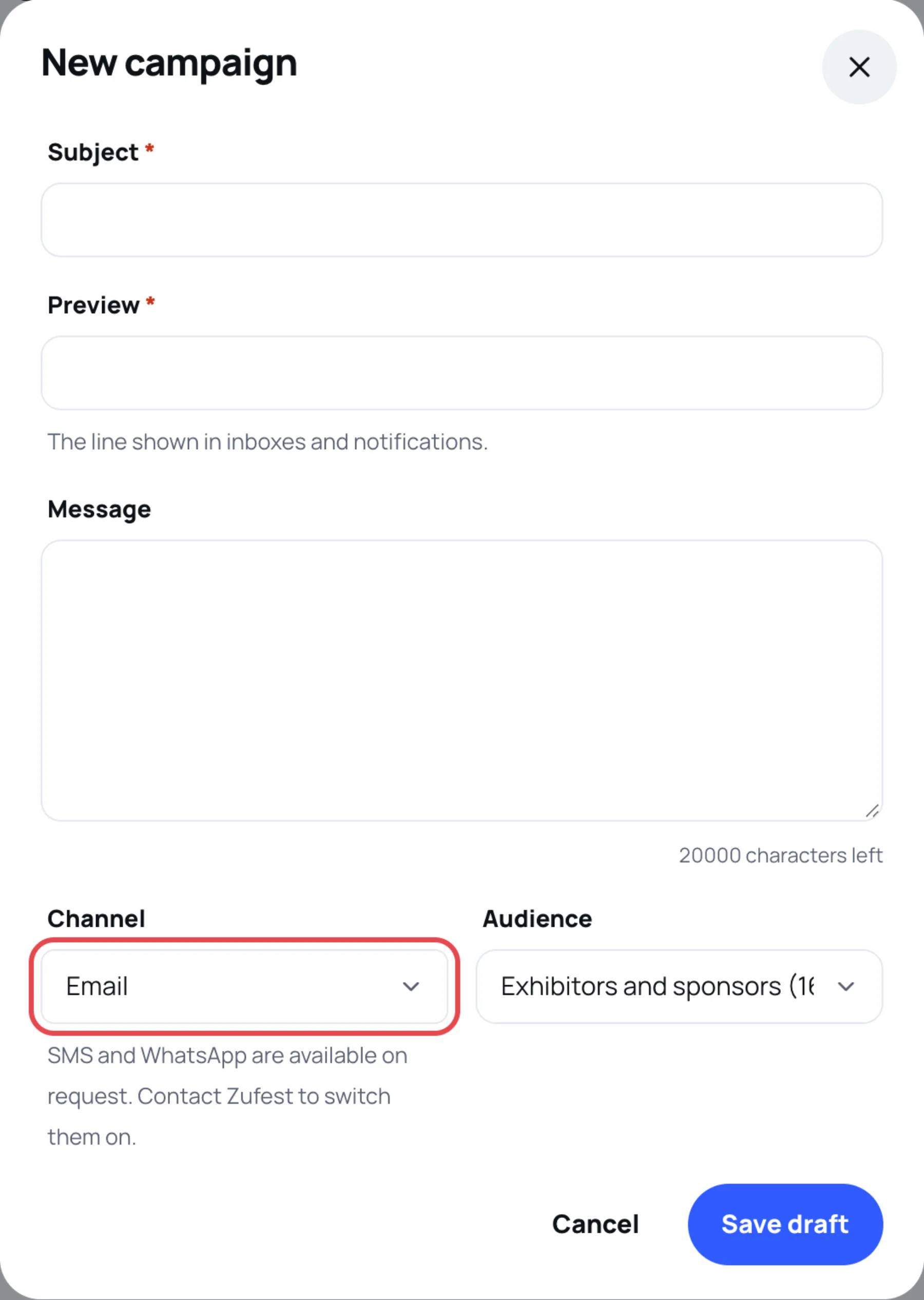
While they are off, the hint under Channel reads "SMS and WhatsApp are available on request. Contact Zufest to switch them on." Once they are on for your organisation, SMS and WhatsApp appear in the list.
What the message says
The message is built from your campaign:
- SMS: the event name, then your Subject and Preview on one line, up to about three SMS parts.
- WhatsApp: an approved template with the event name, then your Subject and Preview.
The Message field is not sent by SMS or WhatsApp, so put what matters in the subject and the preview.
Who receives it
The campaign's audience, as for email, with these people skipped:
- people who turned off Text messages from organisers or WhatsApp messages from organisers in their settings;
- people with no phone number on their profile, or a number that cannot be reached;
- the sample event, which never sends.
People who get the message also find a copy in their inbox in the app.
Last updated