Create an event
The setup wizard takes you through five short steps and creates your event as a draft. Nothing is public and nothing is on sale until you publish it.
Start the wizard
-
Open Organiser from your account menu (Organiser dashboard).
-
Select Create event. You can also open the event switcher at the top of the sidebar and choose Create a new event.
The wizard shows its five steps across the top: Organisation, Basics, When & where, Modules and Review. Continue checks the step you are on before moving on, so mistakes are caught one step at a time. Back returns to the previous step without losing what you typed.
Step 1: Organisation
-
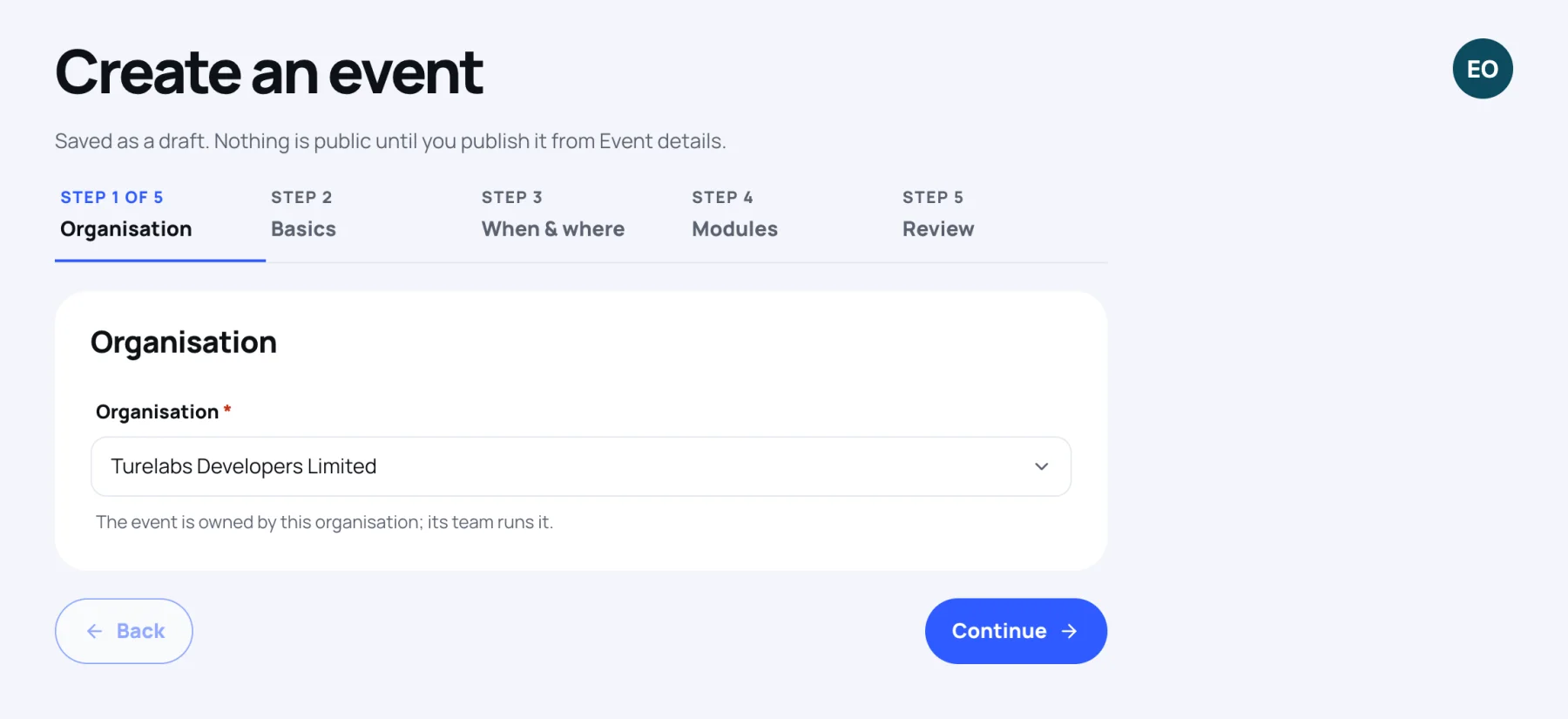
Choose the Organisation that will own the event. Its team runs the event. If you belong to only one organisation that can create events, it is already chosen.
-
Select Continue.
Step 2: Basics
-
Fill in the event's identity:
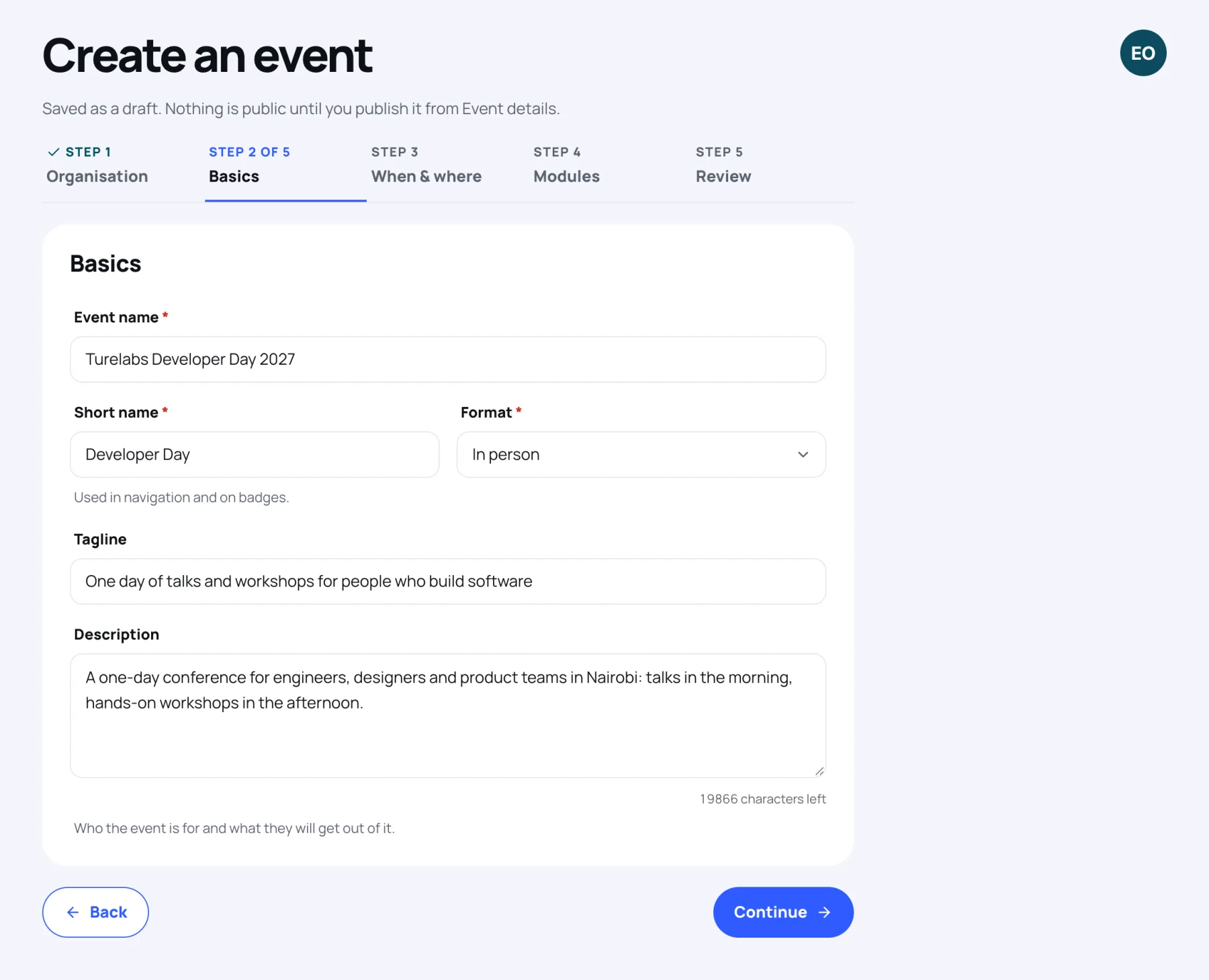
- Event name: the full name, for example "Turelabs Developer Day 2027".
- Short name: used in navigation and on badges, for example "Developer Day".
- Format: In person, Hybrid or Online only.
- Tagline and Description: optional. The description should say who the event is for and what they will get out of it.
-
Select Continue.
Step 3: When and where
-
Fill in the dates and place:
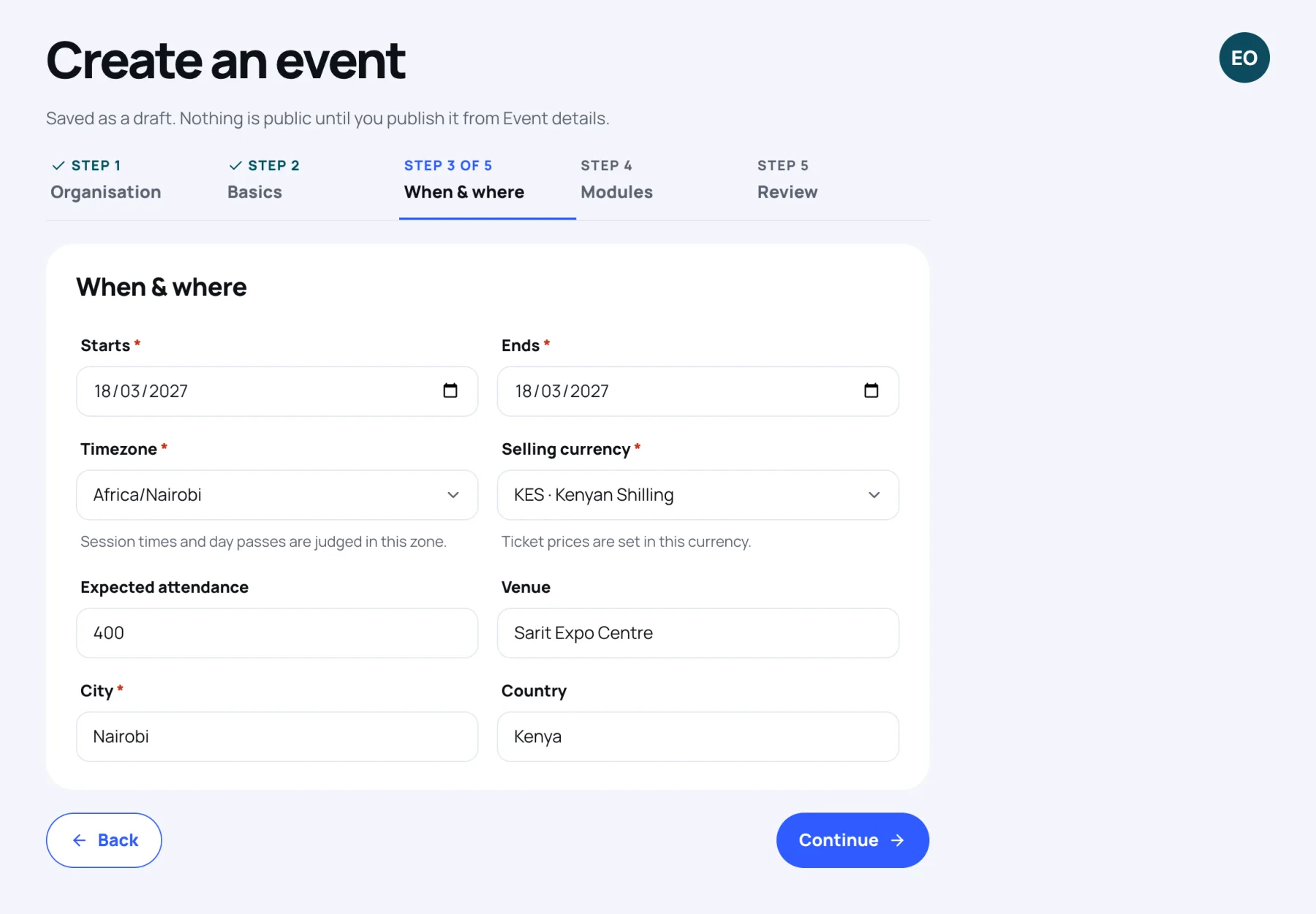
- Starts and Ends: the first and last day. You set exact times later in Event details.
- Timezone: the zone the event runs in. Session times and day passes are judged in this zone. If your device is in another zone, a shortcut offers to use it.
- Selling currency: the currency ticket prices are set in.
- Expected attendance: optional.
- Venue, City and Country: an in-person or hybrid event needs a city. An online-only event has no venue fields.
-
Select Continue.
Step 4: Modules
-
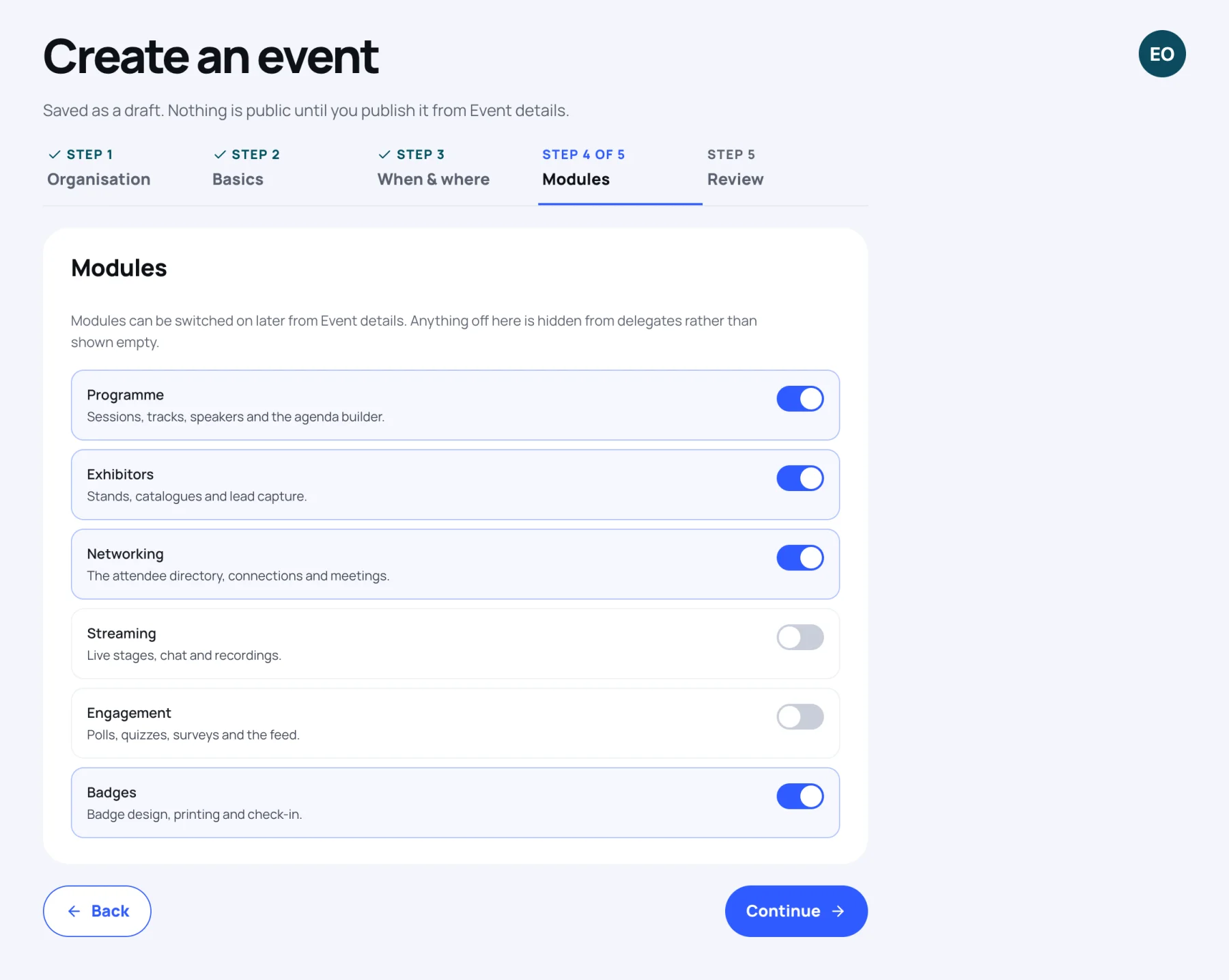
Switch on the parts of Zufest this event will use: Programme, Exhibitors, Networking, Streaming, Engagement and Badges.
-
Select Continue.
Anything you leave off is hidden from delegates rather than shown empty. You can switch modules on or off later in Event details.
Step 5: Review
-
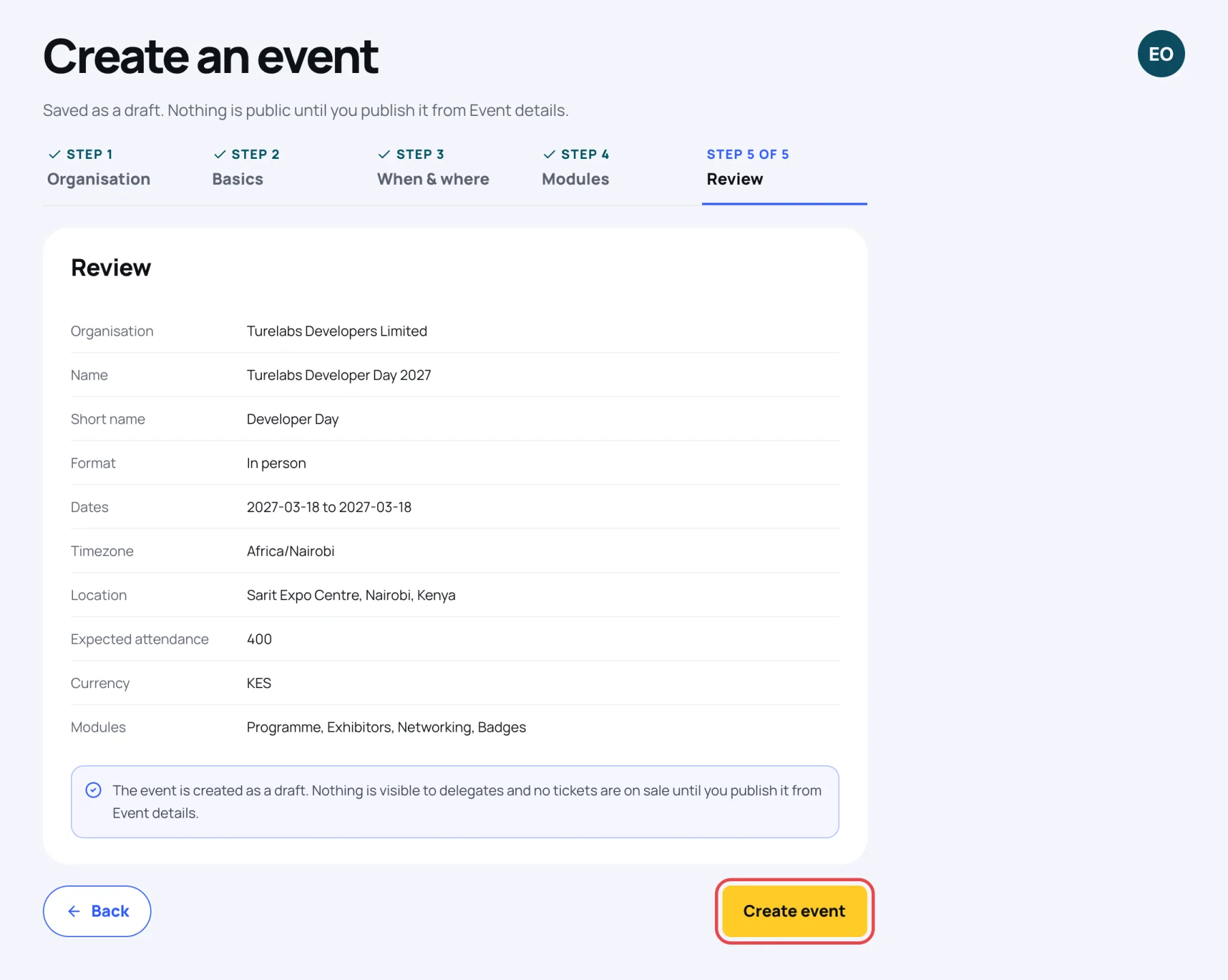
Check the summary: organisation, name, short name, format, dates, timezone, location, expected attendance, currency and modules. Use Back to correct anything.
-
Select Create event.
Zufest says "Event created" and opens the new event's Dashboard. Next, set up tickets and the registration form, then come back to publish your event.
Last updated