Organisation settings
Your organisation's details are shown to delegates on your events and used on receipts and emails. A change applies to every event the organisation runs.
Change the details
-
In the sidebar, under Organisation, select Organisation settings.
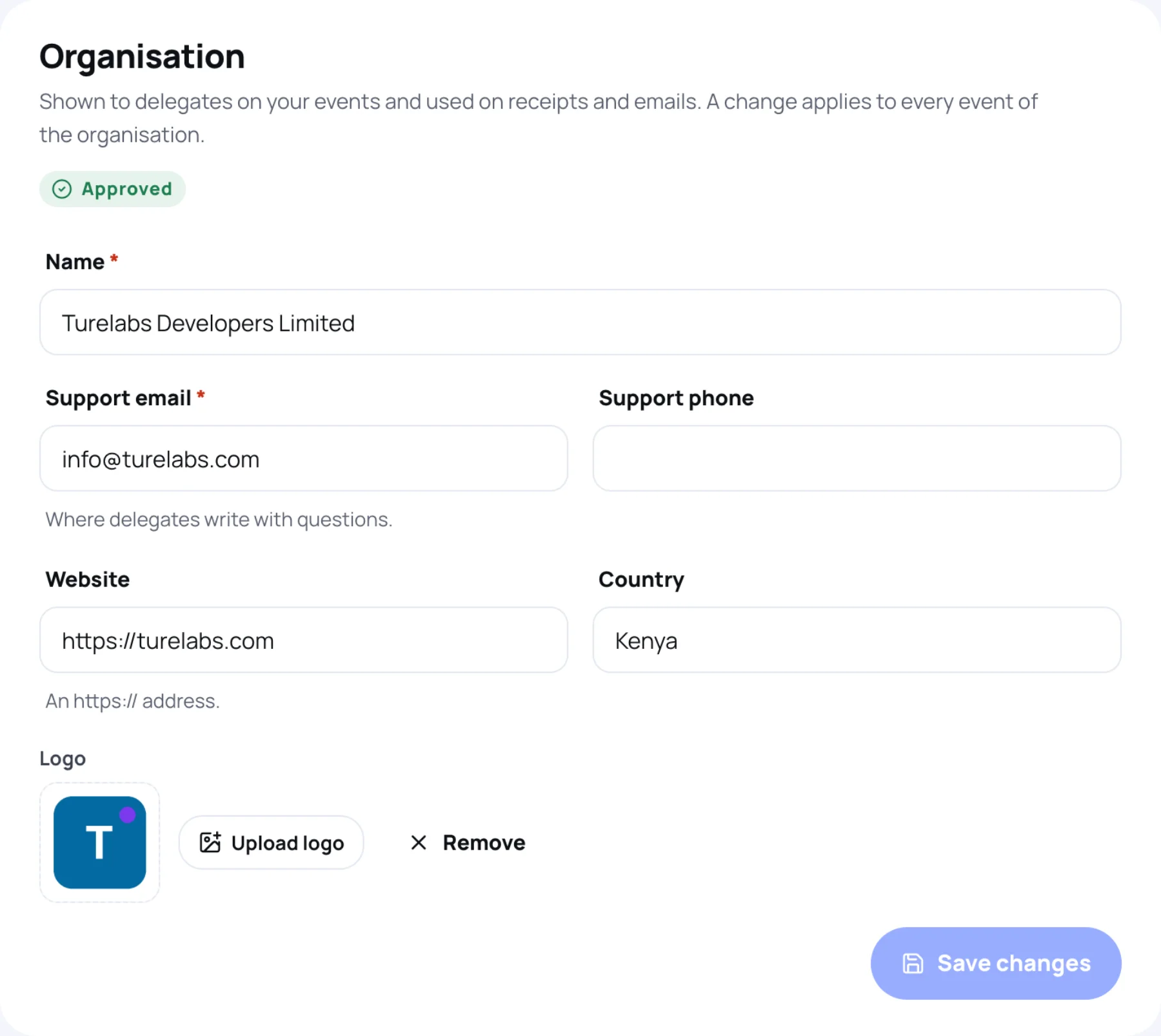
-
Change what you need:
- Name: your organisation's name as delegates see it.
- Support email: where delegates write with questions.
- Support phone: optional.
- Website: optional, an
https://address. - Country: optional.
- Logo: select Upload logo to add or replace it, or Remove to take it off.
-
Select Save changes. Zufest confirms "Organisation saved" and "The new details apply to every event it runs."
Approval status
The label under the panel title shows where your organisation stands with Zufest:
| Label | What it means |
|---|---|
| Approved | You can publish events |
| Awaiting approval | "Zufest has not approved this organisation yet. You can prepare events, but not publish them." |
| Suspended | "Zufest has suspended this organisation. Its details cannot be changed until it is reinstated." Its events are hidden from attendees |
See publish your event.
Your own domain
Below the organisation details is Your own domain, for serving your event pages from a web address you own. See white-label and custom domains.
Organisation logo and event logo
The logo here belongs to the organisation. Each event can also have its own logo and cover image, set in Event branding. See event details and branding.
Last updated