Switch between organiser and attendee views
Zufest has two sides in one app: the event app that attendees use, and the organiser workspace where your team runs the event. You use the same account for both and can move between them at any time.
From the event app to the workspace
-
In the event app, open your account menu (your initials or photo at the top right).
-
Choose Organiser dashboard.
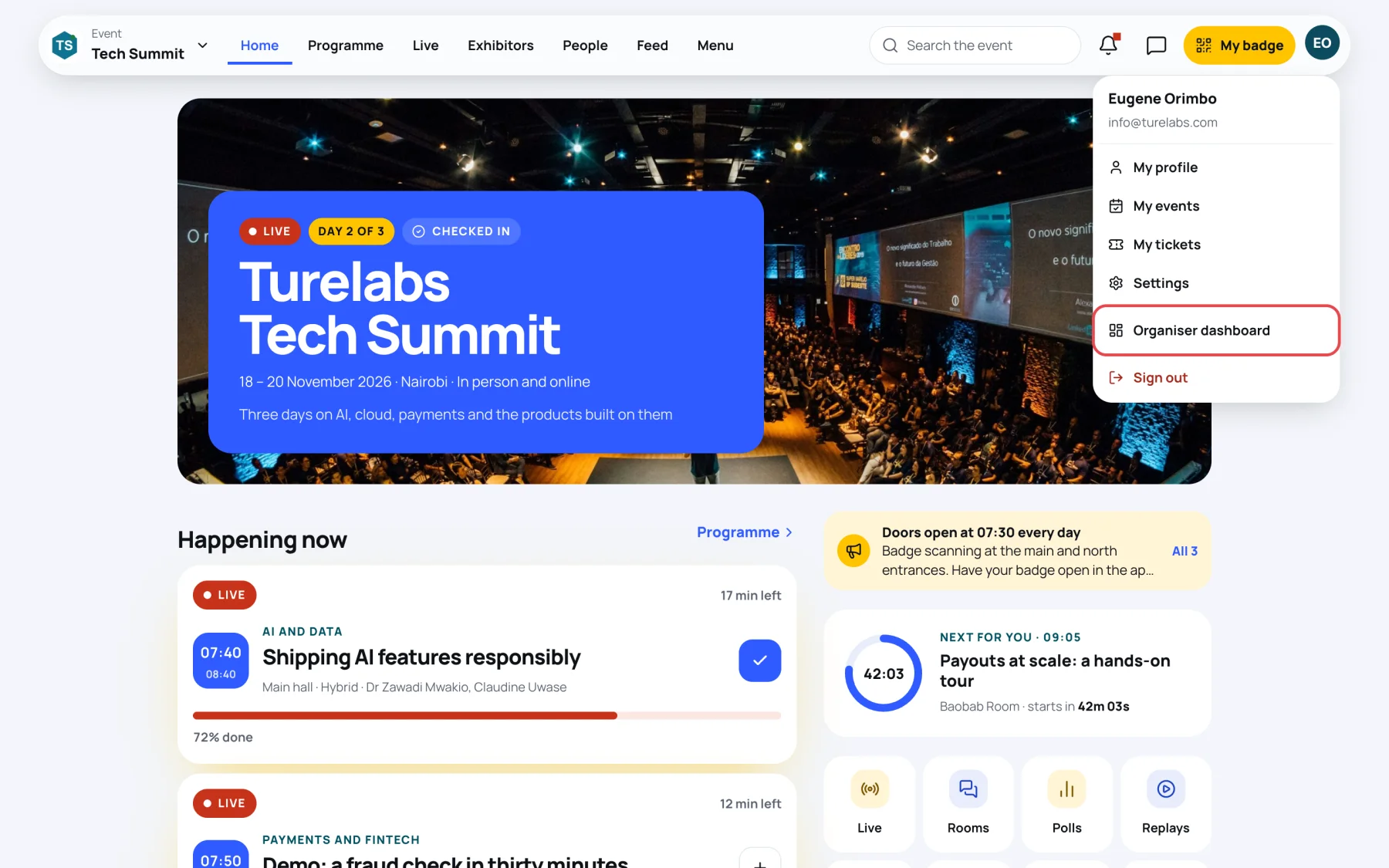
On a phone, open Profile and choose Organiser tools instead. My events also shows an Events you run card with Open organiser dashboard.
The link is offered to everyone, but the workspace only lists events whose organisation you have a seat on. If you have none, Organiser is empty.
From the workspace to the event app
-
In the workspace, open your account menu at the top right.
-
Choose Open the delegate app.
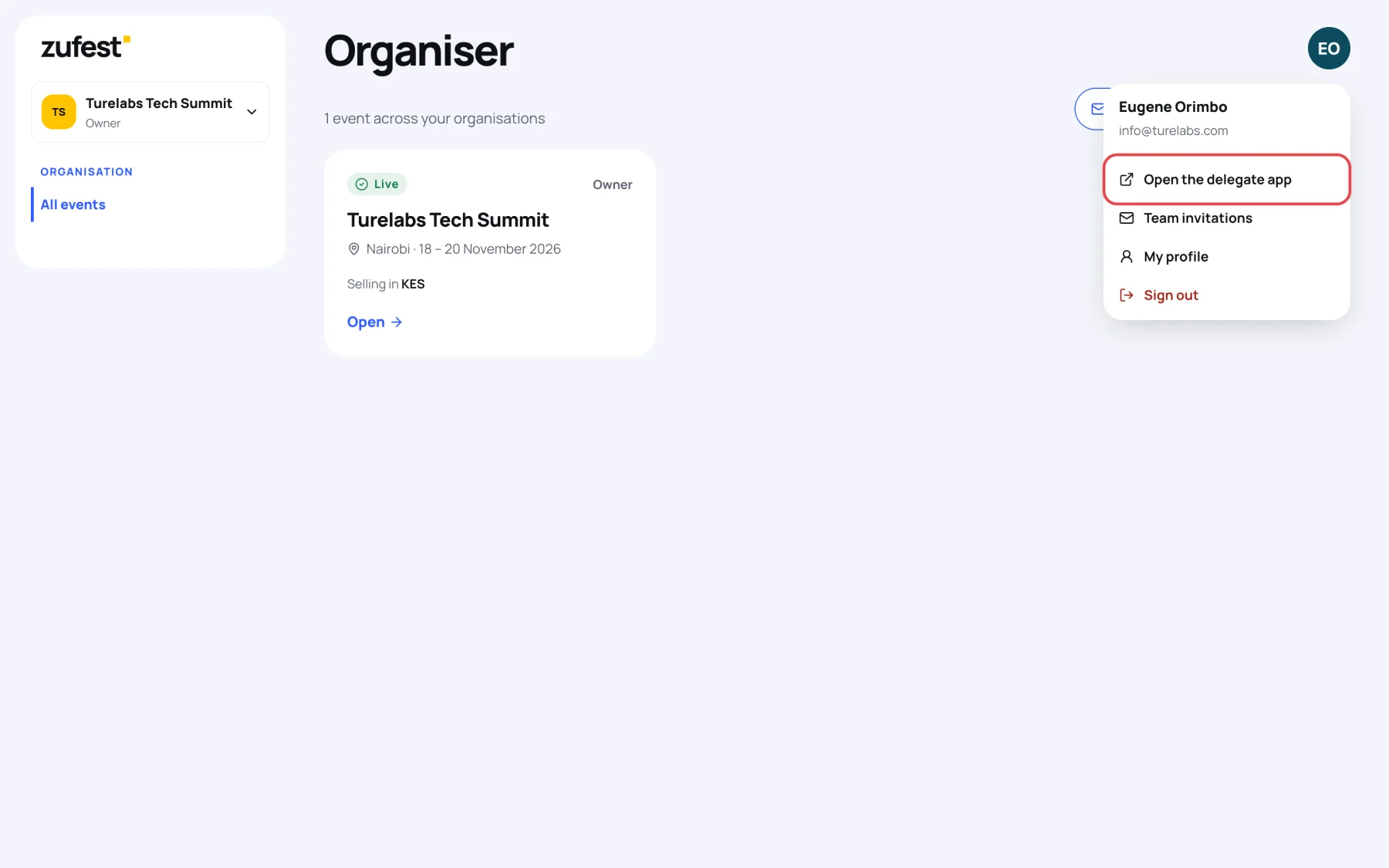
See the event as delegates do
A seat on the organisation does not give you a place at the event. What you can do in the event app depends on whether you are registered:
| You have | In the event app you can |
|---|---|
| A seat only | Look at the event's published pages, but not take part |
| A seat and a registered place | Everything an attendee can do: build an agenda, ask questions, vote, network, post in the feed |
To take part in your own event, for example to test a poll or check how your profile looks in the directory, register for it like any delegate, or send yourself a free invitation from Invitations in the workspace.
If a link sends you to "No organiser access"
If you open an organiser link for an event your organisation does not run, Zufest shows No organiser access: "You are not on the team of the organisation that runs this event." If you are on the team but your role lacks a permission, it shows That screen needs another permission and names it. Ask an owner to change your role. Open the delegate app and Back to your events take you somewhere you can work.
Last updated