Privacy and who can contact you
You decide who can find you at an event and who can get in touch. Your email address and phone number are never shown on your profile to other attendees.
Appear in the attendee directory
Under Directory, Appear in the delegate directory decides whether other delegates can find you in search and in suggestions.
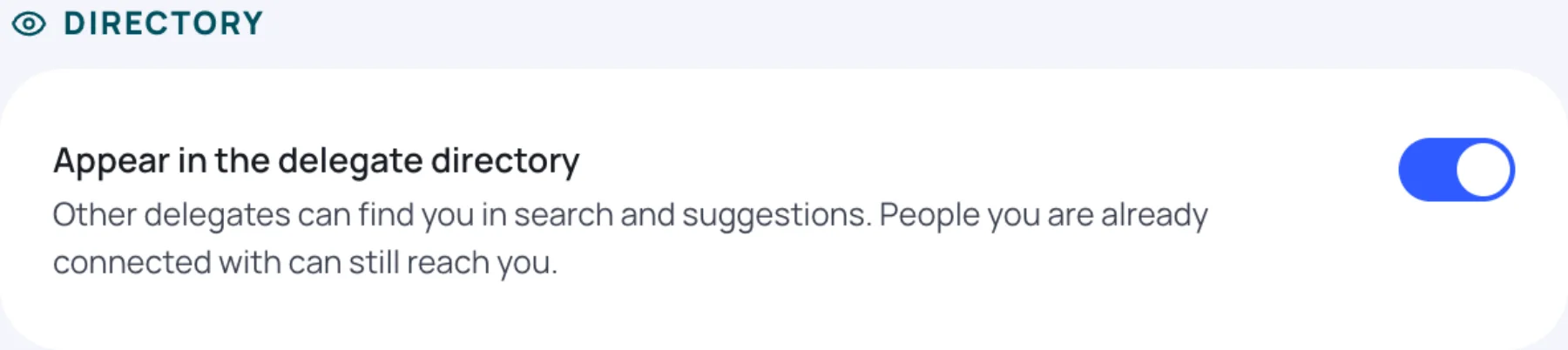
Turned off, you are hidden from the directory, search and suggestions. People you are already connected with can still reach you.
Who can find you, message you and meet you
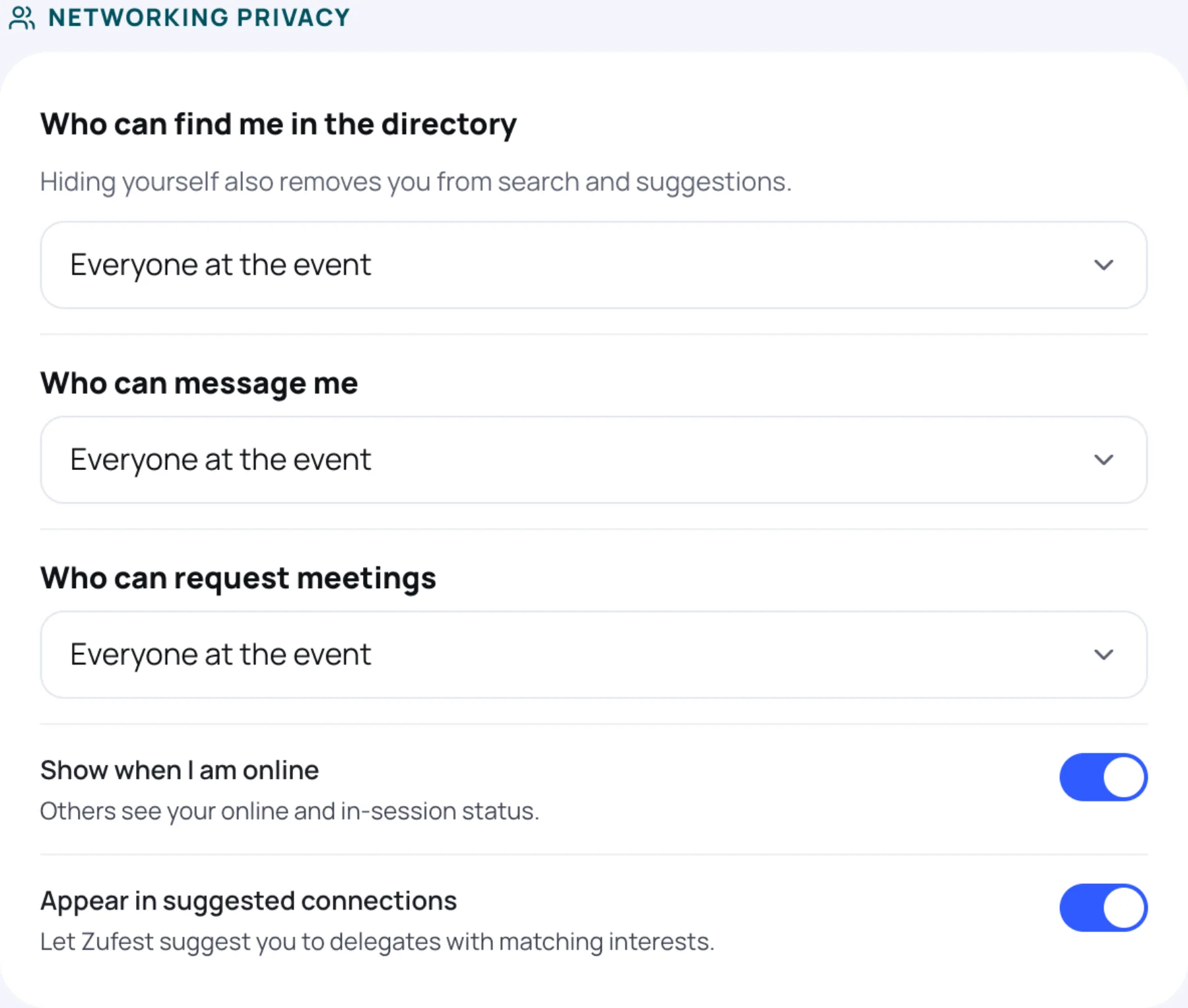
Under Networking privacy, choose who can do what.
| Setting | Choices |
|---|---|
| Who can find me in the directory | Everyone at the event, Only my connections or Nobody (hide me) |
| Who can message me | Everyone at the event, Only my connections or Nobody |
| Who can request meetings | Everyone at the event, Only my connections or Nobody |
| Show when I am online | Others see your online and in-session status |
| Appear in suggested connections | Zufest suggests you to delegates with matching interests |
Changes save as soon as you make them, and apply to every new message and meeting request.
People you have blocked
Under Blocked at and the event name, you see everyone you have blocked at the event you are in. A blocked delegate cannot message you, see your profile or send you a connection request.

To unblock someone, select Unblock beside their name. They can contact you again.
You block someone from their profile in People.
What organisers see
The organisers of an event you register for see your registration details, including your email address and the answers you gave on the registration form. Exhibitors see your contact details only if you agree when their stand scans your badge.
Last updated