Ask a question
Every session has its own Q&A. You can send a question before or during the session, and upvote the questions you want answered. The moderator sees the most upvoted questions first.
Read the questions
-
Open the session from Programme.
-
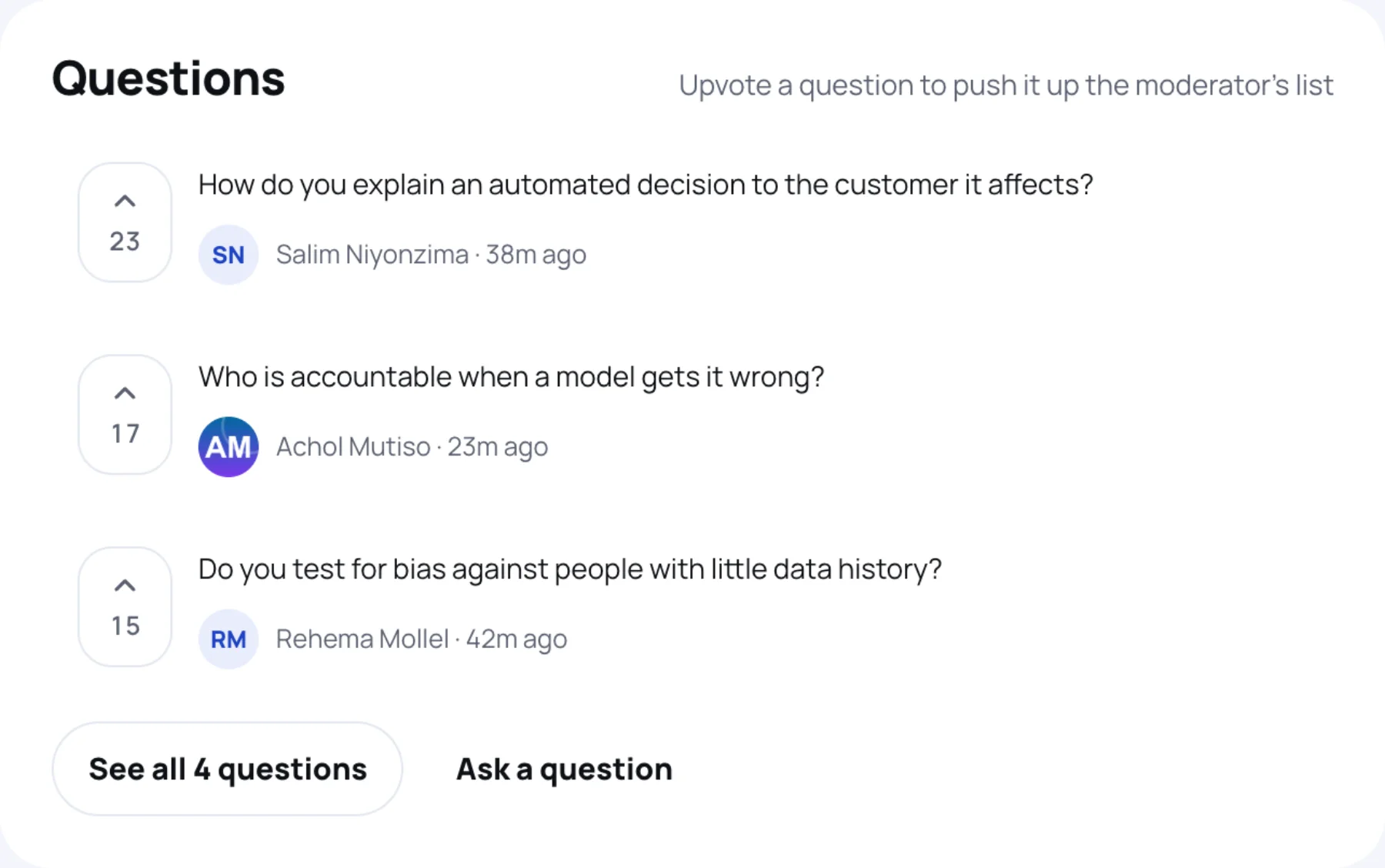
Scroll to Questions. The questions with the most upvotes are at the top. Each shows who asked it and when.
-
Select See all and the number of questions to read the whole list. Its heading counts how many were asked and how many answered.
A question the speaker has covered is marked Answered.
Upvote a question
-
Select the arrow and count to the left of a question. The box turns blue and the count goes up by one.
-
Select it again to take your upvote back.
You can upvote as many questions as you like, but each question only once.
Ask your own question
-
On the session page, select Ask a question.
-
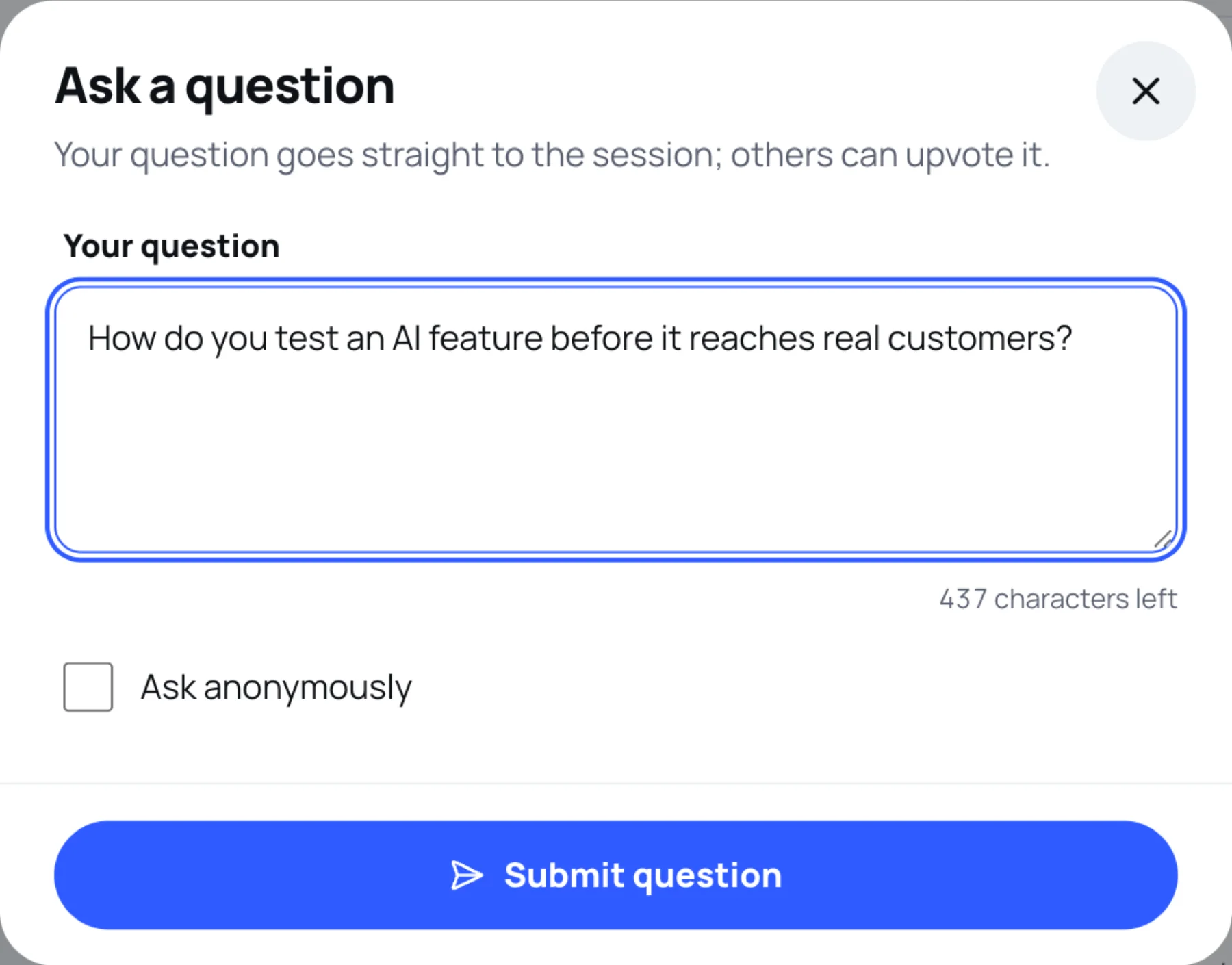
Type your question in Your question. Keep it short and specific. You have up to 500 characters.
-
To keep your name off the question, tick Ask anonymously. The question then shows Anonymous instead of your name and photo.
-
Select Submit question.
Your question appears in the list straight away, where others can upvote it.
Last updated