Add-ons
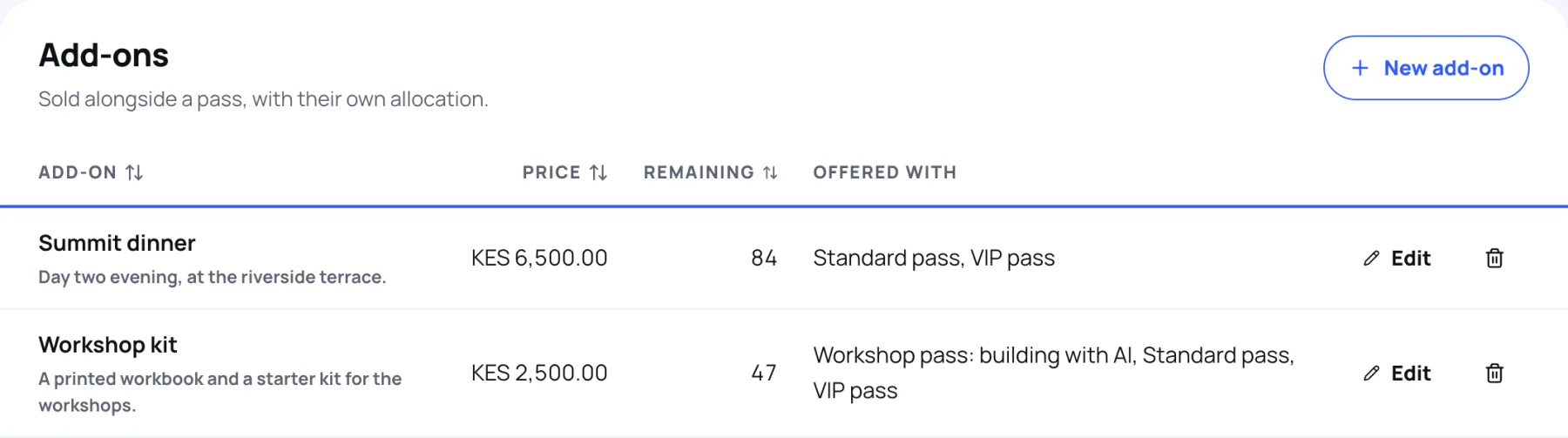
An add-on is an extra that people buy with a pass, such as the summit dinner or a workshop kit. It has its own price and its own allocation, and you choose which passes it is offered with.
See your add-ons
-
In the sidebar, select Tickets and packages.
-
Scroll to Add-ons. Each row shows the price, the places Remaining and the passes it is Offered with.
Create an add-on
-
Under Add-ons, select New add-on.
-
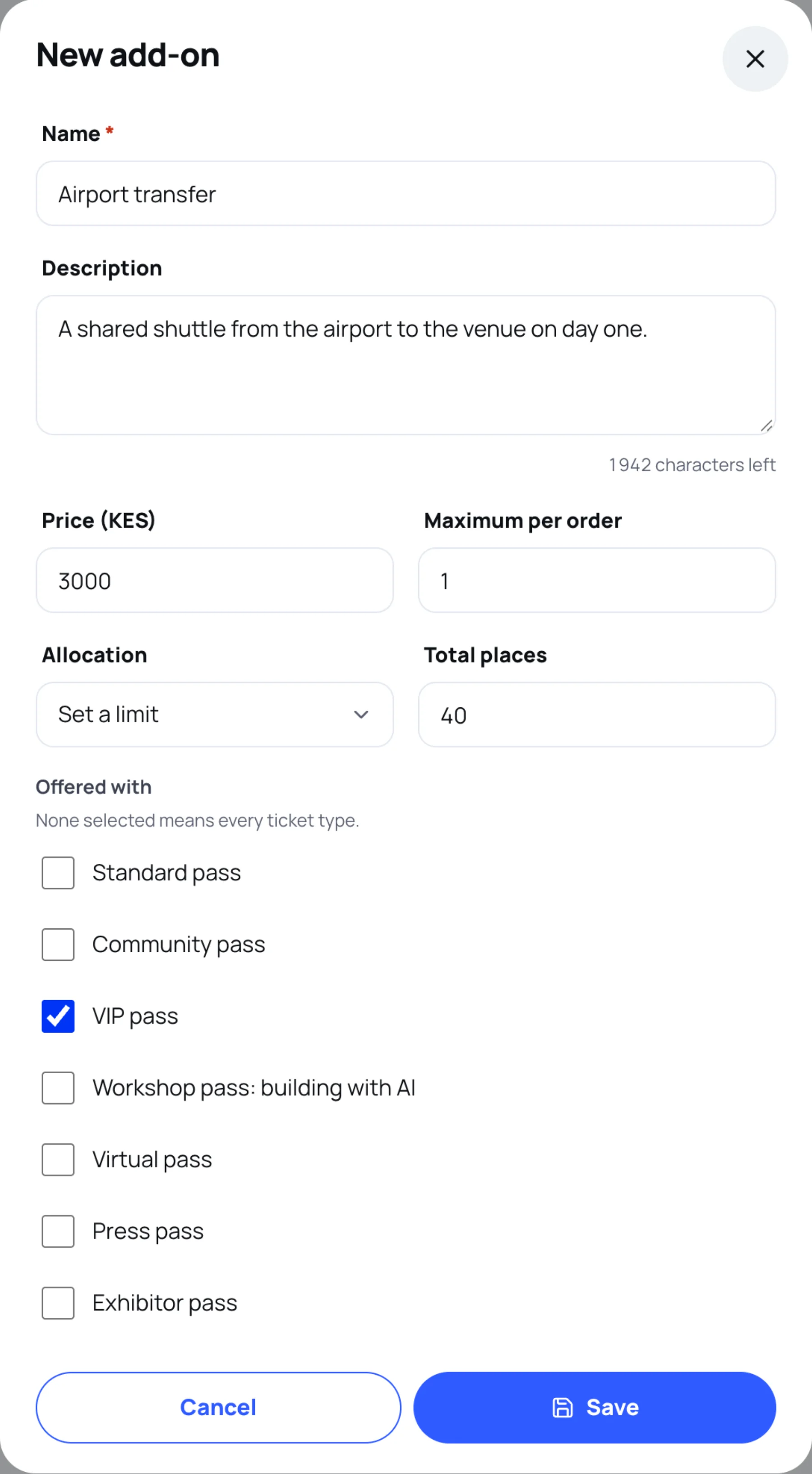
Type a Name and a Description.
-
Type the Price in the event's currency, and the Maximum per order.
-
Under Allocation, choose Unlimited, or Set a limit and type the Total places.
-
Under Offered with, tick the passes this add-on goes with. Leave them all unticked to offer it with every ticket type.
-
Select Save.
Change or remove an add-on
- Select Edit on its row. When you edit an add-on with a limit, Allocation offers Keep current, with the number left, so you do not reset it by accident.
- Select the bin to delete an add-on nobody has bought.
Still stuck?
Tell us what you were trying to do and we will help.
Contact us
Last updated