An order in detail
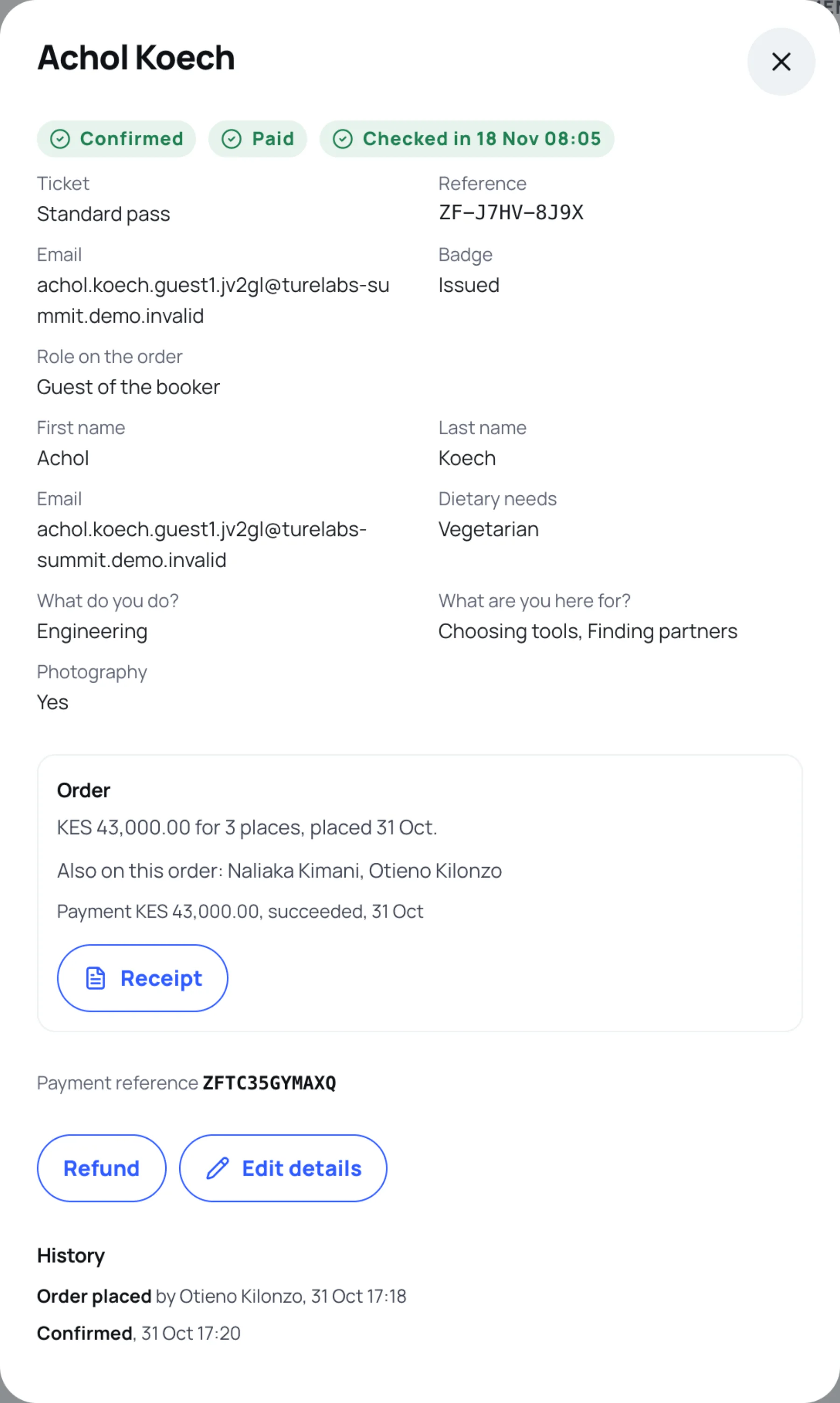
When you open a person under Attendees and orders, a panel shows everything about them and their order in one place, with the actions that fit its state.
Open a person
-
In the sidebar, select Attendees and orders.
-
Search for the person or their order reference, then select their name.
What the panel shows
At the top, the order status, the payment status and, once they have arrived, when they checked in.
The person:
- Ticket and Reference.
- Email, Organisation and Job title, when they gave them. Email addresses appear on this screen only.
- Seat or table, if you set one.
- Badge: Issued, Revoked or Not issued yet. A badge is issued when the order is confirmed.
- Role on the order: Booker (who placed it) or Guest of the booker.
- Their answers to the registration form, labelled as the form names them, with the options they chose.
The order:
- The total, the number of places and when it was placed.
- A note on its state, such as "This ticket is sold out", and Held until when a place is being held.
- Also on this order: the other people on a team booking.
- Each payment and refund, with its amount, state and date.
- Receipt or Invoice, to download the order's document.
- Payment reference, the ZFT reference the payer quotes.
History lists every change to the order, who made it and when: placed, approved, confirmed, transferred, refunded and so on.
Actions you may see
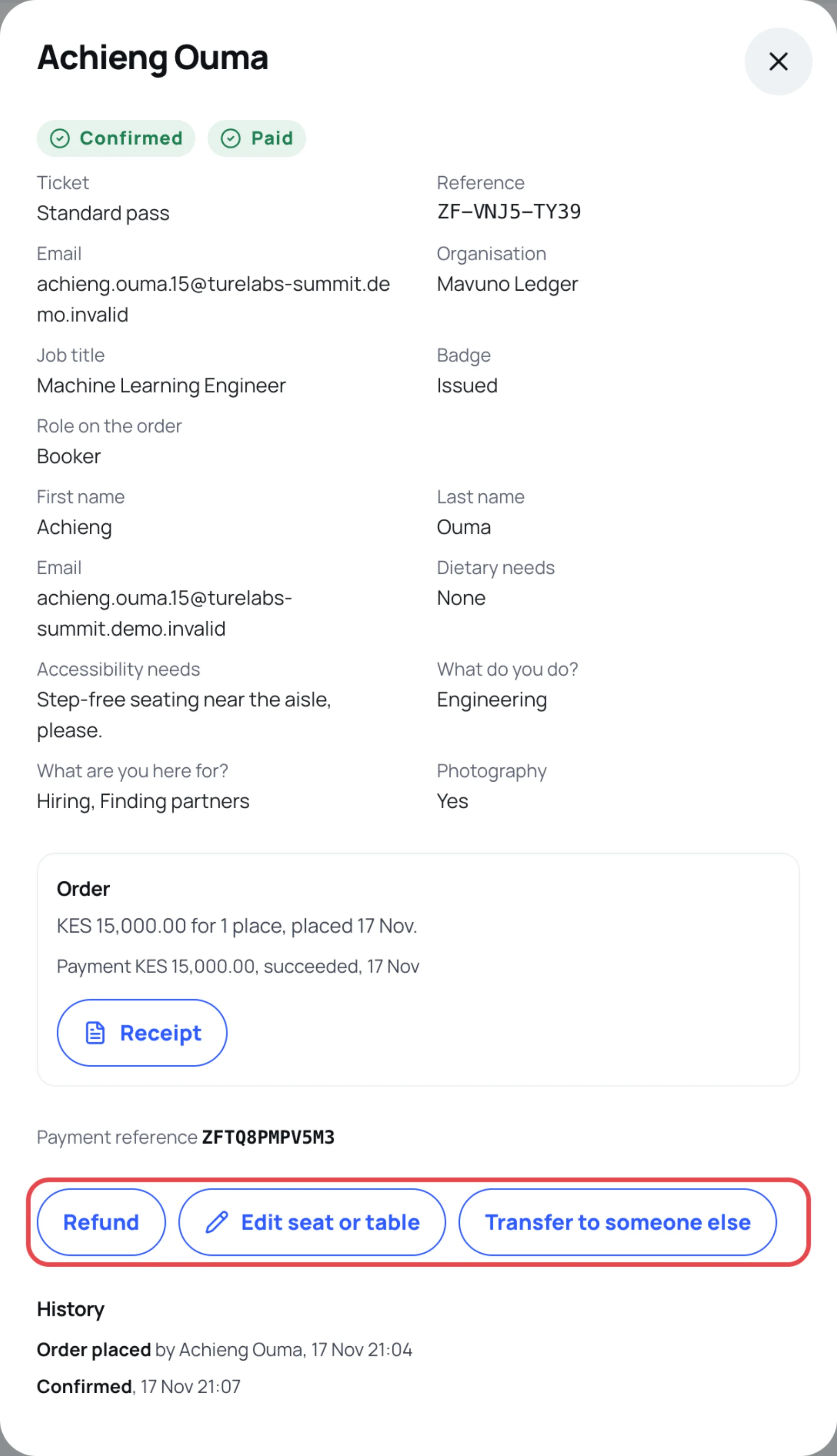
The buttons change with the order's state and your permissions.
| Button | When it appears | See |
|---|---|---|
| Approve, Reject | Awaiting review | Approve or reject an order |
| Record payment, Confirm payment received, Reject reference, Record bank transfer | Awaiting a direct payment or a bank transfer | Confirm a direct payment |
| Refund, Record refund outcome | Paid | Refund an order |
| Resend badge | Confirmed, with a badge issued | Resend a badge |
| Transfer to someone else | Confirmed, not yet checked in | Transfer or edit an attendee |
| Edit details, Edit seat or table | Any order that is not cancelled | Transfer or edit an attendee |
| Cancel registration | Any open order that is not paid | Below |
Cancel an order that is not paid
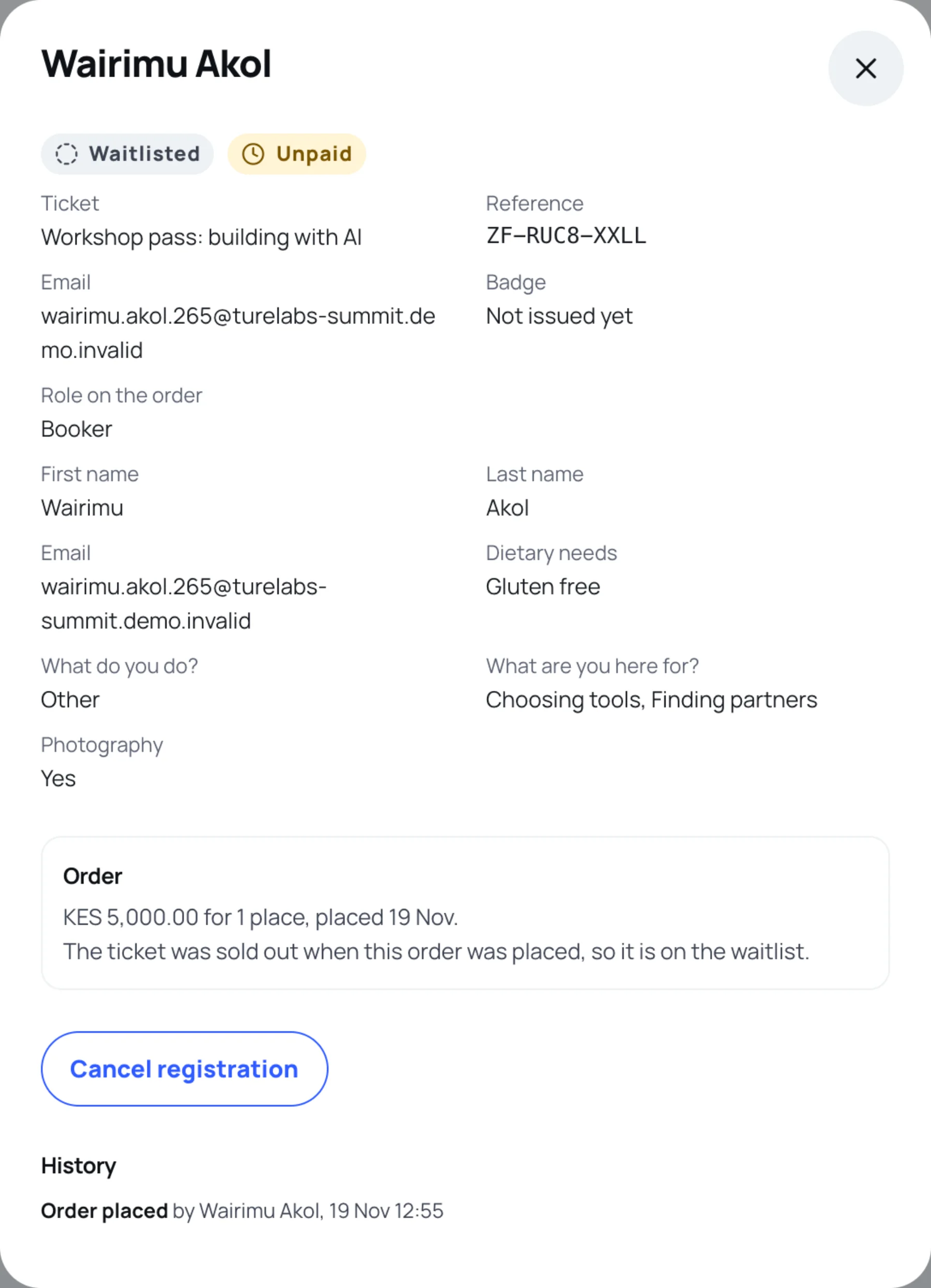
You can cancel a waitlisted order, an order awaiting payment or a free confirmed order.
-
Open the person and select Cancel registration.
-
Optional: type a Reason (shown to the attendee).
-
Select Cancel registration again.
A freed place goes to the next person on the waitlist, if the pass has one.
Last updated