Your registration
My registration is the record of your order at one event: its status, the badges it issued, what your pass includes, every check-in and your receipts. You also cancel or transfer your place from here.
Open your registration
Use any of these:
- In the event, open Menu, then My registration.
- On the event's registration page, select View beside You are already registered.
- From your account menu, open My tickets, then Order and receipt on the order.

What you see
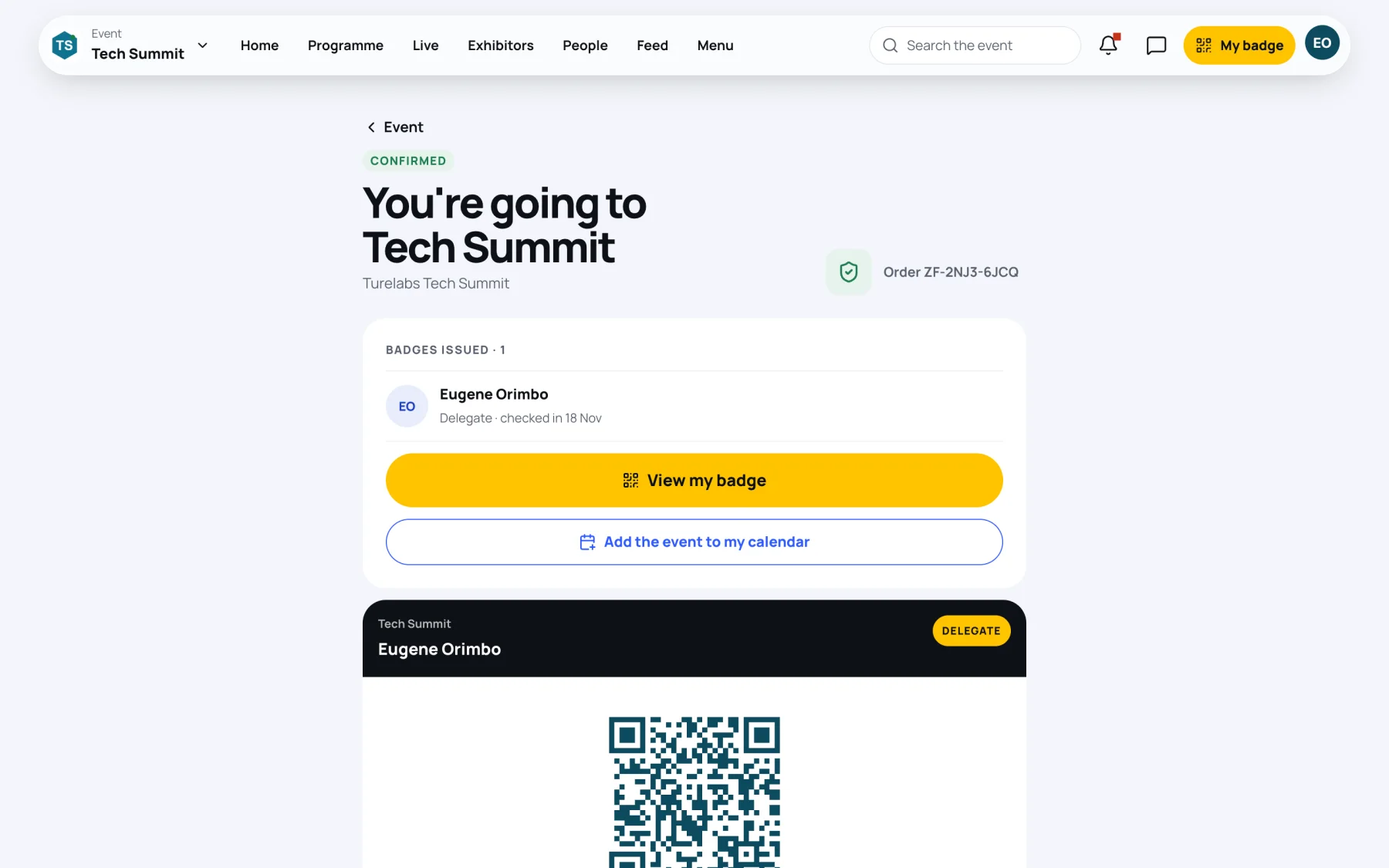
From the top:
| Part | What it shows |
|---|---|
| Status and title | For example Confirmed and You're going to Tech Summit, with your order reference |
| Badges issued | Every badge on the order and who it is for. A badge shows checked in once it has been scanned |
| View my badge | Opens your badge. See Your badge |
| Add the event to my calendar | Downloads a calendar file with the event's dates |
| Badge card | Each badge's QR code and code, with Download and Print |
| Dates, venue, reference | The event's dates and venue, your reference and the number of places in the order |
| What your pass includes | Your entitlements, and whether each is used |
| Check-in history | Every scan of your badge |
| Order summary | What you paid for |
| Receipts and invoices | Your documents, when the order has them |
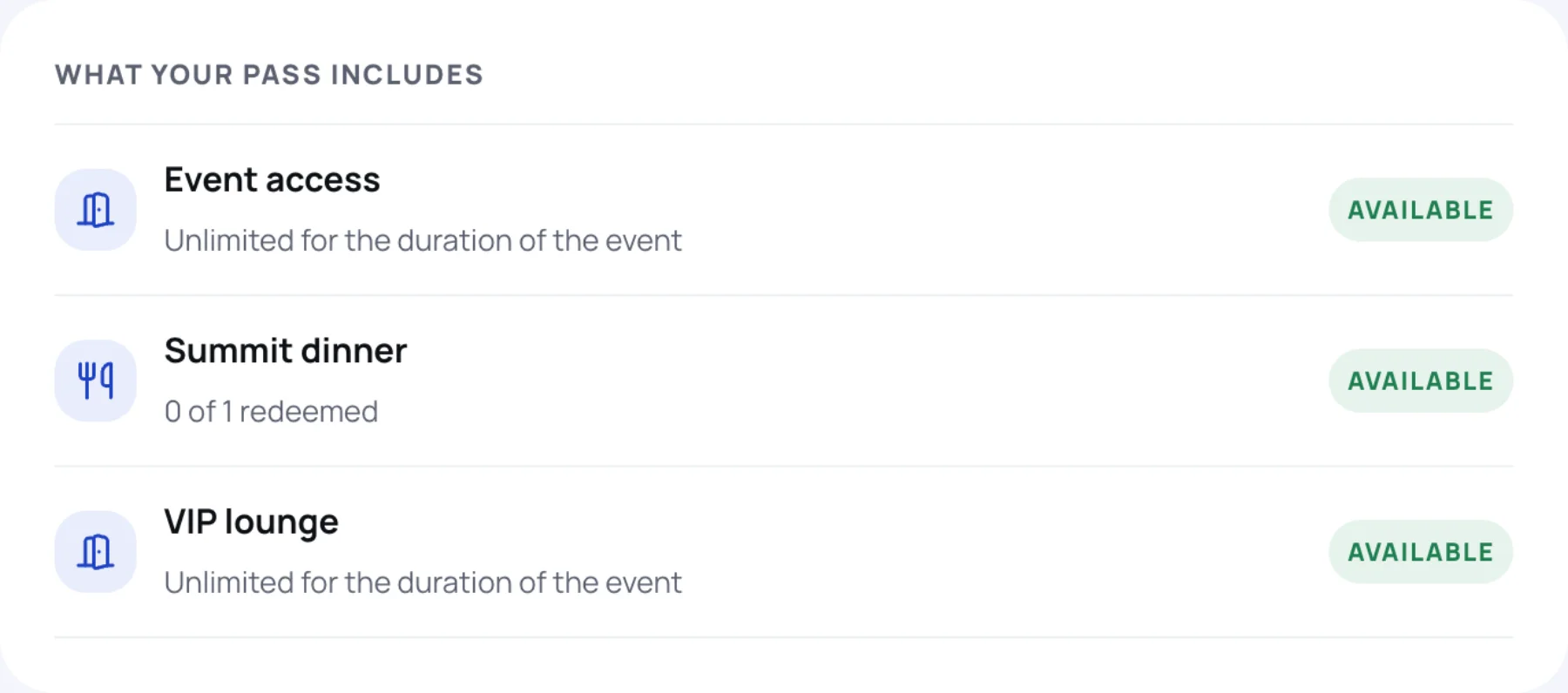
What your pass includes
Each entitlement shows Available or Used. Entry and lounge access are usually Unlimited for the duration of the event. Meals and similar extras count down, for example 0 of 1 redeemed.
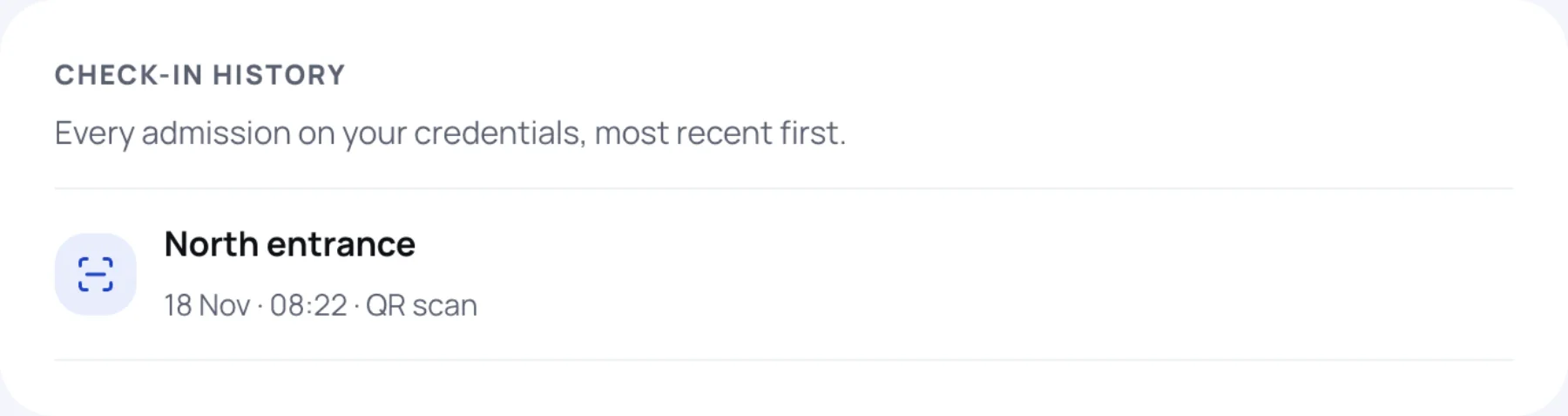
Check-in history
Every admission on your badge, most recent first, with the entrance, the time and how it was checked: QR scan or Manual entry.
Receipts and invoices
When your order has a receipt or an invoice, it is listed under Receipts and invoices. Select Download PDF. Free orders have no receipt.
While your order is in progress
If your order is not yet confirmed, the page says what happens next:
- Request sent to the organiser: the team is reviewing it. You see how long your place is held.
- Your place is held: finish paying. The payment card shows what to do. See Pay for your order.
- You're on the waitlist: your position in the queue.
See Waitlists and reviewed tickets.
Cancel your registration
-
Scroll to the bottom of My registration.
-
Select Cancel registration. If your request is still being reviewed, the button reads Withdraw request. On a waitlist, it reads Leave the waitlist.

-
Read the message and select Cancel registration to confirm, or Keep my place.
After cancelling, the page shows Registration cancelled and Register again.
Questions about your order
The organiser's contact address is at the bottom of My registration, under Questions about this order?.
Last updated