Browse the programme
The programme lists every published session at the event, one day at a time. You can narrow it down to the sessions you care about and open any of them for the full details.
Open the programme
-
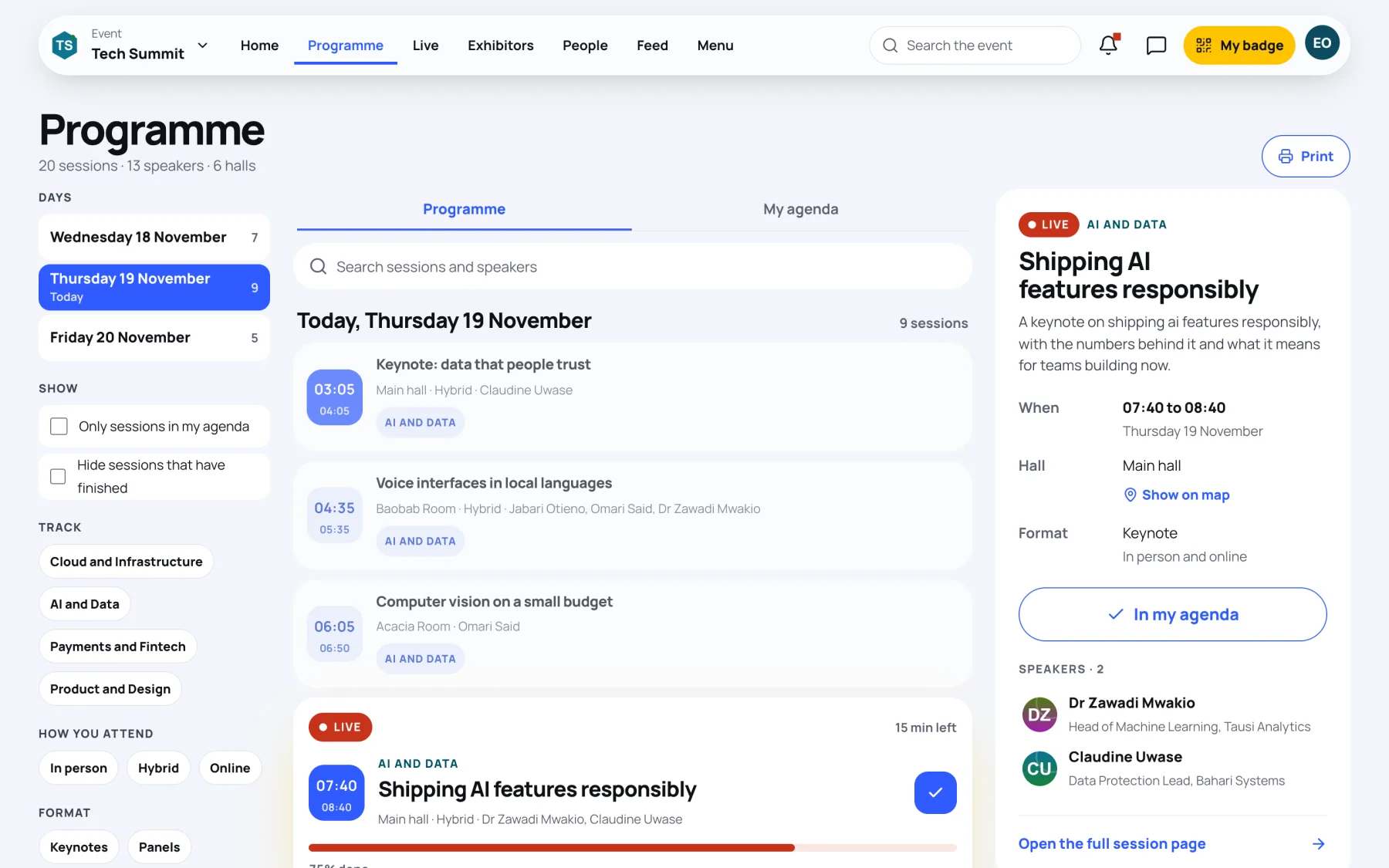
Open the event and select Programme. On a computer it is in the bar at the top; on a phone it is in the bar at the bottom.
-
Choose a day. On a computer the days are listed on the left with the number of sessions on each, and today is marked Today. On a phone, tap a day in the row of dates above the list.
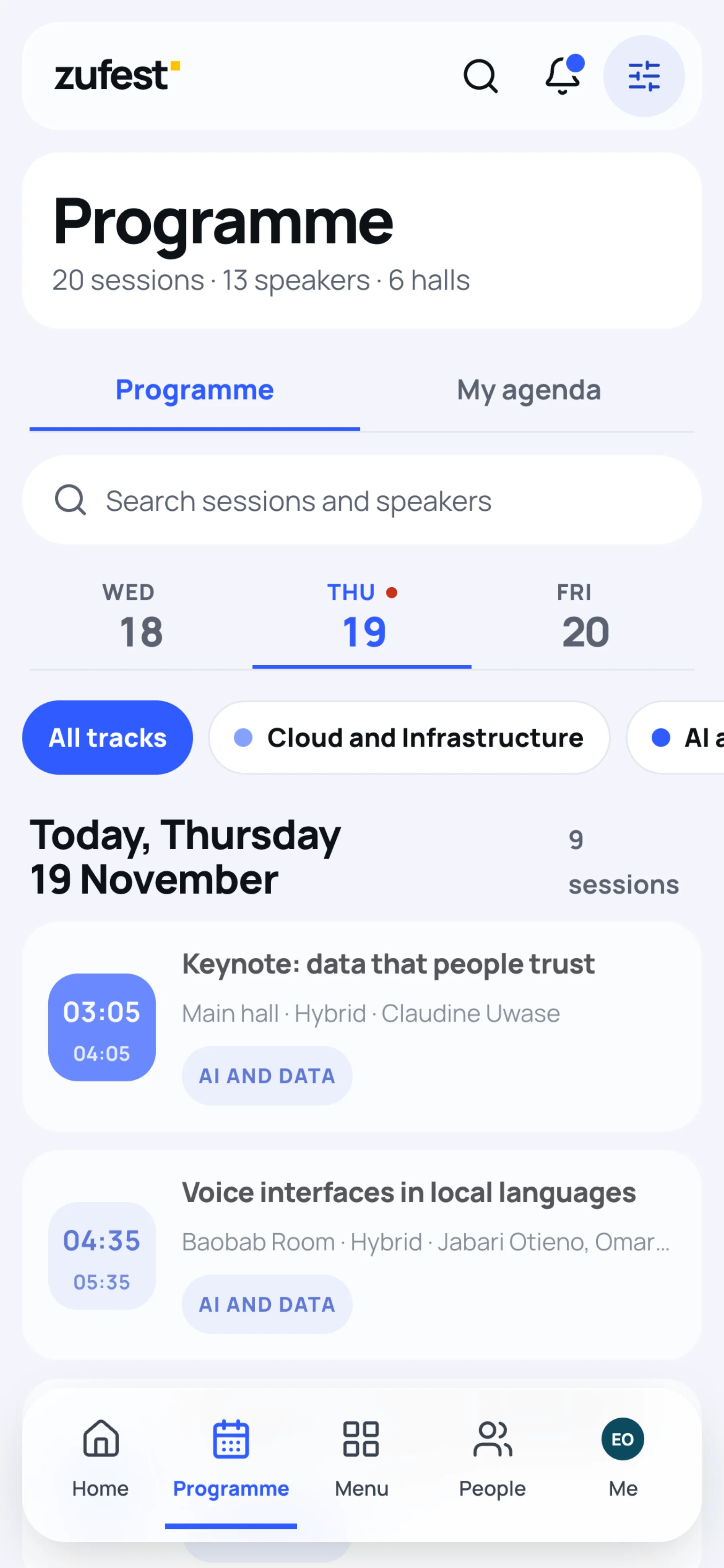
The heading under Programme counts the sessions, speakers and halls at the event. Each session card shows its start and end time, hall, whether it is hybrid or online, the speakers and its track.
Read the session cards
| On a card | What it means |
|---|---|
| Live and a progress bar | The session is running now. The card says how many minutes are left. |
| NOW and a red line | Where the current time falls in today's list. |
| Soon | The session starts shortly. |
| Full and a seat count | Every seat is taken. You can still join the waitlist from the session page. |
| Cancelled | The organisers have cancelled the session. |
| A blue tick | The session is in your agenda. See Build your agenda. |
On a computer, selecting a card shows a summary of that session on the right, with Show on map, the speakers and Open the full session page. On a phone, tapping a card opens the session page straight away.
Search the programme
-
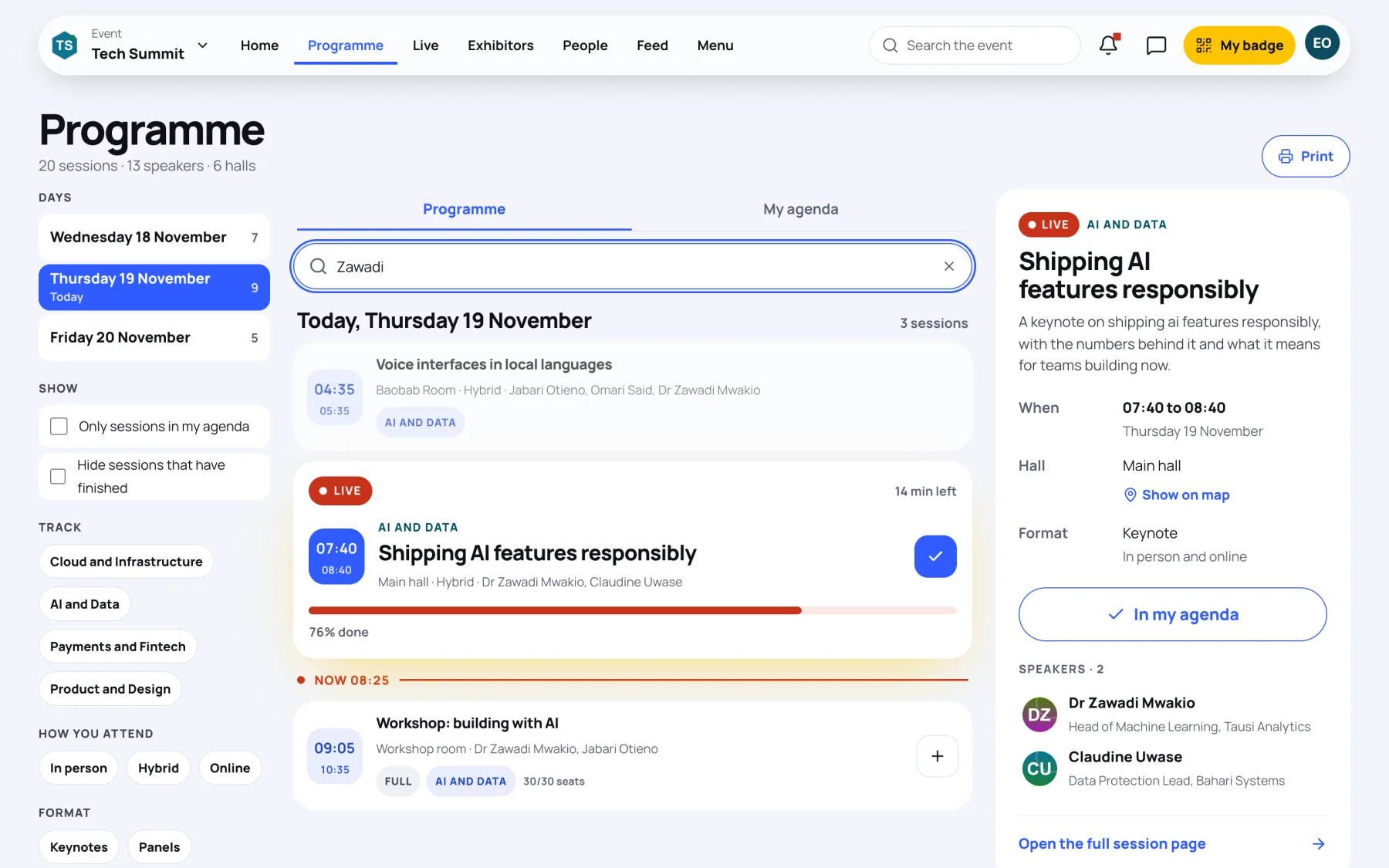
Type in Search sessions and speakers. You can search for a word in the title, a topic or a speaker's name.
-
Select the cross in the search box to clear it.
The search works within the day you have chosen. If nothing matches, try another day or a shorter word.
Filter the programme
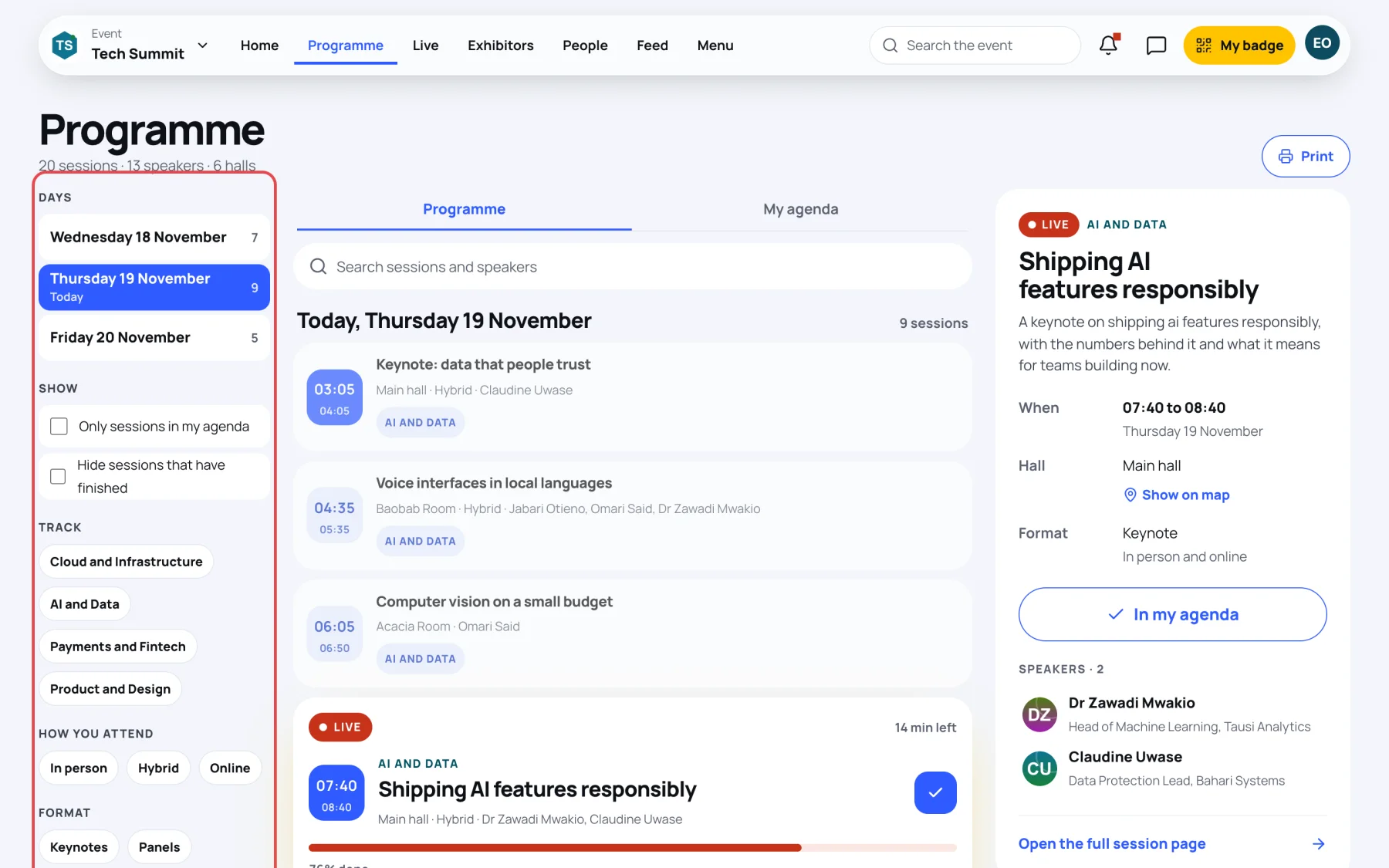
On a computer the filters sit on the left, under the days.
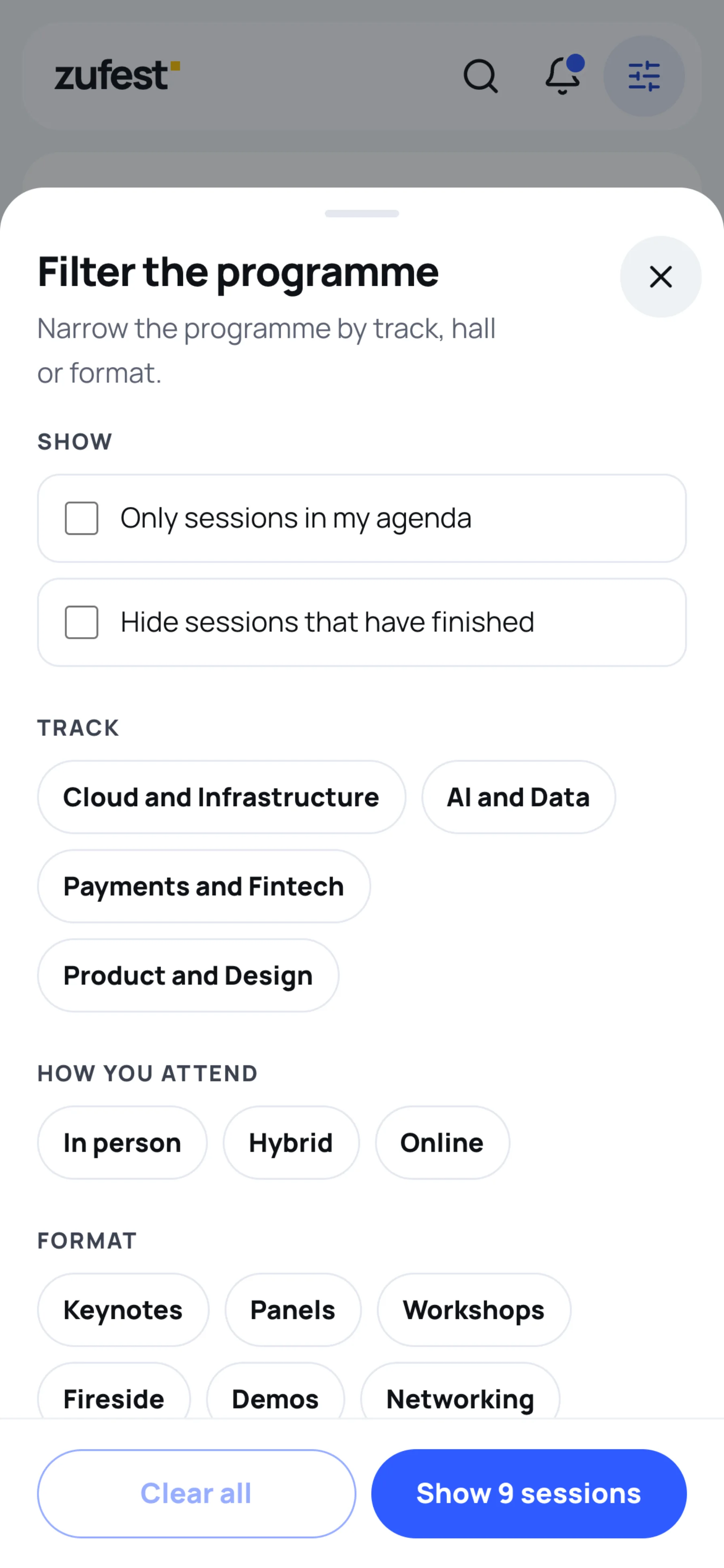
On a phone, tap the filter button at the top right of the screen. The Filter the programme sheet opens.
| Filter | Choices |
|---|---|
| Show | Only sessions in my agenda, Hide sessions that have finished |
| Track | The event's tracks, for example AI and Data or Payments and Fintech |
| How you attend | In person, Hybrid, Online |
| Format | Keynotes, Panels, Workshops, Fireside, Demos, Networking |
| Hall | The rooms at the venue |
On a phone, tap Show and the number of sessions to apply the filters, or Clear all to start again. The filter button shows how many filters are on, and small labels above the list remind you which ones.
What to do next
- Save sessions to your own schedule: Build your agenda.
- Open a session for the details, the Q&A and the polls: A session page.
- Print the whole programme or save it as a PDF: Print the programme.
Last updated