Your badge
Your badge is your ticket at the gate, at session doors and on the exhibition floor. It is issued as soon as your place is confirmed, and its QR code is drawn on your own device.
From your confirmation email
When your place is confirmed, Zufest emails you. Select Open your badge in the email to open it, even without signing in. If the order was paid, the receipt is attached. If someone registered you as a guest on their order, the email says who, and comes to the address they gave for you.
The link is personal: anyone who has it can use your badge, so do not forward it. If the email is lost, or went to the wrong address, ask the organisers to send it again.
Open your badge
-
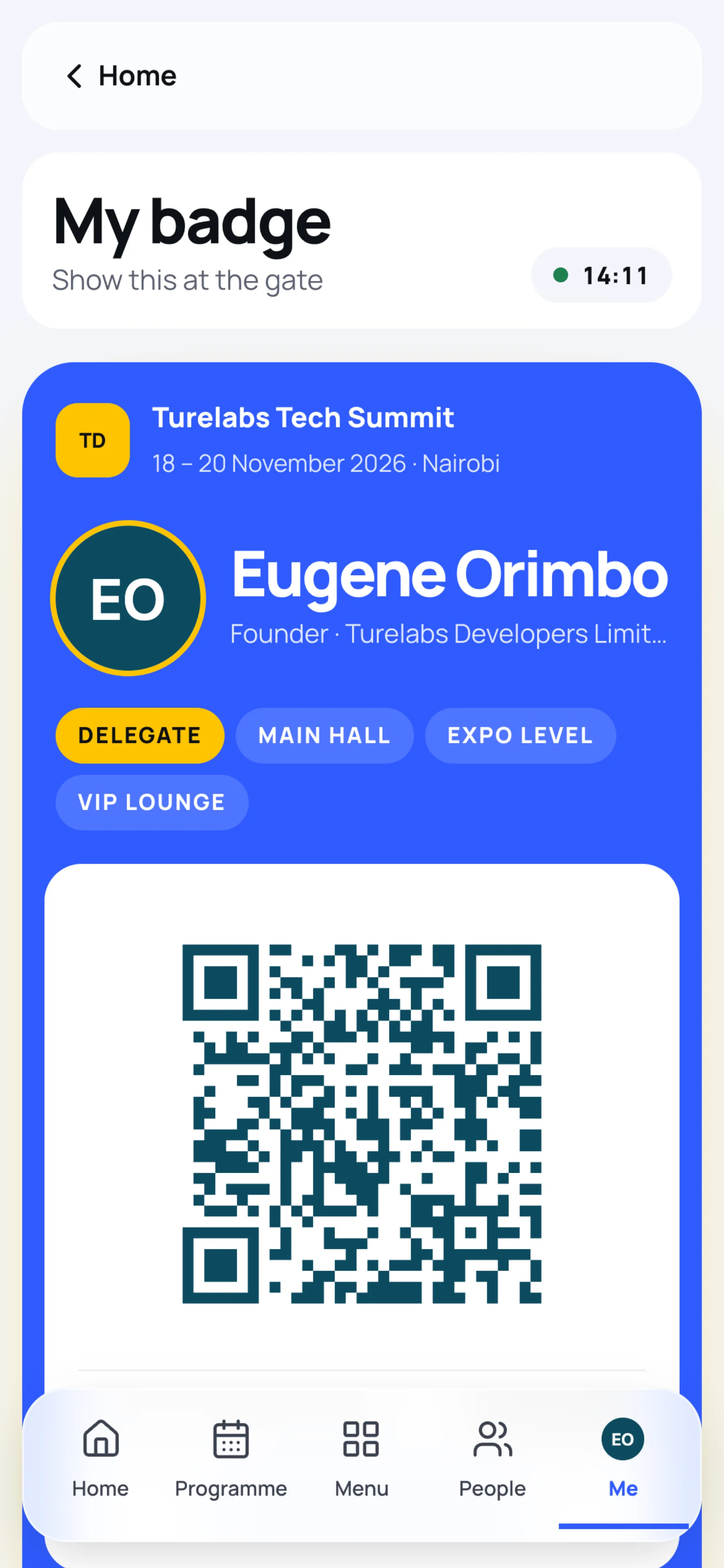
In the event, select My badge at the top right. On a phone, select the yellow badge button on the Home screen, or open Me, then My badge.
-
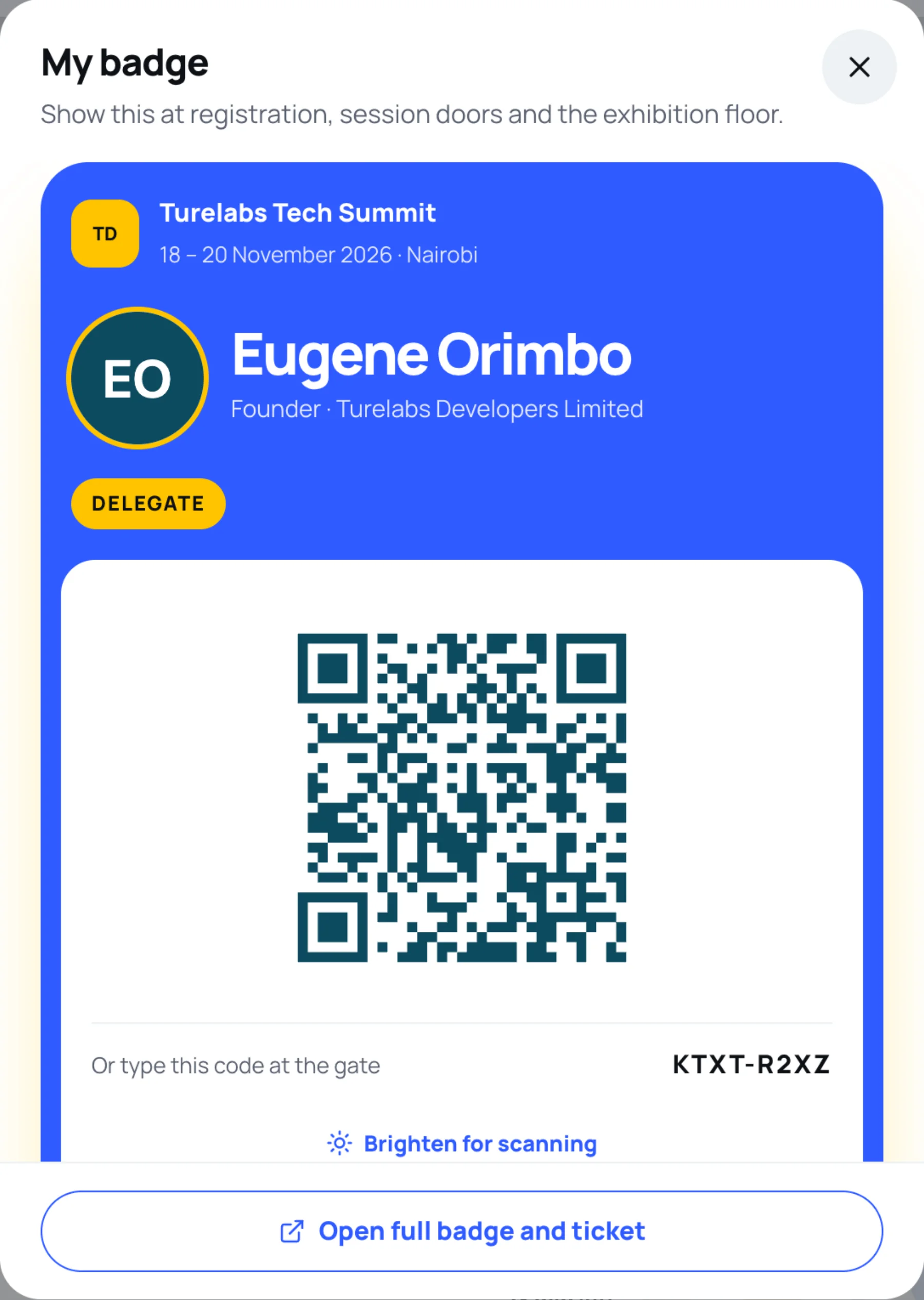
A panel opens with your badge and QR code. Select Open full badge and ticket for the full screen.
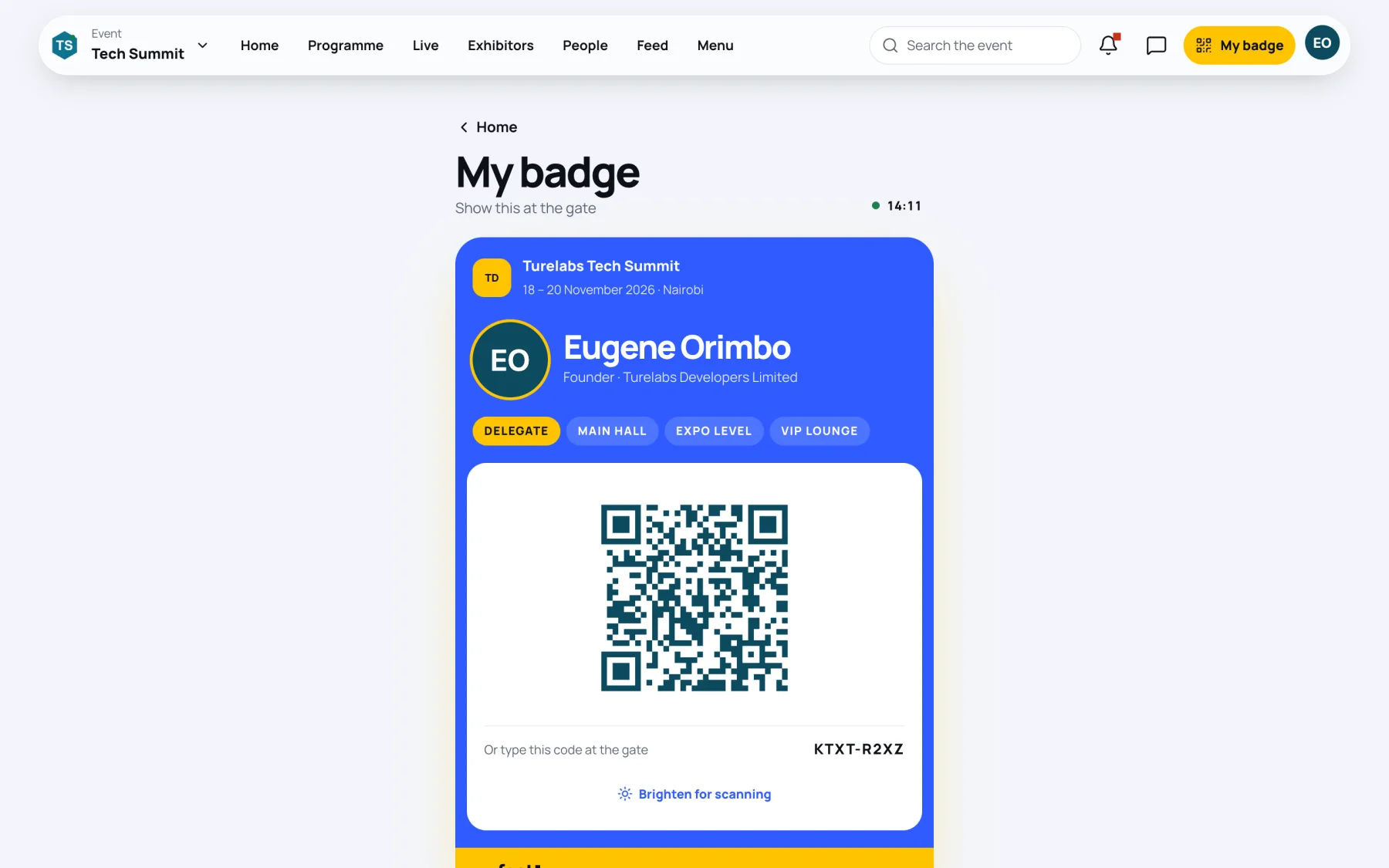
The full screen shows your name, job title and organisation, your role (for example Delegate), the areas your pass opens, the QR code and the code to type.
At the gate
-
Open your badge before you reach the front of the queue.
-
Select Brighten for scanning and turn your screen brightness up.
-
Hold the QR code up to the scanner.
-
If the scanner cannot read your screen, read out the code under Or type this code at the gate, for example D2L9-KT6P, to any steward.
After your first scan, the badge shows Checked in with the day and time.
Pass details
Under the badge, Pass details lists what the badge is good for.
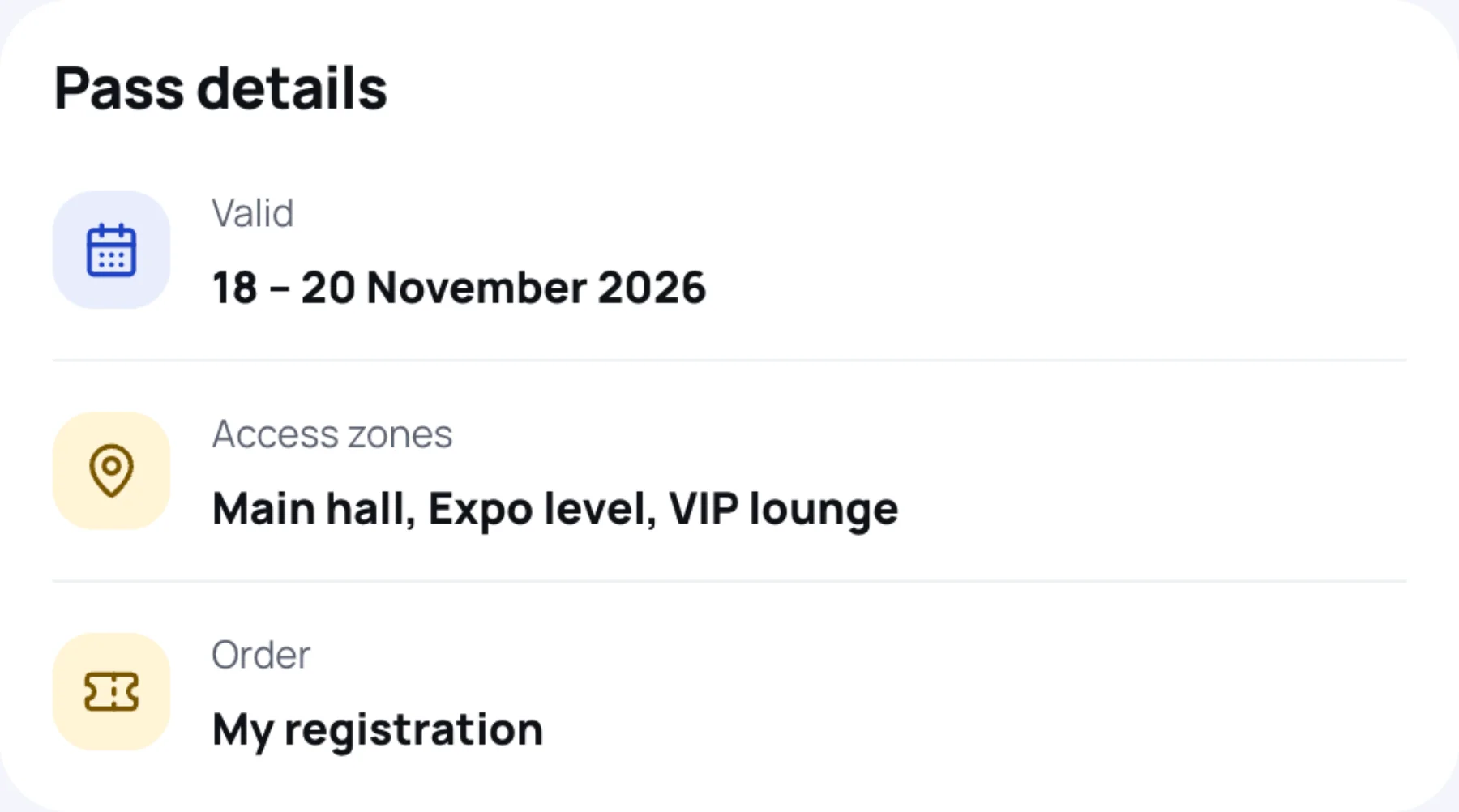
| Line | What it means |
|---|---|
| Valid | The days the badge opens the event |
| Seating | Your seat or table, if the organiser assigned one |
| Access zones | The areas your pass lets you into |
| Order | Opens My registration |
Day passes
A day pass is valid on one day only. Valid shows that single date. Scanned on another day, it is refused at the gate. The day is judged in the event's own time zone.
One entry per day
Each badge admits its holder once a day. On an event of several days, the same badge gets you in again each morning. A second scan on the same day is recorded as already checked in, and the door team will check it is you. If you have a group order, every person has their own badge: share each one with its holder, never one badge for several people.
Download or print your badge
- Select Download to save the badge as an image file. Open it to print it at any size.
- Select Print badge to print it from your browser.
Last updated