Create your organisation
Every event on Zufest belongs to an organisation: your company, association or events team. You create it once, and every event and team member hangs off it.
Why an organisation comes first
An organisation holds three things that apply to all its events:
- The team. People get a seat on the organisation, with a role, and that seat works on every event the organisation runs. See invite your team.
- The contact details delegates see: name, support email, phone, website and logo. See organisation settings.
- Approval. Zufest checks each new organisation before its events can go public.
Whoever creates the organisation becomes its first Owner, with every permission.
Create it
You create the organisation as the first step of creating your first event.
-
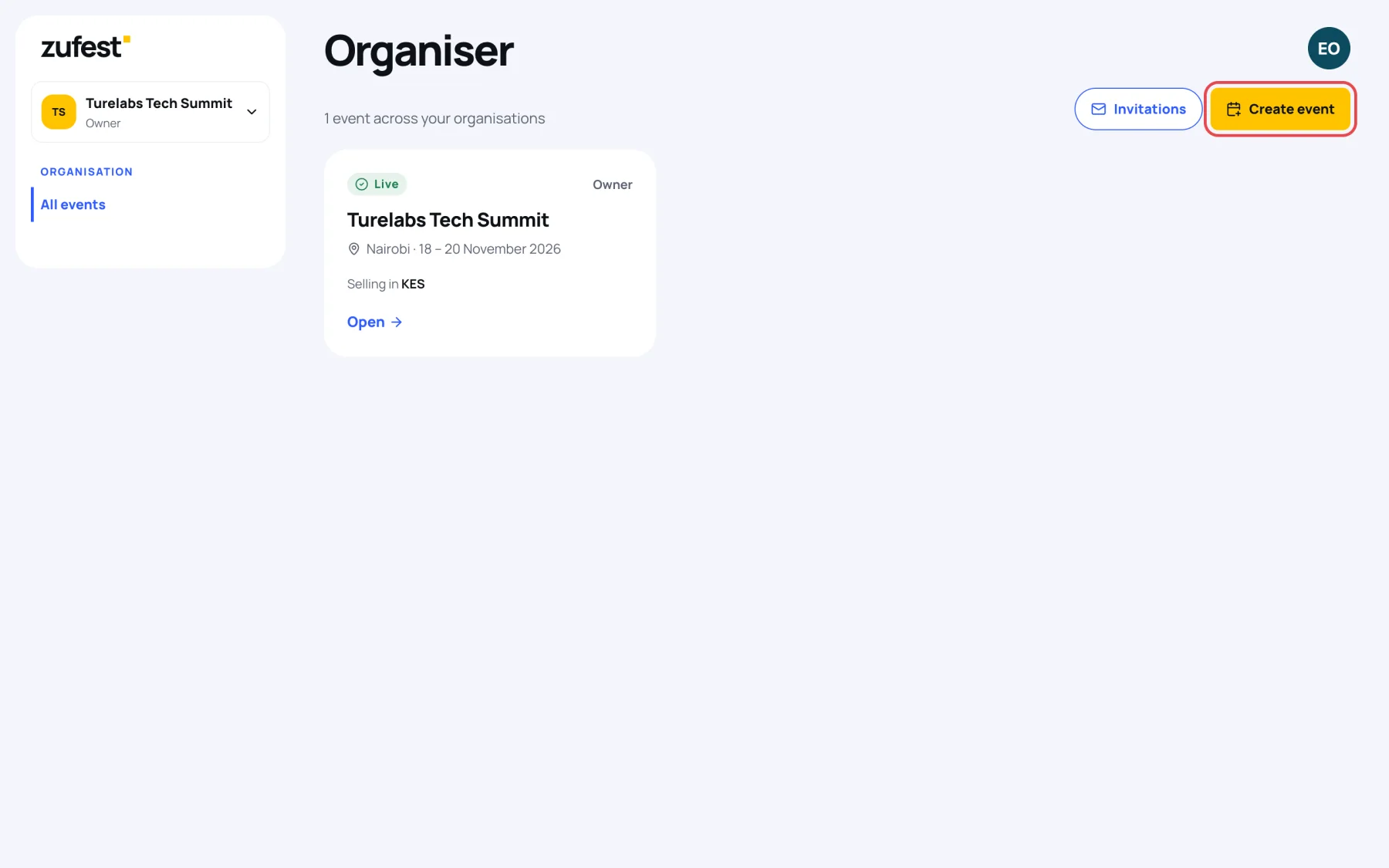
Sign in, open your account menu and choose Organiser dashboard. You arrive on Organiser, the list of events you help run.
-
Select Create event.
-
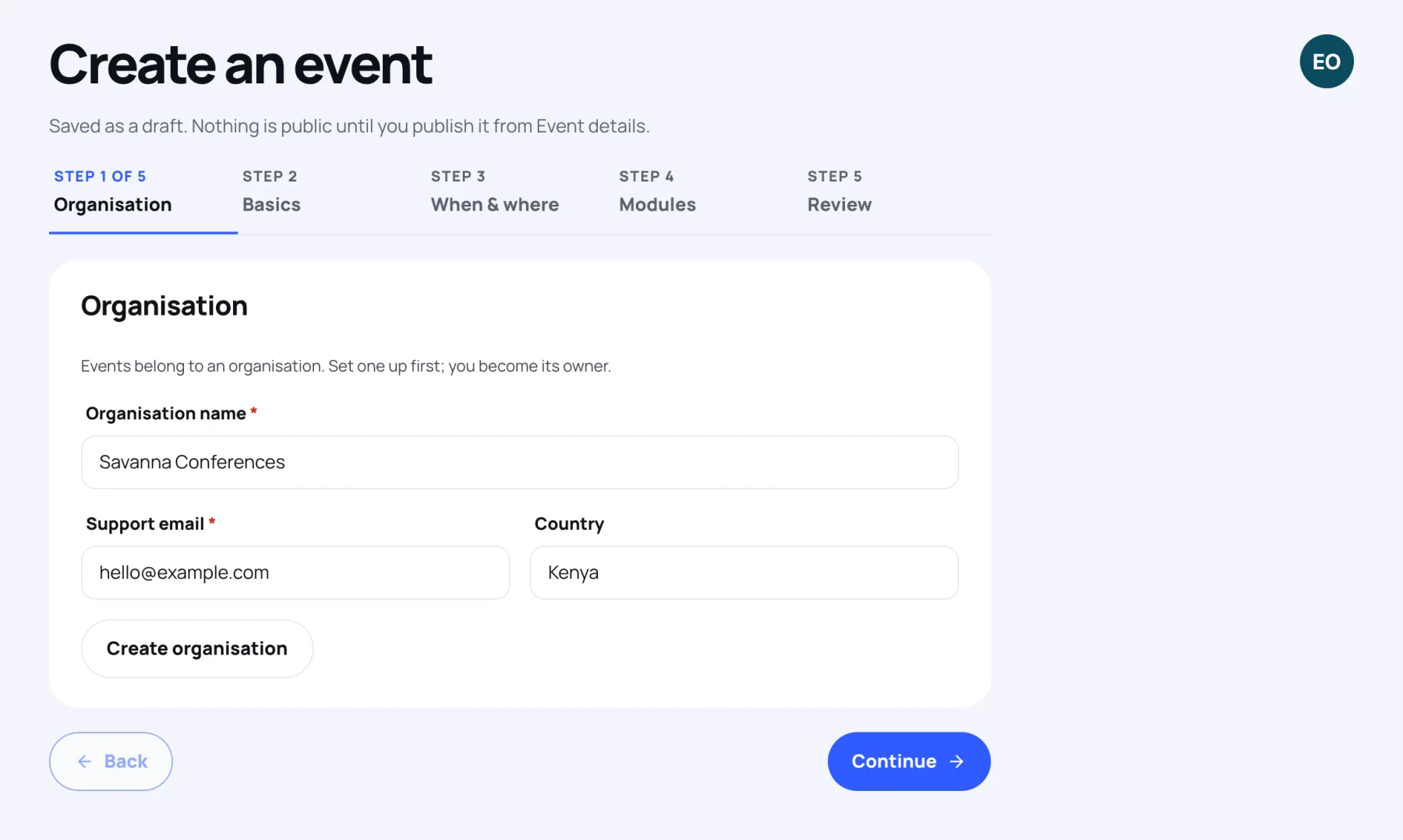
On the Organisation step, you see "Events belong to an organisation. Set one up first; you become its owner." Fill in:
- Organisation name: the name delegates and your team will see.
- Support email: where delegates write with questions. Use a shared inbox rather than a personal address.
- Country: optional.
-
Select Create organisation. Zufest confirms with "Organisation created" and "It can publish events once approved."
-
The new organisation is now chosen in the Organisation list. Select Continue to carry on with your event. See create an event.
While your organisation is awaiting approval
A new organisation starts as Awaiting approval. Zufest reviews it, and you can work in the meantime:
- You can create events and build them as drafts: tickets, registration form, programme, branding and everything else.
- You cannot publish an event. The wizard and Event details show "This organisation is awaiting approval. You can build the event as a draft, but it cannot be published until the organisation is approved."
Once Zufest approves the organisation, its status on Organisation settings changes to Approved and you can publish. See publish your event.
If you already belong to an organisation
If someone has invited you to their organisation, you do not need to create a new one. Accept the invitation from Organiser, then Invitations. See invite your team.
If you belong to an organisation but your role does not include Create events, the wizard says so and offers to set up a new organisation instead. Ask an owner of your organisation for that permission if the event should belong to it.
Last updated